Our latest bi-annual newsletter is now available! From saving pirated research journals to releasing our new Collection Development Policy, don’t miss the latest news from the BHL community.


Our latest bi-annual newsletter is now available! From saving pirated research journals to releasing our new Collection Development Policy, don’t miss the latest news from the BHL community.
Our latest bi-annual newsletter is now available! From welcoming new staff to celebrating major milestones, don’t miss the latest news from the BHL community.
The BHL Tech Team is pleased to announce a new form of content available in BHL: Article PDFs. While this may not sound like anything new, after all, we have had a tool to download PDF content for some time, this update changes both how the PDFs are created and maintained, and how BHL is viewed by content aggregators on the internet, most notably Unpaywall.
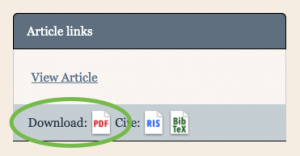
The new Download PDF icon
How to use it? While browsing an article, you will now see a Download PDF icon below the View Article link on the right side of the page. Clicking the link will immediately download the PDF to your computer (or view it in your web browser, depending on your settings.)
The benefits of the immediate download are:
An important change to note is that when viewing an article within an item at BHL, the Download Contents > Download Article link will now direct the visitor’s browser to the new PDFs for immediate download. This is a departure from what we had before in that the pages of the article were pre-selected for download and the visitor was then required to complete the process and wait for the PDF to be generated. We expect the new PDFs to be an improvement for our visitors who come to download articles. View the How do I download a PDF of an article? FAQ for simple download instructions.
Visitors to BHL are still able to manually create PDFs using the Download Contents > Select Pages to Download feature. This feature has not been removed, but it still means that it takes some time to create those PDFs and email the person when the PDF is ready. This option is useful for articles that have not been indexed in BHL, and therefore do not have a Download Article link. View the How do I generate a custom PDF of selected pages from the book? FAQ for complete instructions.
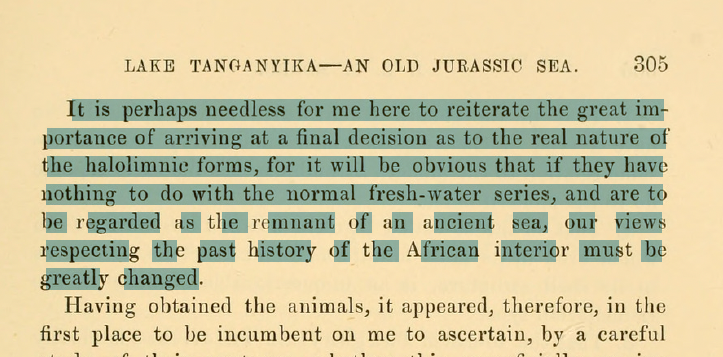
The most important feature of the new Article PDFs is the embedded text† within the document. The select-able text is an invisible text layer in the PDF, but it appears when you select or search for text within the document:
An example of select-able text in an Article PDF.
While the appearance of the text may look… less than ideal, rest assured that the text can be copied out intact and used in another program. Example:
It is perhaps needless for me here to reiterate the great importance
of arriving at a final decision as to the real nature of
the haloliranic forms, for it will be obvious that if they have
nothing to do with the normal fresh-water series, and are to
be regarded as the remnant of an ancient sea, our views
respecting the past history of the African interior must be
greatly changed.
Other, less visible benefits to the PDFs are that they are directly linked from the citation_pdf_url meta-tag on the web page which makes them more findable by Google Scholar, Unpaywall, and potentially other aggregators.
For the technical-minded, the PDFs (many tens of thousands of them) are created in advance and stored on BHL’s servers. Changes to data within BHL will cause the PDF to be updated automatically, usually within several hours.
We hope that this is a welcome addition to BHL.
† – Please note that the text is only as good as the OCR that was generated for the text on the page. While the OCR text is probably very good for the prose sections of an article, titles, tables, and other special content may not appear as expected.
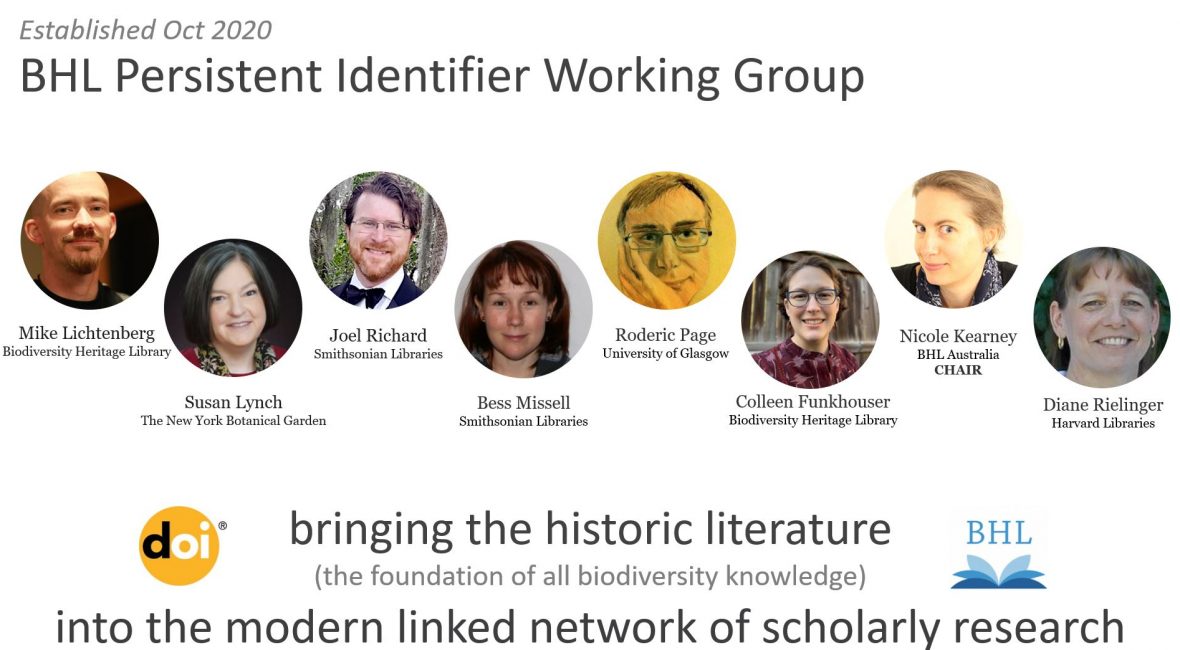
In October 2020, BHL launched a new working group with a momentous goal: to make the content on BHL persistently discoverable, citable and trackable using DOIs (Digital Object Identifiers).
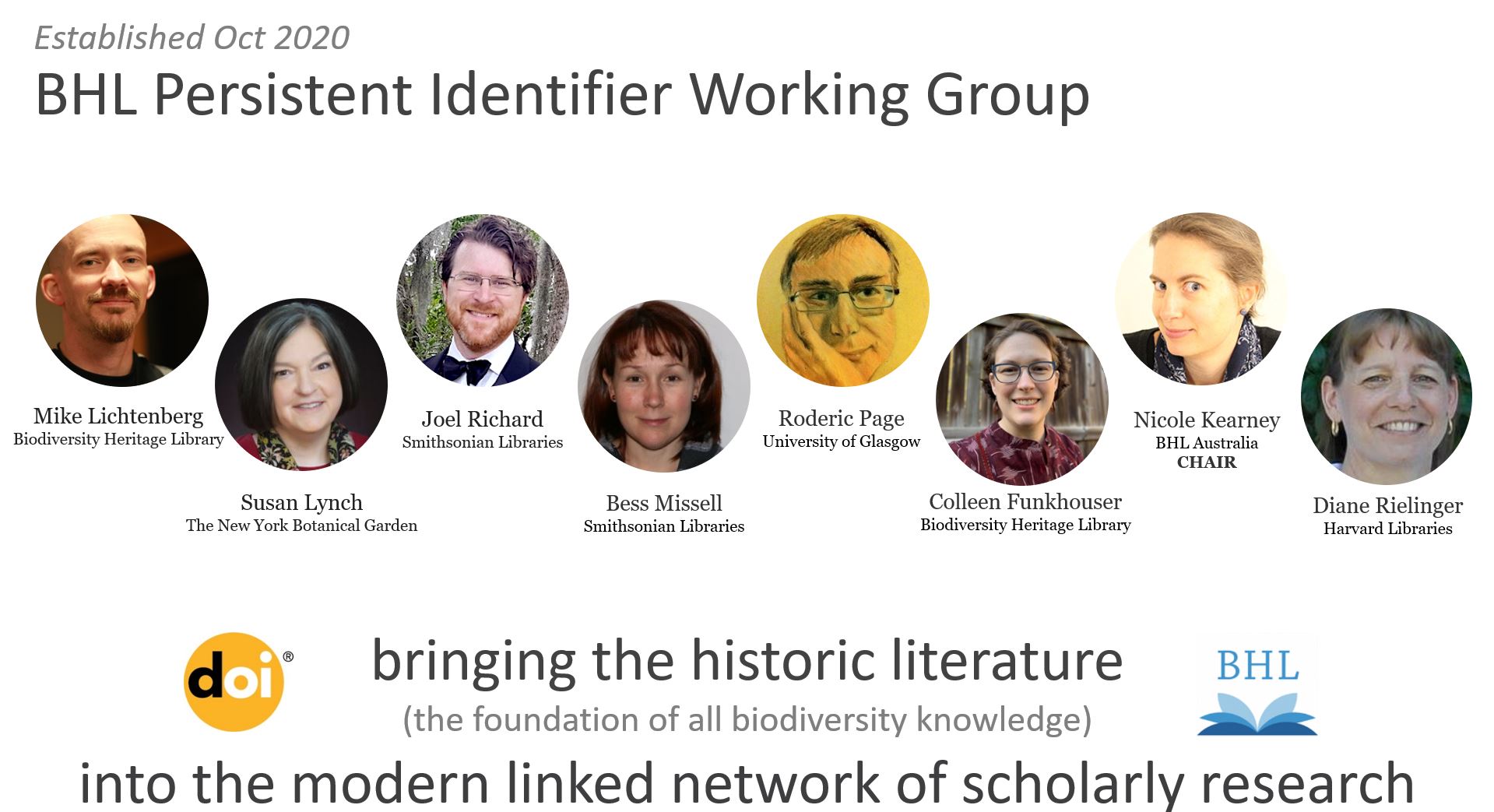
The members of BHL’s new Persistent Identifier Working Group (PIWG).
A DOI is like an electronic fingerprint in the form of a unique and permanent alphanumeric string that provides a persistent link to a piece of content online. Modern publications receive a DOI at the point of publication. This DOI becomes a key part of a publication’s bibliographic metadata that should be included in any mention or citation of that publication. Reference lists in modern publications are filled with DOIs, which allows readers to click from publication to publication in (in theory) a never-ending chain of knowledge.
This reciprocal linking of DOIs has created a great linked network of scholarly research, but that network is missing the historic literature. The vast majority of historic publications lack DOIs. This means they appear in reference lists as unlinked citations. In our increasingly online world, readers are far more likely to read (and thus cite) publications they can click through to (particularly when libraries are inaccessible during a global pandemic). The upshot of this is that the millions of pages of historic literature on BHL—the foundation of our understanding of biodiversity—is in danger of falling into obscurity.
BHL has been retrospectively minting DOIs for historic publications since 2011, but the focus has primarily been on monographs. BHL’s new Persistent Identifier Working Group (PIWG) is (at least initially) focusing on journal articles. Minting DOIs for articles on BHL is a far more complex and time-consuming task than minting DOIs for monographs. This is because article DOIs need article data: every journal volume uploaded onto BHL must be accompanied by journal and volume data, but there is no requirement that contributors provide article data.
Thankfully, there have been considerable efforts to add article data to BHL (and thereby make it possible to search for the titles and authors of these articles both within BHL and via external engines). A huge proportion of this article data has been contributed to BHL by Roderic Page via BioStor: 75% of the 300,753 articles indexed in BHL as of 4 May 2021 were “defined” by BioStor. It is very difficult to determine how many articles are actually on BHL (hidden within all those journal volumes). But, while we don’t know what proportion of BHL’s journal content still needs to be made discoverable, we know there is still a huge amount of work to do.
COVID-19 provided an unexpected opportunity to make a considerable dent in this work. With no access to scanners or library materials, a number of BHL contributors, including Harvard University Libraries, Muséum National d’Histoire Naturelle and BHL Australia, pivoted from making new content accessible to making their existing content on BHL more discoverable. For example, BHL Australia’s digitisation volunteers gathered, gap filled and checked article-level metadata for over 30,000 articles in 2020.
Once an article has been defined, i.e. it exists as a publication unit in BHL and has its own article landing page (and we’ve checked that the article does not already have a DOI), we can assign a DOI to it. Articles that have recently been assigned BHL DOIs include some very old publications, such as the first scientific description of the Duck-billed Platypus, published in 1799 (https://doi.org/10.5962/p.304567), and the species descriptions from A specimen of the botany of New Holland, the first publication dedicated to Australian flora (1793-5), e.g. https://doi.org/10.5962/p.312432. The PIWG has also started assigning DOIs to in-copyright publications (with permission from the rights holders). These include articles from the Bulletin of the British Museum, e.g. https://doi.org/10.5962/p.310418, and the Bulletin of the African Bird Club, e.g. https://doi.org/10.5962/p.308885.
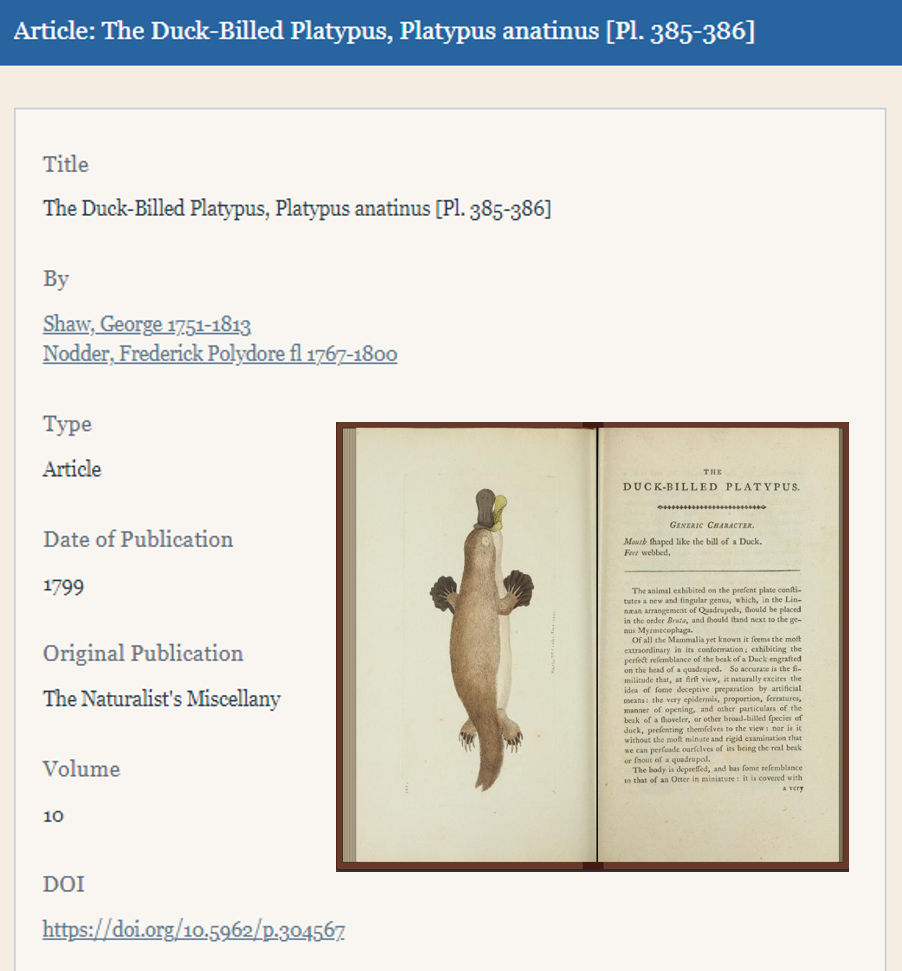
Shaw, George (1799), The Duck-Billed Platypus, Platypus anatinus, The Naturalist’s Miscellany: https://doi.org/10.5962/p.304567 (illustration by Frederick Polydore Nodder).
If an article on BHL has an existing non-BHL DOI, we add this key piece of bibliographic metadata to the BHL landing page for the article. This ensures that BHL users can link to the definitive version of the article (the one the DOI resolves to), and more importantly, that other parties (and their algorithms) can find our versions from elsewhere. This is particularly important when commercial websites lock their DOI’d versions of public domain articles behind paywalls. Having their DOIs on our freely accessible versions ensures that services like Unpaywall can find them. To learn more about how this works, see our blog post: BHL Journal Articles Are Now Discoverable via Unpaywall.
DOIs not only improve discoverability and enable persistent linking to our historic content; they also allow us to track how BHL content is being used. In the six months following the minting of its new DOI (Oct 2020 to April 2021), the 1799 Platypus description was tweeted by 219 Twitter accounts, referenced in six Wikipedia pages, picked up by one news outlet and cited in one academic paper (data from Altmetric, April 2021). We know this because the article has a DOI.
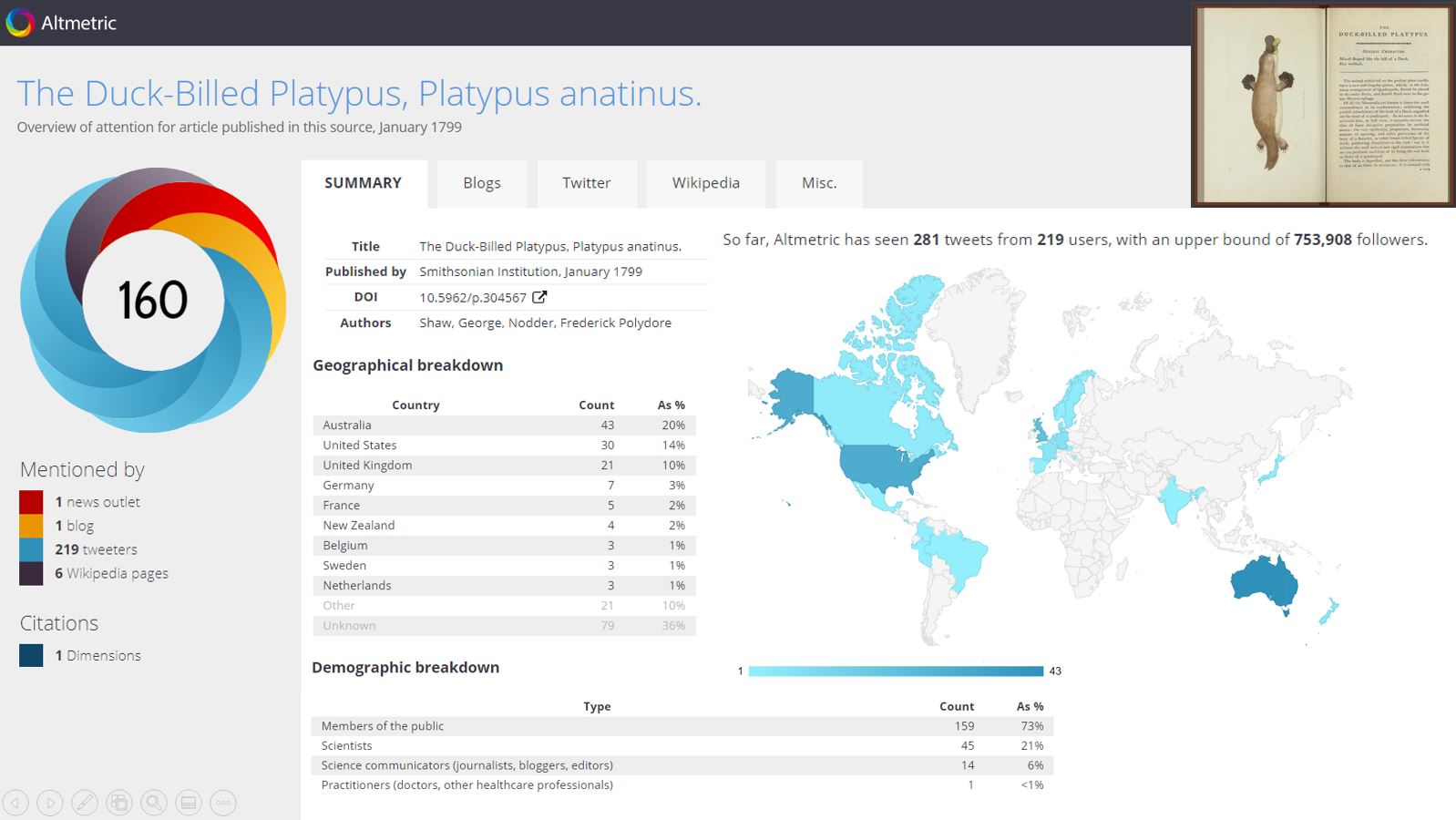
Altmetric’s overview of attention for the first scientific description of the Duck-billed Platypus (Shaw 1799): https://www.altmetric.com/details/91788579.
The PIWG has spent the past six months creating, refining and testing tools that will allow BHL contributors to do this work themselves. We have also been producing documentation that explains a) how to use the new tools, and b) why this work is so important. These tools will facilitate every step in the article discoverability and DOI assignment process including: downloading existing article data for a given journal title to allow for correction and gap-filling (in development); bulk uploading of article data for new articles (available now); and adding articles and titles to BHL’s (new) DOI Assignment Queue (available now). Our dream is that, whenever anyone uploads a journal volume to BHL, they also provide the data for the articles it contains (and thus take responsibility for making that content discoverable).
The Persistent Identifier Working Group (PIWG) is fueled by the technical expertise, metadata dexterity and incredible passion of:
The specific goals of the group are:
Want to know more about BHL’s Persistent Identifier Working Group? See:
For the latest news about BHL’s DOI work, check out #RetroPIDs on Twitter.
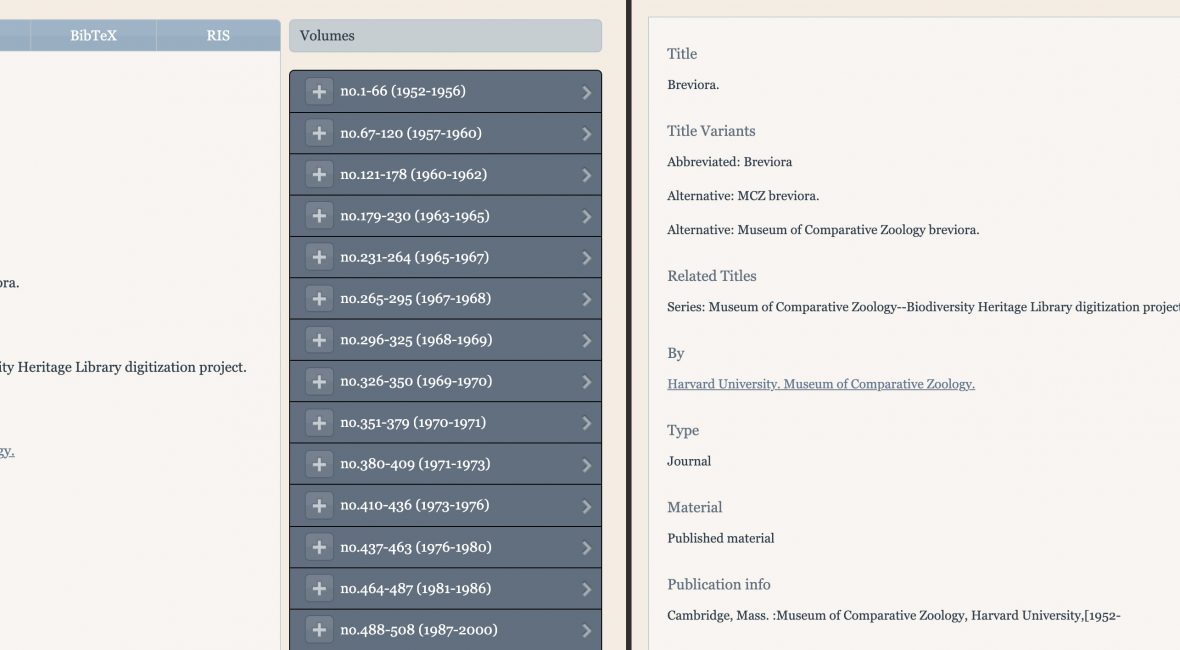
We have updated the bibliography pages in BHL to streamline the presentation of information about and metadata export options for content in the Library.
Previously, bibliographic details and export options were available through different tabs on title and part pages. These tabs have now been removed, and all bibliographic information is consolidated into a single display.
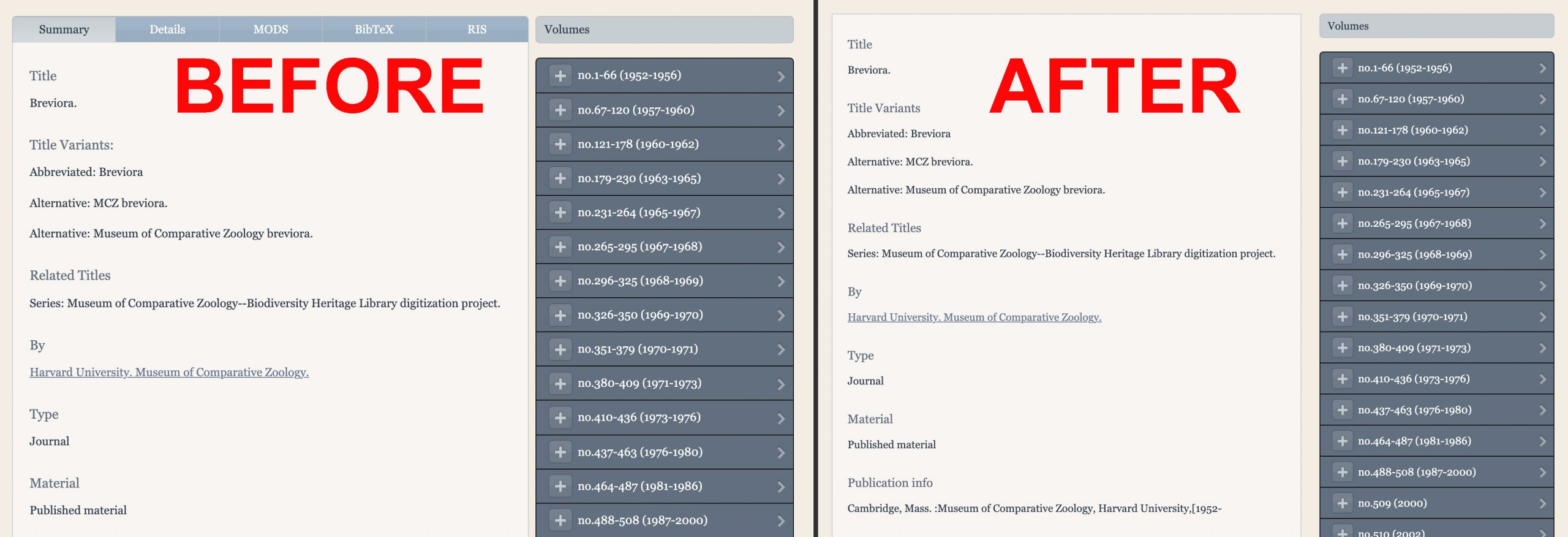
The various tabs on title and part bibliography pages have now been consolidated into a single display.
BHL’s metadata export options have also been relocated. BHL offers metadata exports in MODS, BibTex, and RIS formats. MODS is an XML-based bibliographic description schema used in a variety of library applications. BibTex and RIS are bibliographic citation files that are compatible with a variety of citation management tools. The MODS file is a title-level download. The BibTex and RIS files are item-level downloads.
The MODS download is available at the bottom of the title and part bibliography pages.
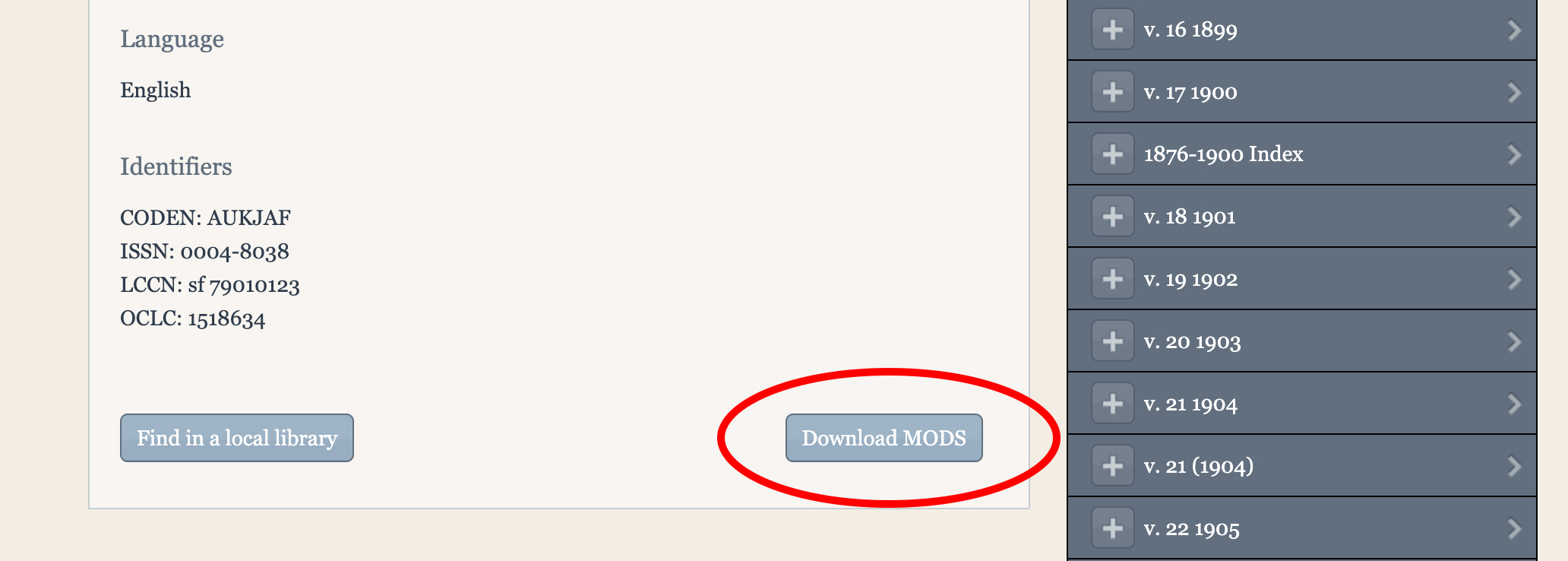
MODS download on the title and page bibliography pages.
The BibTex and RIS downloads are available in two places:
1) Under the volume or part details on bibliography pages.
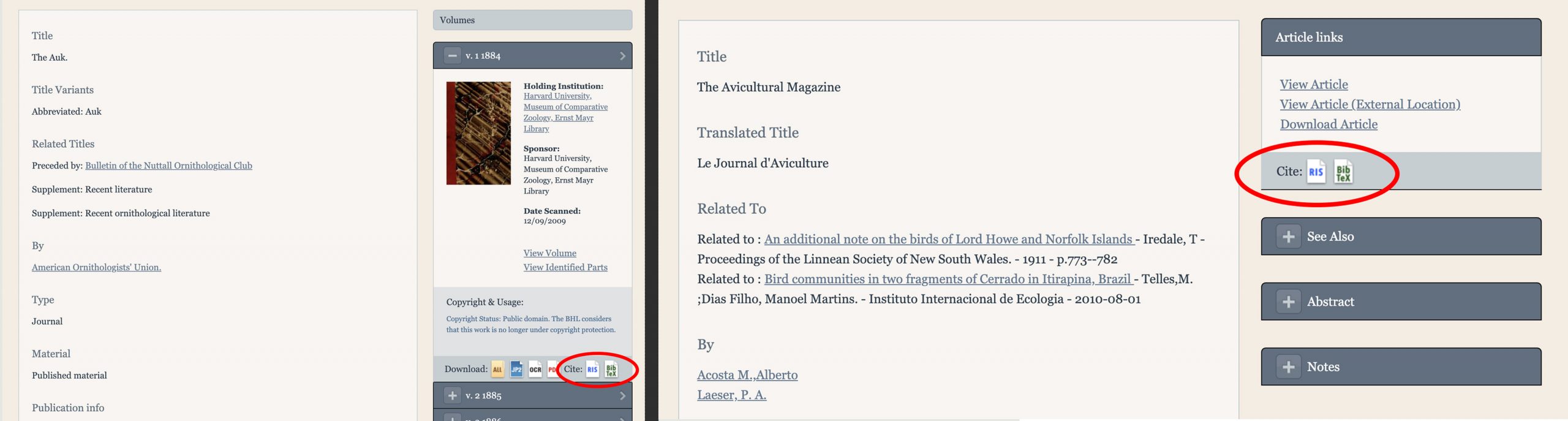
BibTex and RIS downloads on title (left) and part (right) bibliography pages.
2) Under the “Download Contents” menu in the book viewer, via the “Download Citation” option.
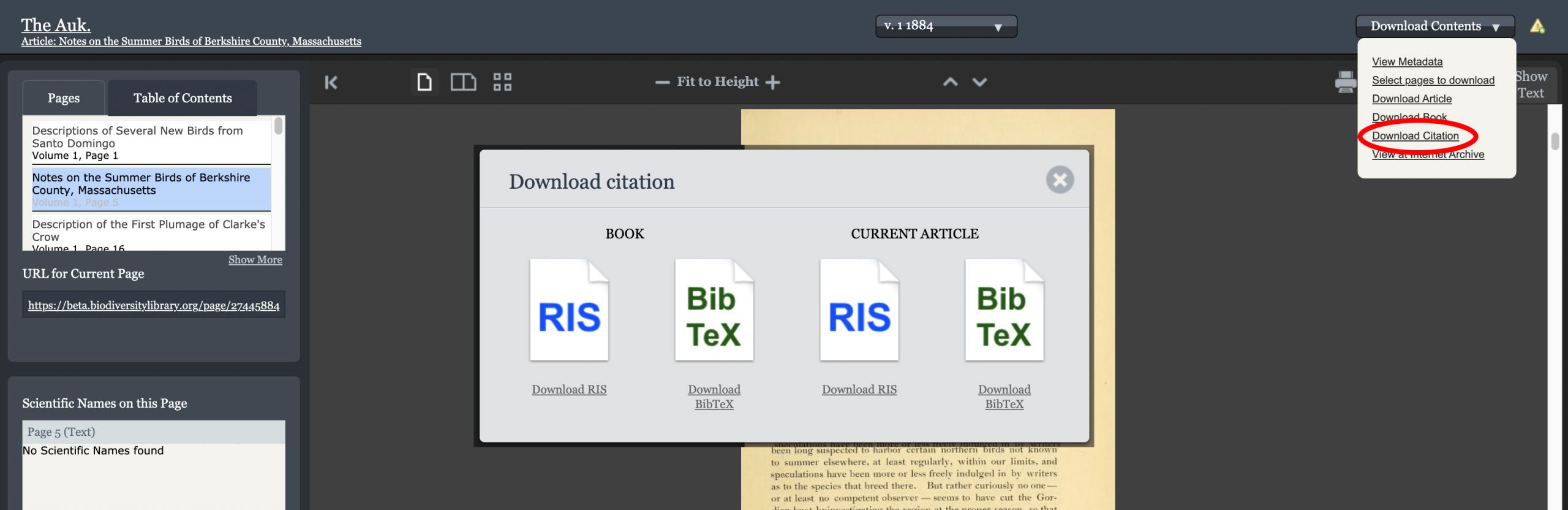
Download citation options in the BHL book viewer.
As part of this update, we have removed the direct Mendeley import from BHL, as the generic RIS and BibTex formats are compatible with a variety of citation management softwares including Mendeley.
Details about our metadata export services are also available in the FAQ on the BHL About site.
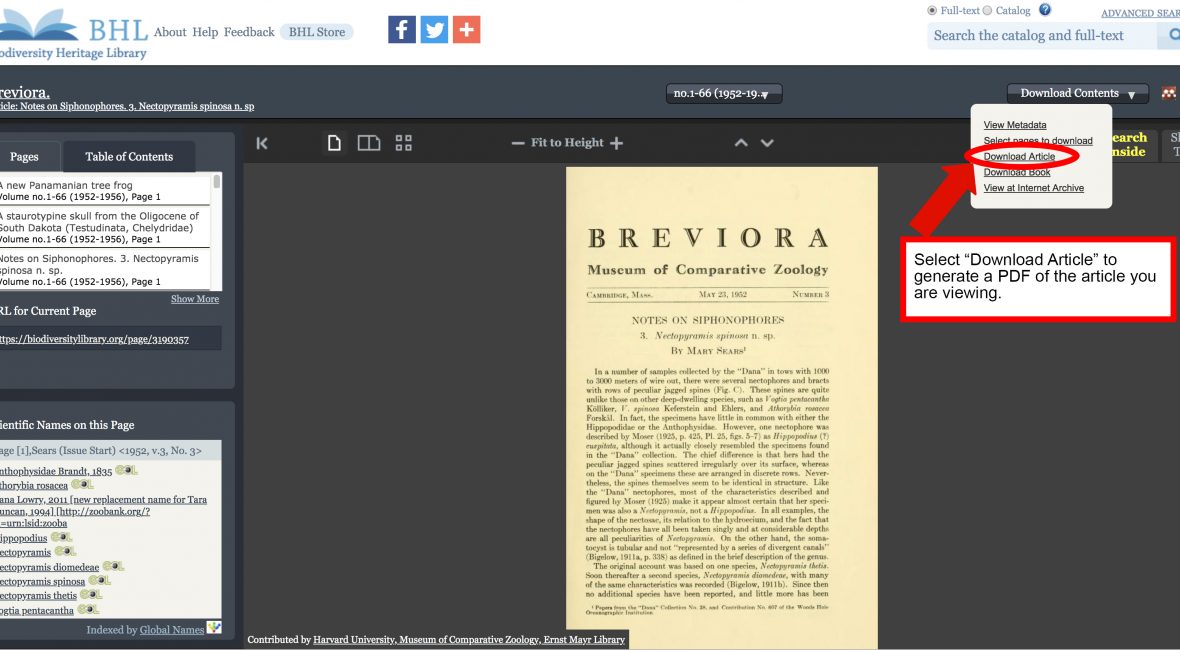
We’ve added functionality to the BHL book viewer that makes it easier to generate a PDF for an article.
When you are viewing an article that has been defined in BHL, you can now quickly and easily generate a PDF of that article using our new “Download Article” option in the “Download Contents” dropdown menu.
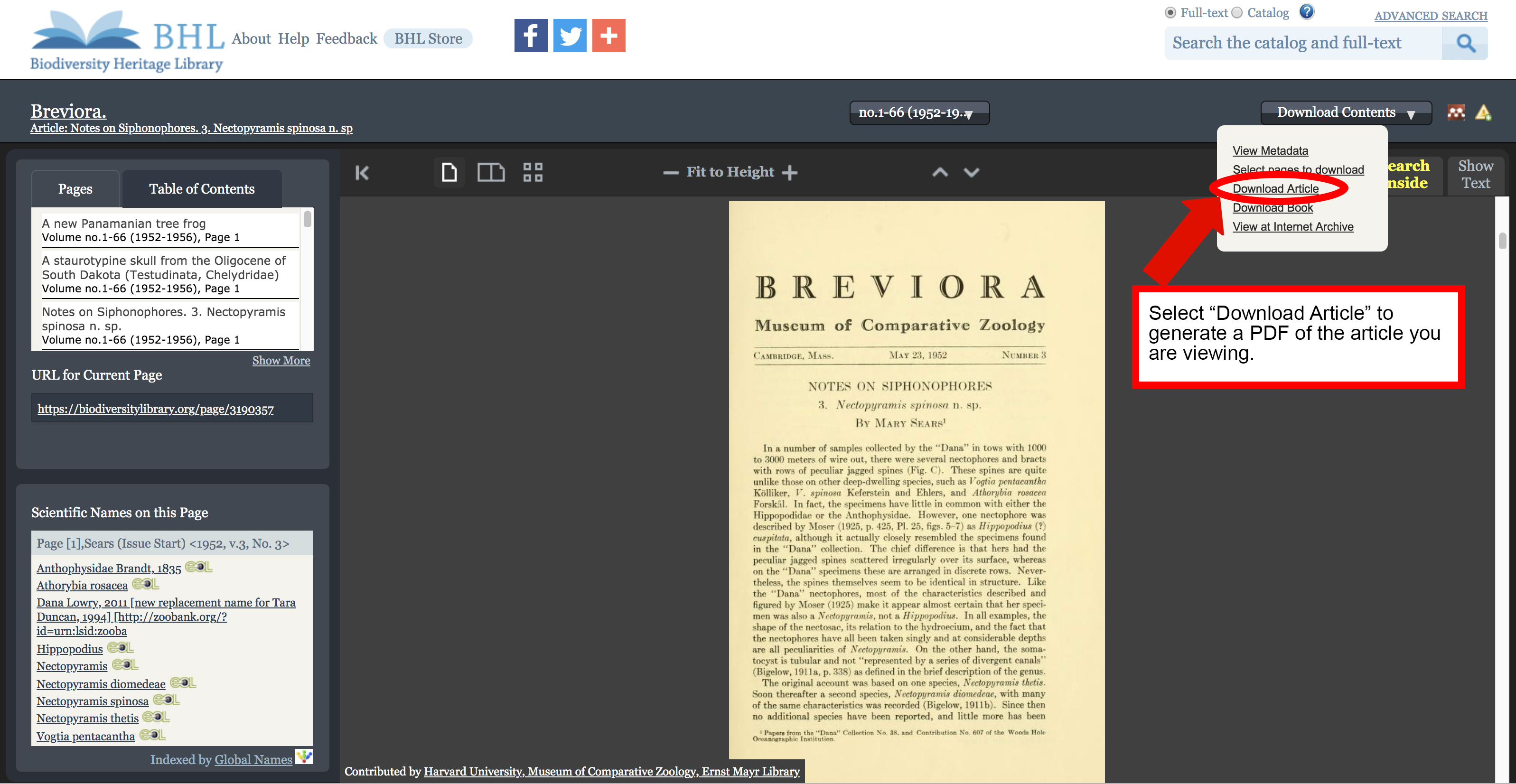
“Download Article” option in the “Download Contents” dropdown menu.
Selecting the “Download Article” option will launch BHL’s custom PDF generation functionality, with all pages in the article pre-selected. Be sure to review the selected pages to ensure all relevant pages are highlighted. Select additional pages or unselect unwanted pages by clicking on the page images. Once your selection is finalized, click “generate” to complete the process.
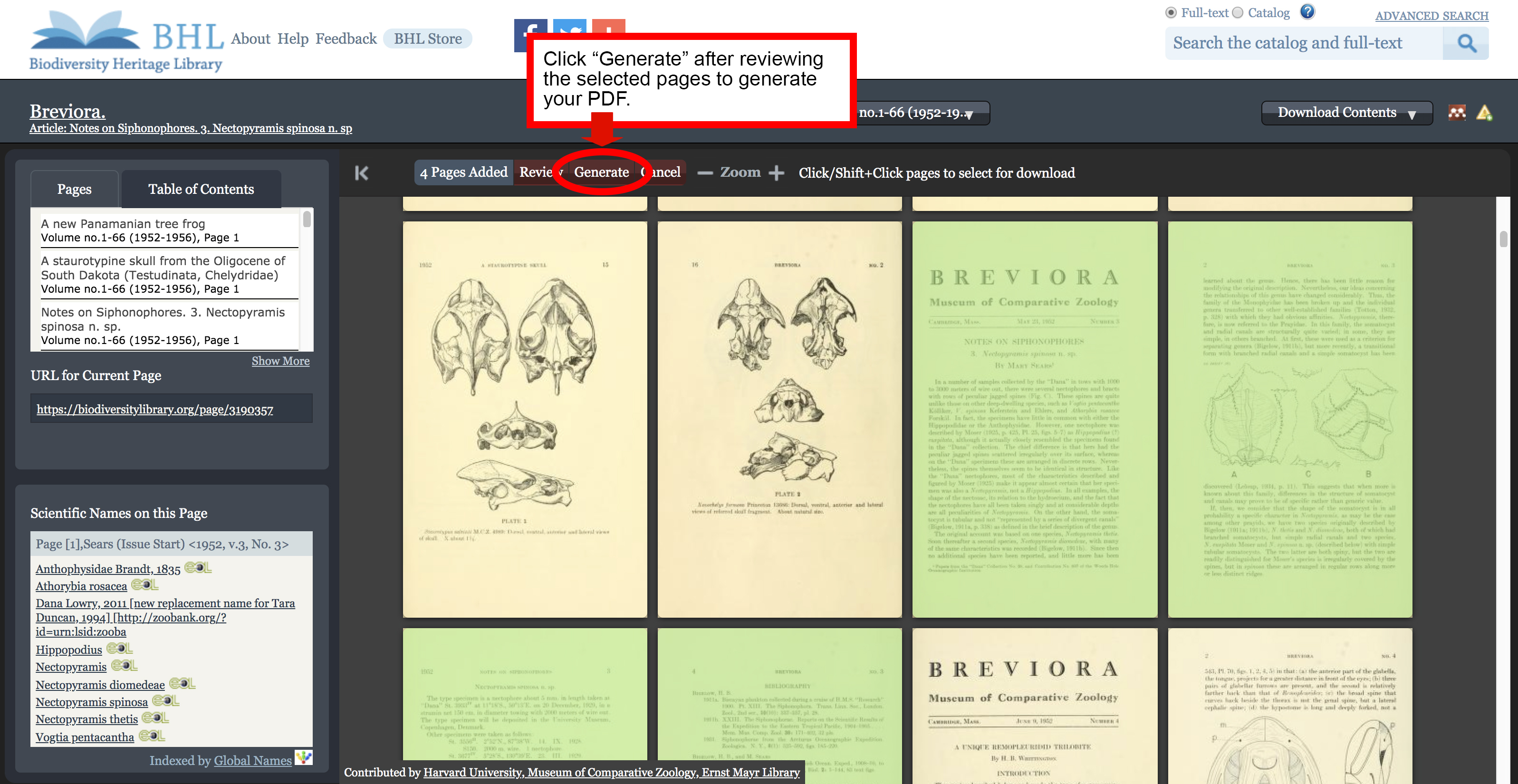
The pages of your article will be pre-selected. Review to ensure all desired pages are included.
The “Generate My PDF” screen will appear, with the “Article/Chapter Title” field pre-filled. Provide the email address to which you would like the PDF to be delivered and click “Finish”. A link to download your PDF will be emailed to the address provided.
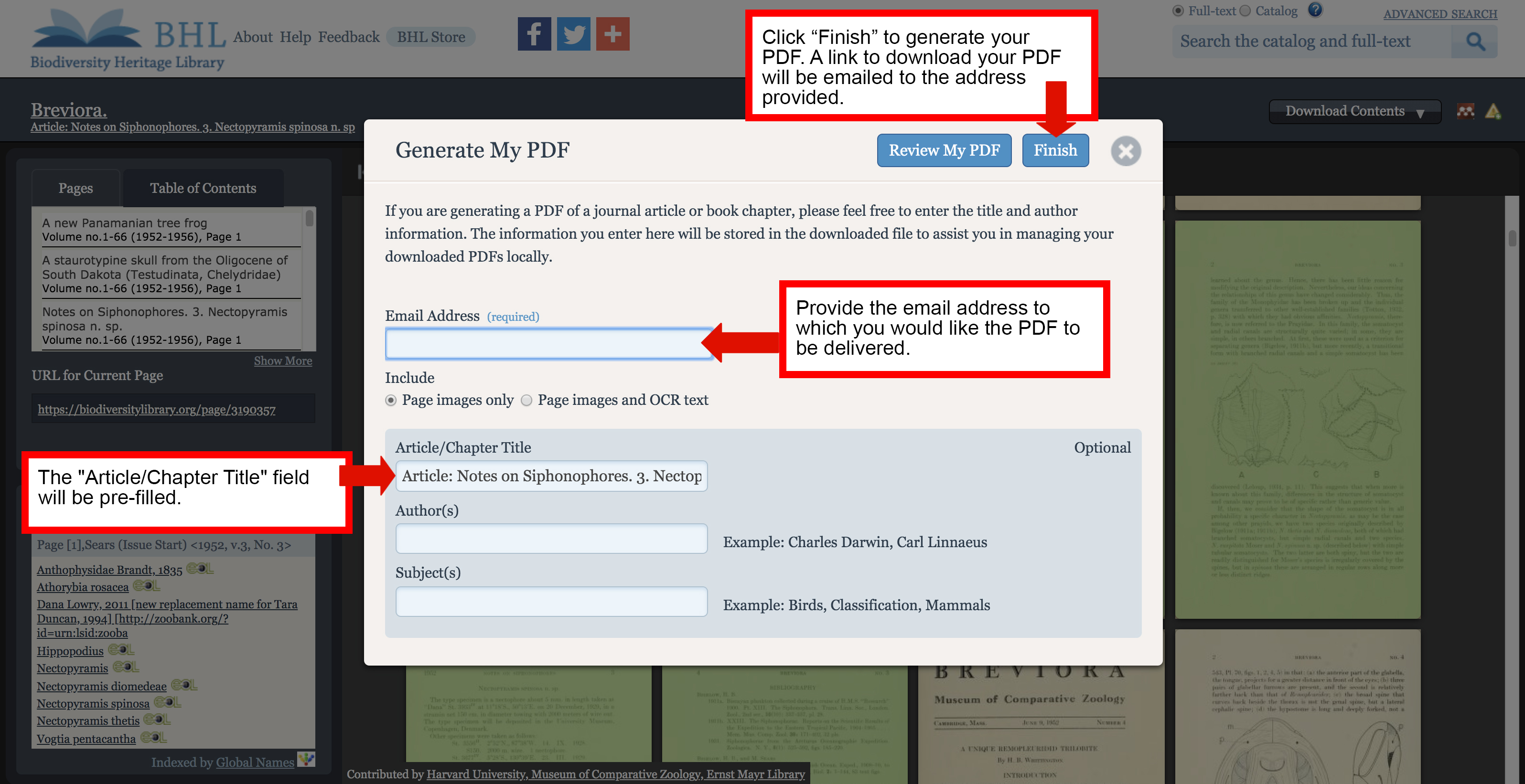
A link to download your PDF will be emailed to the address provided in the “Generate My PDF” form.
The “Download Article” option will only be available if you are viewing content that has been defined as part of an article. Articles that have been defined for the item you are viewing are listed in the Table of Contents in the book viewer. Click on any of the entries to navigate directly to the first page of that article. If you are viewing pages that have been defined as part of an article, the article title will display below the series title in the book viewer.
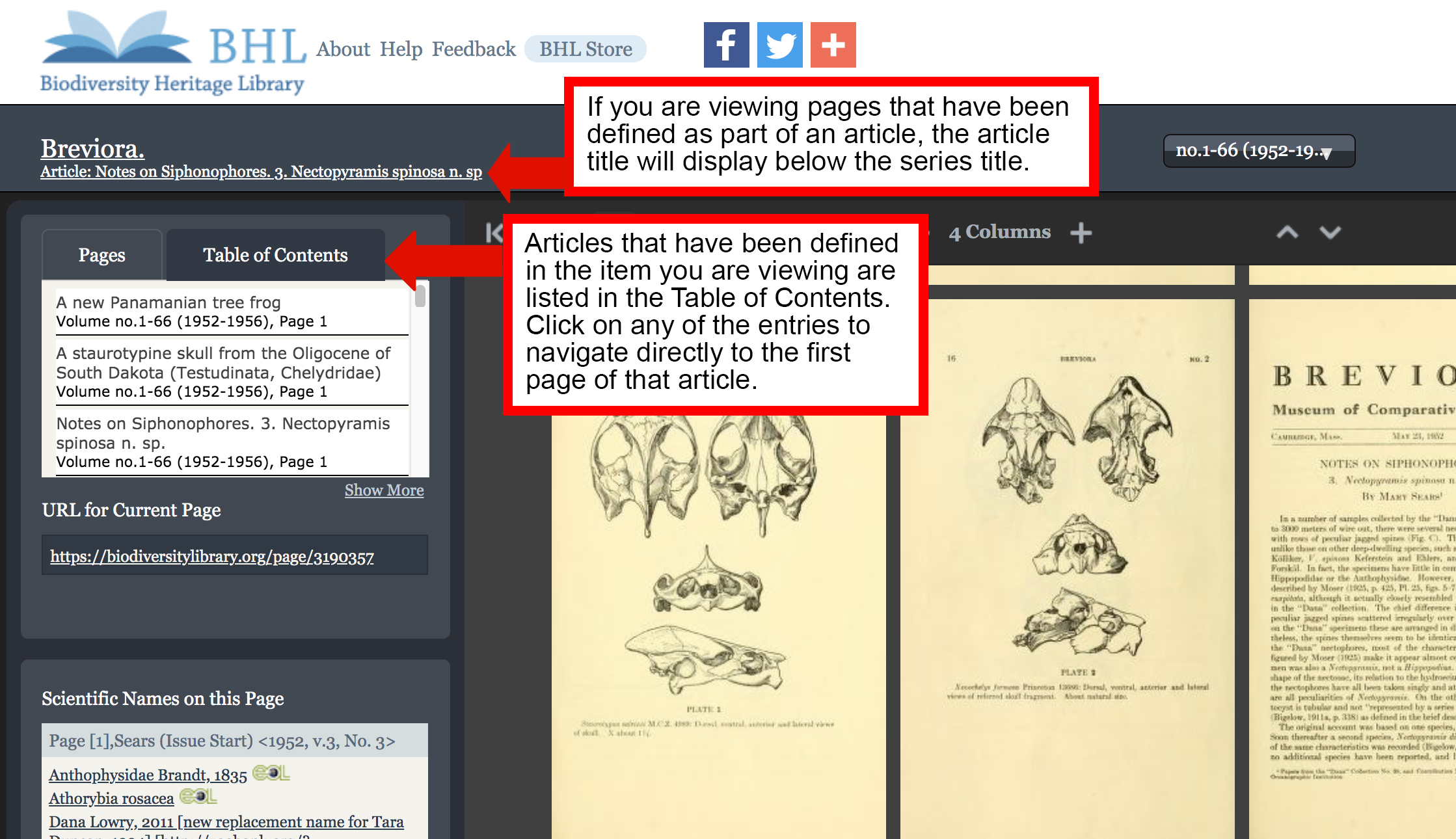
Use the Table of Contents to navigate to articles defined in the book you are viewing. If you are viewing pages that have been defined as part of an article, the article title will display below the series title in the book viewer.
Please note that defining articles in BHL is an ongoing process, and not all articles in the Library have been indexed. If the article you need has not yet been indexed, you can still use our “Select Pages to Download” feature to manually select the article pages and generate a PDF. Learn more about the “Select Pages to Download” feature in our FAQ.
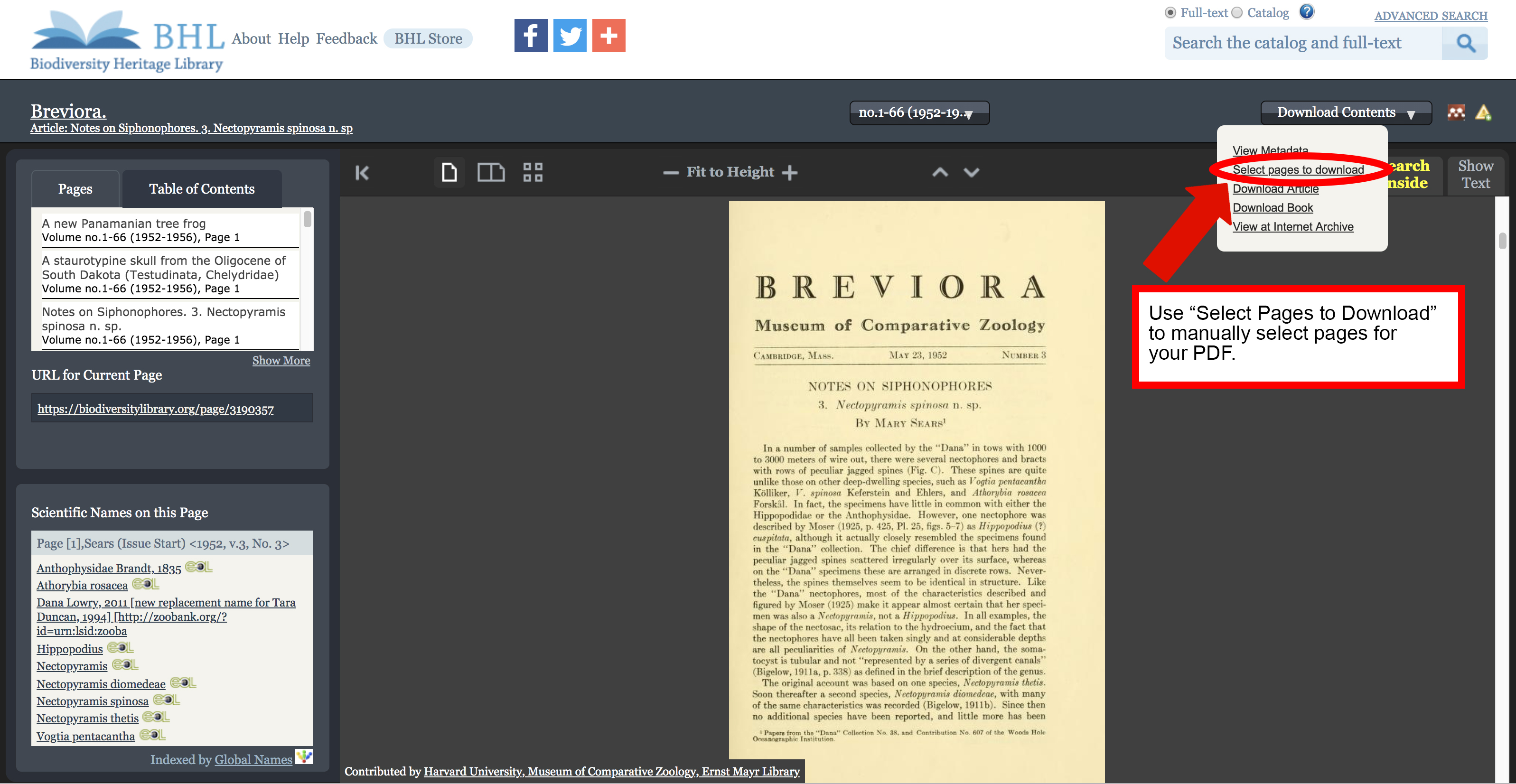
Use the “Select Pages to Download” feature if “Download Article” is not available.