A revised diagram & description of the BHL hardware architecture is available at:
http://www.slideshare.net/chrisfreeland/bhl-architecture-july-2008/
Discovering Carrie B. Aaron
Through Projects and Partnerships
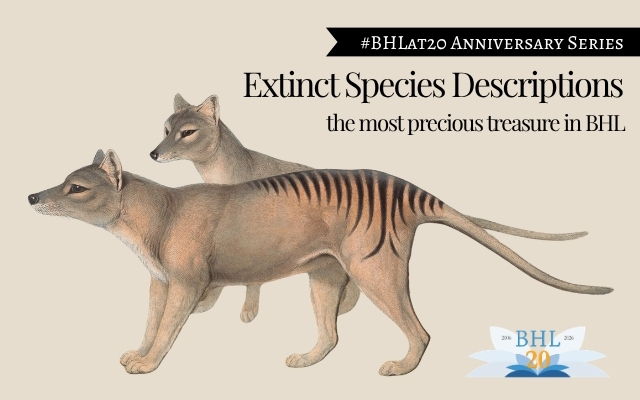
Extinct Species Descriptions:
the most precious treasure in BHL
Rejected to Accepted: E.A.W. Zimmermann’s
Geographische Geschichte des Menschen
A revised diagram & description of the BHL hardware architecture is available at:
http://www.slideshare.net/chrisfreeland/bhl-architecture-july-2008/
Note: This is a revision of our previous blog post that described our process for harvesting digitized books from the Internet Archive. Their query interface changed, and we’ve updated our process & documentation accordingly.
Disclaimer: BHL is not directly or indirectly involved with the development of this query interface. We scan books through Internet Archive and are consumers of their services & interfaces. We have provided this documentation to help inform others of our process. Questions or comments concerning the query interface, results returned, etc., should be directed to the Internet Archive.
Overview
The following steps are taken to download data from Internet Archive and host it on the Biodiversity Heritage Library. Diagrams of the process are available in PDF.
For each “approved” item, clean up and transform the metadata into an “importable” format and store the results in the import database.Read all data that is ready for import and insert/update the appropriate data in the production database.Internet Archive Metadata Files
The following table lists the key XML files containing metadata for items hosted by Internet Archive. It is possible that one or more of these files may not exist for an item. However, most items that have been “approved” (i.e. marked as “complete” by Internet Archive) do include each of these files.
|
Filename |
Description |
|
*iaidentifier*_files.xml |
List of files that exist for the given identifier |
|
*iaidentifier*_dc.xml |
Dublin Core metadata. In many cases the data include here overlaps with the data in the _meta.xml file. |
|
*iaidentifier*_meta.xml |
Dublin Core metadata, as well as metadata specific to the item on IA (scan date, scanning equipment, creation date, update date, status of the item, etc) |
|
*iaidentifier*_metasource.xml |
Identifies the source of the item… not much meaningful data here |
|
*iaidentifier*_marc.xml |
MARC data for the item. |
|
*iaidentifier*_djvu.xml |
The OCR for the item, formatted as XML. |
|
*iaidentifier*_scandata.xml |
Raw data about the scanned pages. In combination with the OCR text (_djvu.xml), the page numbers and page types can be inferred from this data. This file may not exist, though in most cases it does. For the most part, only materials added to IA prior to late summery 2007 are likely to be missing this file |
|
*iaidentifier*_scandata.xml |
Raw data about the scanned pages.If there is no *iaidentifier*_scandata file for an item, we look in scandata.zip (via an IA API) for this file, which contains the same information. |
Internet Archive Services
Search for Items
Internet Archive items belong to one or more collections. To search a particular Internet Archive collection for items that have been updated between two dates, use the following query:
http://www.archive.org/advancedsearch.php
?q={0}+AND+oai_updatedate:[{1}+TO+{2}] &fl;[]=identifier&fl;[]=oai_updatedate&fmt;=xml&xmlsearch;=Search
where
{0} = name of the Internet Archive collection; in our case, “collection:biodiversity”
{1} = start date of range of items to retrieve (YYYY-MM-DD)
{2} = end date of range of items to retrieve (YYYY-MM-DD)
To limit the item search to a particular contributing institution, modify the query as follows:
http://www.archive.org/advancedsearch.php
?q={0}+AND+oai_updatedate:[{1}+TO+{2}]+AND+contributor:(MBLWHOI Library)
&fl;[]=identifier&fl;[]=oai_updatedate
&rows;=100000&fmt;=xml&xmlsearch;=Search
To limit the results of the query to a particular number of items, modify the query as follows:
http://www.archive.org/advancedsearch.php
?q={0}+AND+oai_updatedate:[{1}+TO+{2}] &fl;[]=identifier&fl;[]=oai_updatedate
&rows;=100000&fmt;=xml&xmlsearch;=Search
To search for one particular item, use:
http://www.archive.org/advancedsearch.php
?q={0}&fl;[]=identifier&fl;[]=oai_updatedate
&fmt;=xml&xmlsearch;=Search
where
{0} = an Internet Archive item identifier
Download Files
To download a particular file for an Internet Archive item, use the following query:
http://www.archive.org/download/{0}/{1}
where
{0} = an Internet Archive item identifier
{1} = the name of the file to be downloaded
Downloading Files Contained In ZIP Archives
In some cases, a file cannot be downloaded directly, and may instead need to be extracted from a ZIP archive located at Internet Archive. One example of this is the scandata.xml file, which in some cases must be extracted from the scandata.zip file. To do this, two queries must be made. First invoke this query to get the physical file locations (on IA servers) for the given item:
http://www.archive.org/services/find_file.php
?file={0}
&loconly;=1where
{0} = and Internet Archive item identifier
Then, invoke the second query to extract the scandata.xml file from the scandata.zip file (using the physical file locations returned by the previous query):
http://{0}/zipview.php
?zip={1}/scandata.zip
&file;=scandata.xmlwhere
{0} = host address for the file
{1} = directory location for the file
Note that the second query can be generalized to extract the contents of other zip files hosted at Internet Archive. The format for the query is:
http://{0}/zipview.php
?zip={1}/{2}
&file;={3}.jpgwhere
{0} = host address for the file
{1} = directory location for the file
{2} = name of the zip archive from which to extract a file
{3} = the name of the file to extract from the zip archive
Documentation written by Mike Lichtenberg.
Overview
WonderFetch is the term used for prepopulating the Internet Archives metadata forms (so named because it is more wonderful than regular z39.50 fetching). Using WonderFetch, partner libraries can populate fields with data that would not normally be populated as part of the standard IA process, and then store those values in the foobar_meta.xml file alongside each scanned item in the IA repository. Part of the impetus for implementing WonderFetch was not just to automate the inclusion of volume and issue information for serials – which was important – but to also capture due diligence, rights, and licensing information related to each item. (And yes, the TM is a little joke! No rights reserved).
How does it work?
WonderFetch is simply passing a series of parameters to the IA metaform software in a URL string. If you can do a Z39.50 query against your ILS and get your data into a format that will let you generate a URL (say, an HTML page output from a database, or a spreadsheet with your item data in it) you can WonderFetch!
To create WonderFetch links from your data, just append the relevant arguments and data (listed below) to one of 2 base URLs.
If your books are being “loaded”, that is, if the metadata fetch is occurring on a scribe2 machine and the scanner is using the WonderFetch while at the SCRIBE machine, use http://localhost.archive.org/biblio.php? as the base URL.
If your books are being pre-loaded or batch loaded on another computer before being scanned, or your SCRIBE is using the scribe1 software, use http://www.us.archive.org/biblio.php? as the base URL. Using this URL, your scanner person will notice that they can’t actually start shooting the book – this link only allows them to fetch metadata and create the foobar_meta.xml and marc.xml records.
For example, at SIL the scanner loads the books at the scribe station, and we Z-fetch on our barcode number (starts with 39088) so our URLs look like:
http://localhost.archive.org/biblio.php?f=c
&b;_c1=biodiversity&b;_l=Smithsonian%20Institution%20Libraries
&b;_p=Smithsonian&z;_e=Smithsonian%20Institution
&b;_v=v.%209%201907&b;_cn=no
&z;_c=local&z;_d=39088009080136&b;_ib=39088009080136
Below are the arguments each field takes, along with examples. The examples given are values BHL partners will be using (for rights statement, e.g.).
(For additional reference, some definitions and usage of the standard IA fields can be found in: http://www.us.archive.org/biblio?f=usage )
LIST OF FIELDS in META_XML that can be pre-populated using WonderFetch:
CALL_NUMBER
Description: Number for ZQuery – this is *not* necessarily the call number of the item. It *is* the number used to fetch the MARC record for the item via Z39.50 from your ILS. Whatever works for you – barcode, bib number, oclc number, call number, etc.
Prepopulatable: Yes.
WonderFetch GET arg: “&z;_d=”
example: &z;_d=39088009080136
IDENTIFIER-BIB
Description: Unique identifier for the item in Contributor library’s catalog.
Prepopulatable: Yes
WonderFetch GET arg: “&b;_ib=”
example: &b;_ib=39088009080136
TITLE-ID
Description: Unique identifier for title in Contributor library’s catalog.
Prepopulatable: Yes
WonderFetch GET arg: “&tid;=”
example: &tid;=b12345
VOLUME
Description: Volume of Book being scanned.
Prepopulatable: Yes.
WonderFetch GET arg: &b;_v=
example: &b;_v=v.%209%201907 (v. 9 1907)
YEAR
Description: Year assigned to Book being scanned
Prepopulatable: Yes.
WonderFetch GET arg: &year;=
example: &year;=1907
COLLECTION
Description: Collection(s) into which Book will be sorted.
Prepopulatable: Yes
WonderFetch GET arg: “&b;_c1=” (c1 indicates primary collection, there is also c2 and c3)
example: &b;_c1=biodiversity
CONTRIBUTOR
Description: Library contributing Book for scanning
Prepopulatable: Yes
WonderFetch GET arg: “&b;_l=”
example: &b;_l=Smithsonian%20Institution%20Libraries
SPONSOR
Description: Organization responsible for funding scanning
Prepopulatable: Yes
WonderFetch GET arg: “&b;_p=”
example: “&b;_p=Sloan”
SCANNINGCENTER
Description: Scanning Center where book was scanned.
Prepopulatable: yes
Get arg: “&b;_n=”
example: &b;_n=Boston
DUE-DILIGENCE
Description: URL to Due Diligence statement for a Book scanned while still in Copyright.
Prepopulatable: Yes
WonderFetch GET arg: ⅆ=
examples: ⅆ=dd-bhl (this signifies a due diligence statement exists at the following url http://www.biodiversitylibrary.org/permissions )
LICENSE-TYPE
Description: Creative Commons License assigned to Book scanned.
Prepopulatable: Yes
WonderFetch GET arg: “&lic;=”
&lic;= by ( http://creativecommons.org/licenses/by/3.0/)
&lic;= by-nc ( http://creativecommons.org/licenses/by-nc/3.0/)
&lic;= by-nd ( http://creativecommons.org/licenses/by-nd/3.0/)
&lic;= by-sa (http://creativecommons.org/licenses/by-sa/3.0/)
&lic;= by-nc-nd ( http://creativecommons.org/licenses/by-nc-nd/3.0/)
&lic;= by-nc-sa ( http://creativecommons.org/licenses/by-nc-sa/3.0/)
NEGOTIATED-RIGHTS
Description: URL to Negotiated Rights for a Book scanned while still in Copyright.
Prepopulatable: Yes
WonderFetch GET arg: “&rights;=”
&rights;=nr-bhl (this signifies that a statement of right to digitize exists at the following URL: http://www.biodiversitylibrary.org/permissions/)
POSSIBLE-COPYRIGHT-STATUS
Description: indicates copyright status, defaults to Not in Copyright
Prepopulatable:yes
Get arg: “&pcs;=”
To make this field blank, because it *is* in copyright, but you have permission to digitize, pass a url encoded space as the parameter, e.g. &pcs;=%20
Following some excellent suggestions gathered at a recent Encyclopedia of Life meeting, we’ve made changes to our Google Maps browse interface. To recap, we take Library of Congress Subject Headings and geocode and map them using the Google Maps API (details here).
Now that we’re managing nearly 10,000 volumes the standard Google Maps interface was getting cluttered and clunky, so we’ve refined the interface to show smaller points, weight the results using color, and display links to the titles for a given subject heading within the map itself (as demonstrated for “Africa” above). To view the map in full, visit http://www.biodiversitylibrary.org/browse/map.
We made another change based on requests to view full bibliographic details for a scanned title. When we harvest scans from the Internet Archive, we copy the MARCXML for the title to our servers and siphon off just enough of the metadata to facilitate our browse & search capabilities – to pull in the contents of the entire MARCXML would unnecessarily bloat our database with info we don’t expect to search across or expose via browse. But, it’s important data to have in the display, so we’ve skinned the MARCXML using XSLTs provided by the Library of Congress. To view in action, click the “Brief|Detailed|MARC” links at http://www.biodiversitylibrary.org/bibliography/1583, or for any title in our collection.
Finally, we’ve enhanced the display for our Discovered Bibliographies to return results in a more performant way, providing more visual feedback to the user that processes are at work. To view the refined interface, visit the result for Pomatomus saltatrix at http://www.biodiversitylibrary.org/name/Pomatomus_saltatrix.
The BHL portal (http://www.biodiversitylibrary.org) has been updated with the following changes:
Also of note:
Some inconsistencies with title information have been identified. We had believed that the MARC leader assigned to an item would be sufficient to uniquely identify a title. This has turned out to not be the case (affecting about one-half of one percent of the titles we’ve ingested from Internet Archive), so we’ve had to adjust how we identify which items belong to which titles. The cleanup of this data is ongoing.
NOTE: Internet Archive has changed their query interface and these instructions are no longer valid.
New instructions are available at:
https://blog.biodiversitylibrary.org/2008/06/updated-harvesting-process-from.html
Overview
The following steps are taken to download data from Internet Archive and host it on the Biodiversity Heritage Library. Diagrams of the process are available in PDF.
For each “approved” item, clean up and transform the metadata into an “importable” format and store the results in the import database.Read all data that is ready for import and insert/update the appropriate data in the production database.Internet Archive Metadata Files
The following table lists the key XML files containing metadata for items hosted by Internet Archive. It is possible that one or more of these files may not exist for an item. However, most items that have been “approved” (i.e. marked as “complete” by Internet Archive) do include each of these files.
|
Filename |
Description |
|
_files.xml |
List of files that exist for the given identifier |
|
_dc.xml |
Dublin Core metadata. In many cases the data include here overlaps with the data in the _meta.xml file. |
|
_meta.xml |
Dublin Core metadata, as well as metadata specific to the item on IA (scan date, scanning equipment, creation date, update date, status of the item, etc) |
|
_metasource.xml |
Identifies the source of the item… not much meaningful data here |
|
_marc.xml |
MARC data for the item. |
|
_djvu.xml |
The OCR for the item, formatted as XML. |
|
_scandata.xml |
Raw data about the scanned pages. In combination with the OCR text (_djvu.xml), the page numbers and page types can be inferred from this data. This file may not exist, though in most cases it does. For the most part, only materials added to IA prior to late summery 2007 are likely to be missing this file |
|
scandata.xml |
Raw data about the scanned pages. If there is no _scandata file for an item, we look in scandata.zip (via an IA API) for this file, which contains the same information. |
Internet Archive Services
Search for Items
Internet Archive items belong to one or more collections. To search a particular Internet Archive collection for items that have been updated between two dates, use the following query:
http://www.archive.org/services/search.php
?query={0}+AND+updatedate:[{1}+TO+{2}] &submit;=submitwhere
{0} = name of the Internet Archive collection; in our case, “collection:biodiversity”
{1} = start date of range of items to retrieve
{2} = end date of range of items to retrieve
To limit the item search to a particular contributing institution, modify the query as follows:
http://www.archive.org/services/search.php
?query={0}+AND+updatedate:[{1}+TO+{2}]+AND+contributor:(MBLWHOI Library)
&submit;=submit
To limit the results of the query to a particular number of items, modify the query as follows:
http://www.archive.org/services/search.php
?query={0}+AND+updatedate:[{1}+TO+{2}] &limit;=1000
&submit;=submit
To search for one particular item, use:
http://www.archive.org/services/search.php
?query={0}
&submit;=submitwhere
{0} = an Internet Archive item identifier
Download Files
To download a particular file for an Internet Archive item, use the following query:
http://www.archive.org/download/{0}/{1}
where
{0} = an Internet Archive item identifier
{1} = the name of the file to be downloaded
Downloading Files Contained In ZIP Archives
In some cases, a file cannot be downloaded directly, and may instead need to be extracted from a ZIP archive located at Internet Archive. One example of this is the scandata.xml file, which in some cases must be extracted from the scandata.zip file. To do this, two queries must be made. First invoke this query to get the physical file locations (on IA servers) for the given item:
http://www.archive.org/services/find_file.php
?file={0}
&loconly;=1where
{0} = and Internet Archive item identifier
Then, invoke the second query to extract the scandata.xml file from the scandata.zip file (using the physical file locations returned by the previous query):
http://{0}/zipview.php
?zip={1}/scandata.zip
&file;=scandata.xmlwhere
{0} = host address for the file
{1} = directory location for the file
Note that the second query can be generalized to extract the contents of other zip files hosted at Internet Archive. The format for the query is:
http://{0}/zipview.php
?zip={1}/{2}
&file;={3}.jpgwhere
{0} = host address for the file
{1} = directory location for the file
{2} = name of the zip archive from which to extract a file
{3} = the name of the file to extract from the zip archive
Documentation written by Mike Lichtenberg.
An important feature of the Biodiversity Heritage Library that sets it apart from other mass digitization projects is our incorporation of algorithms and services to mine taxonomically-relevant data from of the 2.9 million (as of the date of this posting) pages digitized through our partnership with the Internet Archive. These services, including TaxonFinder, developed by partners at uBio.org, allow BHL to identify words in digitized literature that match the characteristics of latin-based scientific names, then verify accuracy of the word or words being a scientific name by comparing them to NameBank, uBio.org’s repository of more than 10.7 million recorded scientific names and their variants. The resulting index of names found throughout these historic texts is an incredibly valuable dataset, whose richness and use has just begun development.
The massive index and interfaces to it are new (from development to production within 8 weeks), so the BHL Development Team has been gathering feedback from users, evaluating usage statistics, and working with both librarians and scientists to determine what is working with the interface and what needs refinement. The following issues have been identified:
1. Volume and scalability
BHL currently manages 2.9 million pages in its database, with each page equating to an image & its derivatives stored on a filesystem at the Internet Archive. Using uBio’s services, we’ve located a total of 14.7 million name strings across texts, with 10.4 million of those verified to an entry in NameBank.
Scalability quickly becomes an issue as BHL expects to digitize 60 million pages within 5 years. Faced with hundreds of millions of name occurrences, the challenge becomes how to efficiently store and query this dataset. BHL data are currently stored in SQL Server 2005, which can scale to expected volumes and contains tools for load balancing and clustering. Ultimately, though, these issues of volume and scalability are resolvable as the dataset is not excessively complicated in structure. With enterprise-level hardware, optimized code and data access layers, and intelligent cacheing (all of which are currently in use), BHL can efficiently store and provide access to the vast index of scientific names identified through algorithmic means.
2. OCR
Commercial Optical Character Recognition (OCR) programs, such as ABBY FineReader or PrimeOCR, work very well for texts printed after the advent of industrialized and standardized printing techniques (loosely since the late 1800’s). Unfortunately the OCR programs are considerably less accurate on texts that match the characteristics of much of what BHL is scanning, including texts printed with irregular typeface and typesetting, and texts printed in multiple languages, including Latin.
The impact here is that if the texts are not accurately recognized, the names contained within can’t be identified. The accuracy of the OCRed text is therefore incredibly important, and unfortunately nearly impossible to improve through automated means as OCR technology has not really changed much since the mid-1980’s. Alternatives such as offshore rekeying or volunteer text conversion through the Distributed Proofreaders or other crowdsourcing projects are either prohibitively expensive or would require enormous effort above and beyond what could be volunteered given BHL’s estimated page count. BHL is not alone in facing this problem; every initiative that OCRs historic texts has encountered this unfortunate gap in accuracy. If you are aware of any new efforts to improve OCR, please use the comment form below.
3. False positives
As BHL was indexing botanical texts repeated occurrences of “Ovarium” were being located; an unusual result as Ovarium is both an echinoderm (marine invertibrate) as well as a term used in botany to describe the lower part of the pistil or female organ of the flower. After reviewing the page occurrences it became clear that the TaxonFinder algorithm was accurately identifying a word and making a match to an entry in NameBank, but in this case the context was off. In nearly every entry, the word “ovarium” was not used to describe the marine invertebrate, but rather to describe the form of a flower in a taxonomic description. Similar false positives exist, such as Capsula and Fructus.
Upon further review the problem is most prevalent with names used at higher classification levels; results for “Genus species”, such as Carcharodon carcharias (Great white shark) are much less likely to be false positives. Clearly more evaluation is needed to understand the true magnitude of the problem, hopefully resulting in refinement of the TaxonFinder algorithm.
4. Usability
Gregory Crane of Tufts University asked, in an oft-cited paper, “What Do You Do With a Million Books?” The challenge facing BHL Developers (and users) is more along the lines of “What do you do with 19,000 pages containing Hymenoptera?”
Because the BHL names index is growing rapidly, the methods of viewing and filtering results in a meaningful way becomes challenging. It’s clear that a user isn’t going to manually sift through and review every one of those pages. We can facilitate downloading the results in standard forms for reference management software, such as Zotero or EndNote, but how does BHL introduce relevancy rankings or other metrics for refining results – what exactly defines relevancy for occurrences of a name throughout scientific literature?
5. Accuracy and completeness
And now for a reality check. BHL text will never be 100% accurate, and our names index will never be 100% complete. We’re using automated software and services to process the millions of pages in the BHL collection because to do anything but an automated analysis simply won’t scale. The names index and the services that support its creation and display are modular – should radically new character or word recognition software come along, the scanned images can be reprocessed and reindexed using TaxonFinder. And should a better taxonomic name finding algorithm emerge, it can replace TaxonFinder in our application. As technologies emerge to improve text transcription and indexing, BHL will evaluate them and deploy them with our app is they prove effective.
Future work
It’s clear that we’ve identified enhancements needed in TaxonFinder to reduce the number of false positives. How best to implement those enhancements is yet to be determined, but at least we have data to guide us. We also plan to enhance the interface used for the discovered bibliographies, as the current implementation is not performant for large result sets. Further, we expect to facilitate downloading of the results in a standard format, such as BibTeX.
In closing, BHL is currently employing emerging technologies to transcribe and index a large collection of digitized scientific literature, and providing innovative interfaces into the data mined from it. These interfaces are rapidly evolving to meet user needs, based on user feedback, so if you have a suggestion for improvement please provide it via our Feedback form or on the comments below.
–
The Biodiversity Heritage Library (BHL) is the world’s largest open access digital library for biodiversity literature and archives. BHL operates as a worldwide consortium of natural history, botanical, research, and national libraries working together to digitize the natural history literature held in their collections and make it freely available for open access as part of a global “biodiversity community.”
Sign up to receive the latest news, content highlights, and promotions.
Subscribe NowSubscribe to the blog RSS feed to stay up-to-date on all the latest BHL posts.
Access RSS Feed
Inspiring Discovery through Free Access to Biodiversity Knowledge.
The Biodiversity Heritage Library makes it easier than ever for you to access the information you need to study and explore life on Earth…for free, anytime, anywhere.