Biodiversity Heritage Library - Program news and collection highlights from BHL
  • Home
  • News
  • Featured Books
    • All Featured Books
    • Book of the Month Series
    • BHL at 20
  • User Stories
  • Campaigns
    • Fossil Stories
    • Garden Stories
    • Monsters Are Real
    • Page Frights
    • Her Natural History
    • Earth Optimism 2020
  • Tech Blog
  • Visit BHL
Home
News
Featured Books
    All Featured Books
    Book of the Month Series
    BHL at 20
User Stories
Campaigns
    Fossil Stories
    Garden Stories
    Monsters Are Real
    Page Frights
    Her Natural History
    Earth Optimism 2020
Tech Blog
Visit BHL
  • Home
  • News
  • Featured Books
    • All Featured Books
    • Book of the Month Series
    • BHL at 20
  • User Stories
  • Campaigns
    • Fossil Stories
    • Garden Stories
    • Monsters Are Real
    • Page Frights
    • Her Natural History
    • Earth Optimism 2020
  • Tech Blog
  • Visit BHL
Biodiversity Heritage Library - Program news and collection highlights from BHL
BHL News, Blog Reel, Tech Updates

BHL Improves the Speed and Accuracy of its Taxonomic Name Finding Services with gnfinder

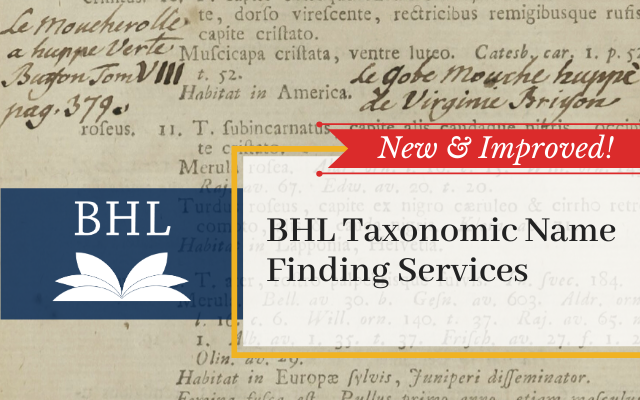
New and improved BHL name finding services

BHL has deployed a new taxonomic name finding tool to improve the speed and accuracy of identifying names throughout its 58+ million pages.

BHL is now using Global Names Architecture’s (GNA) gnfinder tool to locate taxonomic names in the BHL corpus. Prior to this deployment, BHL’s name finding services were based on an index of scientific names created by GNA developers six years ago by parsing every page in BHL one by one. This took 45 days to accomplish, and the cost of repeating this process made updating or improving the index infeasible.

The gnfinder tool uses fast, scalable programming languages to significantly reduce computational time. Using Open Source applications in Go and Scala, the tool detects candidate scientific names and compares them to millions of scientific name-strings aggregated by GNA for verification. The new process decreases the time needed for name detection and name verification from 35 days to 5 hours and from 7 days to 12 hours, respectively. As a result, the entire BHL corpus can now be indexed in less than a day, compared to the 45 days needed for the previous index. Additionally, by significantly reducing computational time, implementing iterative improvements to the index is now achievable.

The accuracy of the names identified has also been improved with this deployment. By eliminating questionable results and false positives from the previous index, gnfinder produces a more accurate index of names in BHL. More than 34 million unique names — representing more than 239 million total instances of taxonomic name strings — were identified across the BHL corpus as of 21 July 2020. Of these, approximately 11.7 million are “Verified Names”, meaning they are unique names that have been resolved against a name authority (NameBank, Catalogue of Life, etc).

The gnfinder tool was developed by Dmitry Mozzherin and Alexander Myltsev as part of GNA project work at the University of Illinois at Urbana-Champaign. Mozzherin shared more about the process of developing this tool at the Biodiversity Next conference in Leiden, The Netherlands in 2019. Learn more in the presentation slides.

You can learn more about how the BHL implementation of the gnfinder tool works in our FAQ.

We would like to thank our colleagues at Global Names Architecture — especially Dmitry Mozzherin, Alexander Myltsev, and David Patterson — for their work to develop these tools. Thanks also to Joel Richard (BHL Technical Coordinator and Head of Web Services and IT at Smithsonian Libraries) and Mike Lichtenberg (BHL Lead Developer) for their work to deploy gnfinder on the BHL website.

If you have questions about gnfinder or would like to provide feedback or suggestions, please contact Global Names Architecture via the Global Names BHL project on GitHub.

Global Names development on BHL indexing is supported by National Science Foundation grants #1356347 and #1645959 as well as the Species File Group at the University of Illinois.

July 21, 2020by michelle.underhill
BHL News, Blog Reel, Tech Updates

Information about Upcoming Changes to BHL API

Portrait version of the Biodiversity Heritage Library logo.

The BHL API will be updated on 25 July 2016 to support changes to the BHL site. These changes will accommodate identifying additional Contributors for Items and Parts of items.

First are changes to the API that may affect your existing processes.

The Contributor and ContributorID elements in the result sets of API methods that return “Part” information will move. ContributorID will be included as a PartIdentifier in the Identifiers list. Contributor will be included in a new Contributors list.

These changes are being made to accommodate more than one contributor per part.  For example, if one institution researches/compiles the data and a second institution facilitates the inclusion of that data in BHL, both institutions may be listed as a contributor.  Initially, no more than two contributors per part will be allowed, but by adopting these changes to API responses we allow for additional (unlimited, actually) contributors in the future.

Here is an example that shows how the API responses are changing.  The examples shown here are an output of the GetPartMetadata method, and have been abbreviated for clarity.

Original API Results – highlighted elements are being moved:

<Response>
 <Status>okStatus>
 <Result>
 <PartUrl>
        http://www.biodiversitylibrary.org/part/1
 PartUrl>
 <PartID>1PartID>
 <ItemID>22498ItemID>
 <StartPageID>3190776StartPageID>
 <SequenceOrder>1SequenceOrder>
 <Contributor>BioStorContributor>
 <ContributorID>4443ContributorID>
 <GenreName>ArticleGenreName>
 <Title>
      Notes on certain species of Tetragnatha 
      (Araneae, Argiopidae) in Central America 
      and Mexico
 Title>
 <ContainerTitle>BrevioraContainerTitle>
 <Volume>67Volume>
 <Date>1957Date>
 <PageRange>1--4PageRange>
 <StartPageNumber>1StartPageNumber>
 <EndPageNumber>4EndPageNumber>
 <Authors> [...] Authors>
 <Subjects />
 <Identifiers>
 <PartIdentifier>
 <IdentifierName>ISSNIdentifierName>
 <IdentifierValue>0006-9698IdentifierValue>
 PartIdentifier>
 Identifiers>
 <Pages> [...] Pages>
 <RelatedParts />
 Result>
Response>

Updated API Results – Highlighted elements are the new locations of the moved data:

<Response>
 <Status>okStatus>
 <Result>
 <PartUrl>
        http://www.biodiversitylibrary.org/part/969
 PartUrl>
 <PartID>1PartID>
 <ItemID>22498ItemID>
 <StartPageID>3190776StartPageID>
 <SequenceOrder>1SequenceOrder>
 <GenreName>ArticleGenreName>
 <Title>
        Notes on certain species of Tetragnatha
        (Araneae, Argiopidae) in Central America
        and Mexico
 Title>
 <ContainerTitle>BrevioraContainerTitle>
 <Volume>67Volume>
 <Date>1957Date>
 <PageRange>1--4PageRange>
 <StartPageNumber>1StartPageNumber>
 <EndPageNumber>4EndPageNumber>
 <Authors> [...] Authors>
 <Contributors>
 <Contributor>
 <ContributorName>BioStorContributorName>
 Contributor>
 Contributors>
 <Subjects />
 <Identifiers>
 <PartIdentifier>
 <IdentifierName>BioStorIdentifierName>
 <IdentifierValue>4443IdentifierValue>
 PartIdentifier>
 <PartIdentifier>
 <IdentifierName>ISSNIdentifierName>
 <IdentifierValue>0006-9698IdentifierValue>
 PartIdentifier>
 Identifiers>
 <Pages> [...] Pages>
 <RelatedParts />
 Result>
Response>

Additionally, there will be two additions to the Item metadata.

The new data elements are: RightsHolder and ScanningInstitution.
These will optionally be displayed if there is data for the relevant organizations.


<Response>
 <Status>okStatus>
 <Result>
 <ItemID>59382ItemID>
 <PrimaryTitleID>20770PrimaryTitleID>
 <ThumbnailPageID>17605914ThumbnailPageID>
 <Source>Internet ArchiveSource>
 <SourceIdentifier>bulletin5160hatcSourceIdentifier>
 <Volume>v.51-60 1898-99Volume>
 <Year/>
 <Contributor>
      UMass Amherst Libraries (archive.org)
 Contributor>
 <RightsHolder>
 Biodiversity Heritage Library
 RightsHolder>
 <ScanningInstitution>
 Smithsonian Institution Libraries
 ScanningInstitution>
 <Sponsor>UMass Amherst LibrariesSponsor>
    [...]
 Result>
Response>

Detailed documentation for the BHL APIs is available at http://www.biodiversitylibrary.org/api2/docs/docs.html.  It will be updated to reflect these changes after they are moved into production on 25 July 2016.

Go to http://www.biodiversitylibrary.org/getapikey.aspx to get an API key for BHL.

Information about other BHL developer tools can be found at http://biodivlib.wikispaces.com/Developer+Tools+and+API.

If you have questions, please feel free to submit feedback via this form.

July 12, 2016by Pedro Gonzalez Fernandez
BHL News, Blog Reel, Tech Updates

New Feature on BHL: Add Comments to a Book!

UPDATE:

A new and enhanced commenting system is being planned for BHL. The commenting system described below has been disabled as of July 5, 2016. Learn more.

_____________

We are pleased to announce that we have added the ability to add comments to books in the BHL website!

This new feature will allow you to easily share your discoveries while reading BHL books, highlight interesting content, post your expertise for others to see, engage in conversations about BHL books from directly within BHL, and easily discover all of the great posts from your fellow biodiversity-enthusiasts. We hope that this tool will provide another way for users to engage with our collections and network with others in the BHL community.

The new commenting feature is powered by Disqus, a social commenting tool that allows people to discuss content on websites. Disqus is the commenting tool currently in use on the BHL blog. Disqus works like other social platforms, allowing you to follow people or communities, recommend discussions (which is essentially “liking” or “favoriting” the discussion), and, on your personal Disqus homepage, see the comments and discussions from people and communities you follow, replies to your comments, or discussions recommended by those you follow. You can also share discussions via Twitter and Facebook. Thus, your comments won’t be lost in a vacuum but can be easily discovered and contributed to by other users.

This feature was developed in collaboration with the Ryerson University Social Media Lab in Canada  as part of the international project on Mining Biodiversity.

How to Comment on Books in BHL

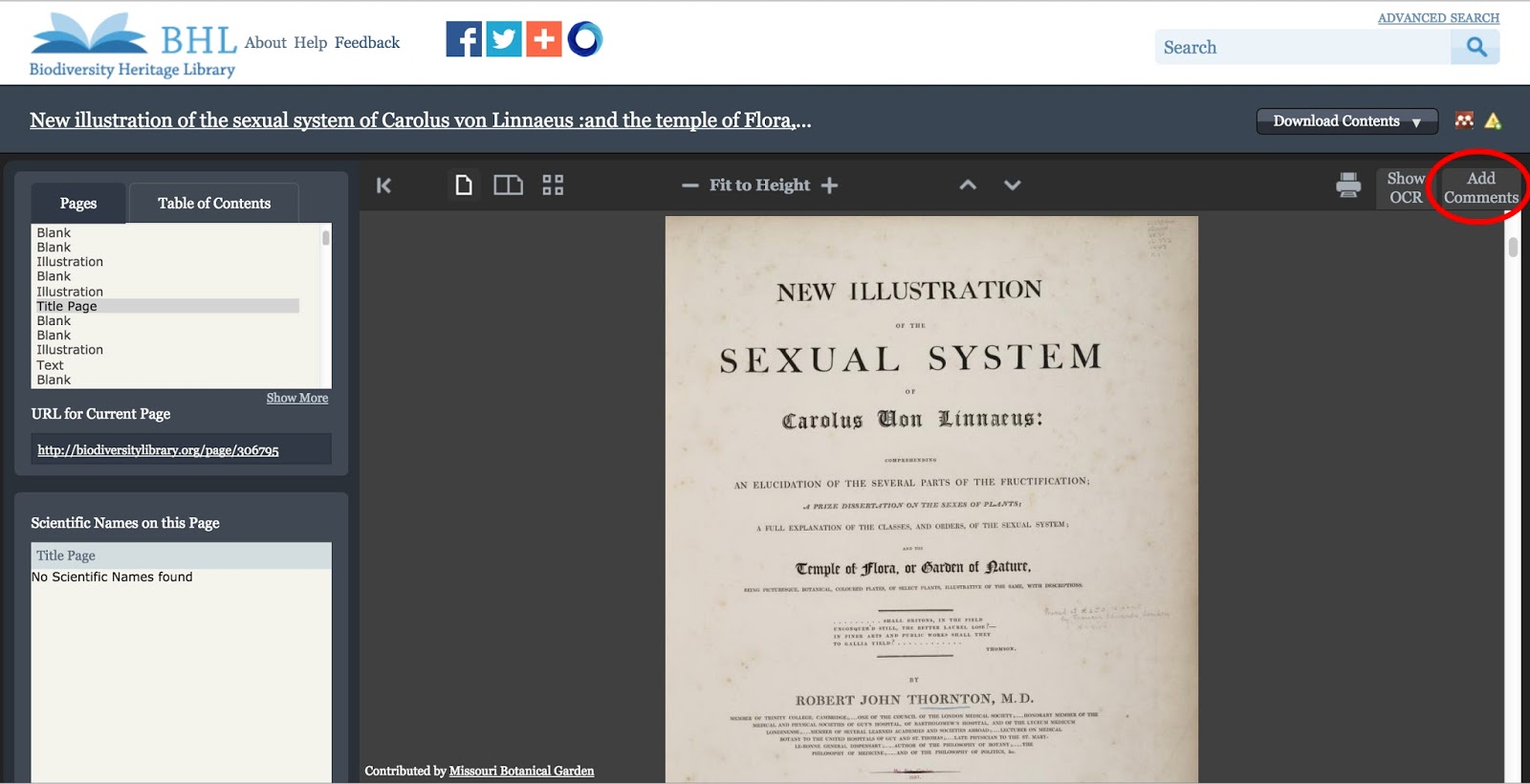
When you are viewing a book in BHL, you will notice that a new tab has been added to the book viewer that reads “Add Comments.” Click on the tab to expand the comment window. Within the expanded window, you can add a comment to the page you are viewing and view the existing comments on that page. Comments are added at the page-level, meaning that as you scroll through the book, the “Add Comments” tab will display only those comments added to the page you are viewing. If you add a new comment, it will be associated with the page you are viewing when you add the comment.
View Full Size Image
The “Add Comments” tab in the book viewer. Click to expand the window, add a comment to the page, and view existing comments on the page.

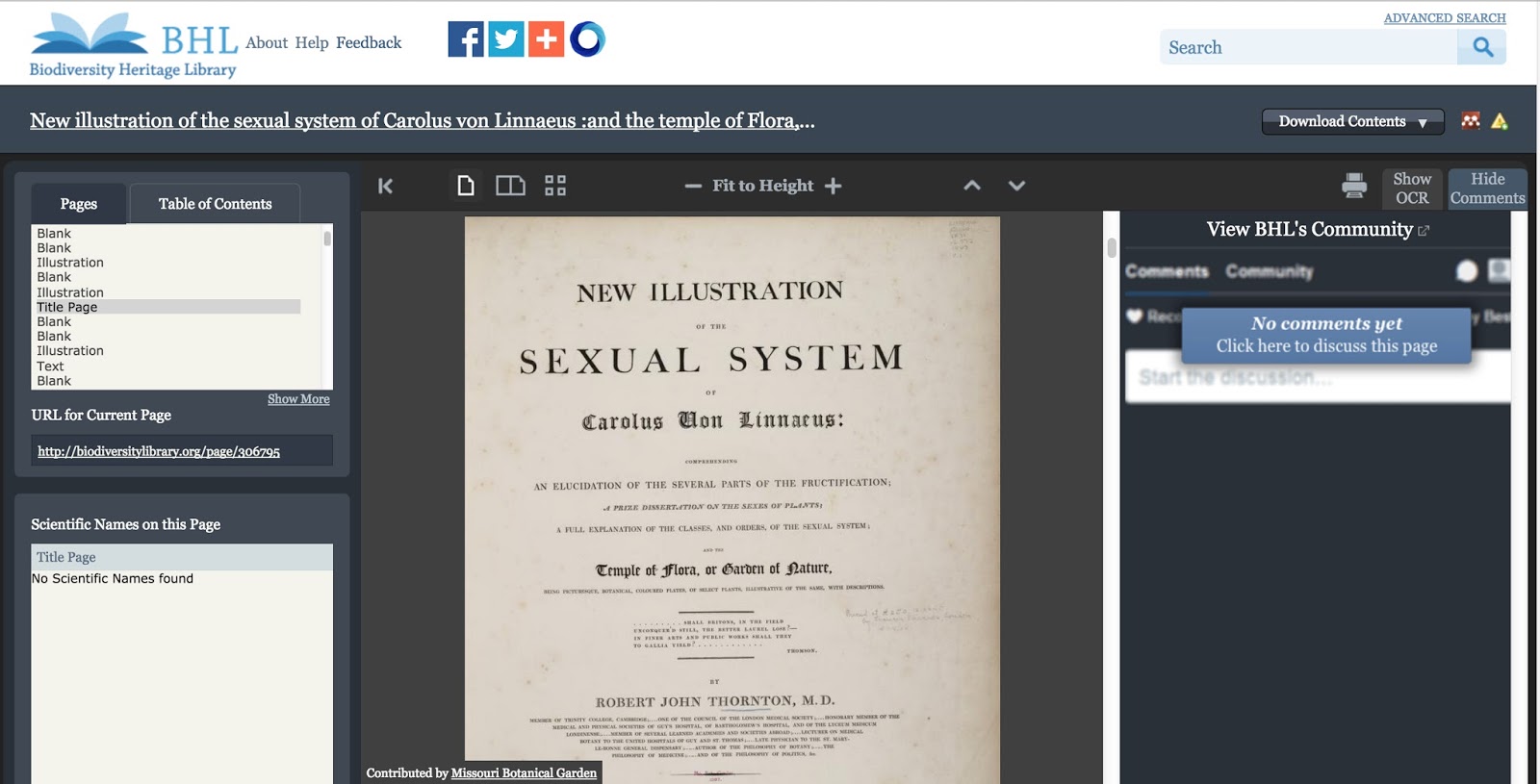
If there are no existing comments on the page you are viewing, the window will display the message “No Comments Yet. Click Here to Discuss this Page.” Click the message to add a comment to the page.
View Full Size Image
A page with no comments on it. Click the “Click Here to Discuss this Page” message to add a comment.

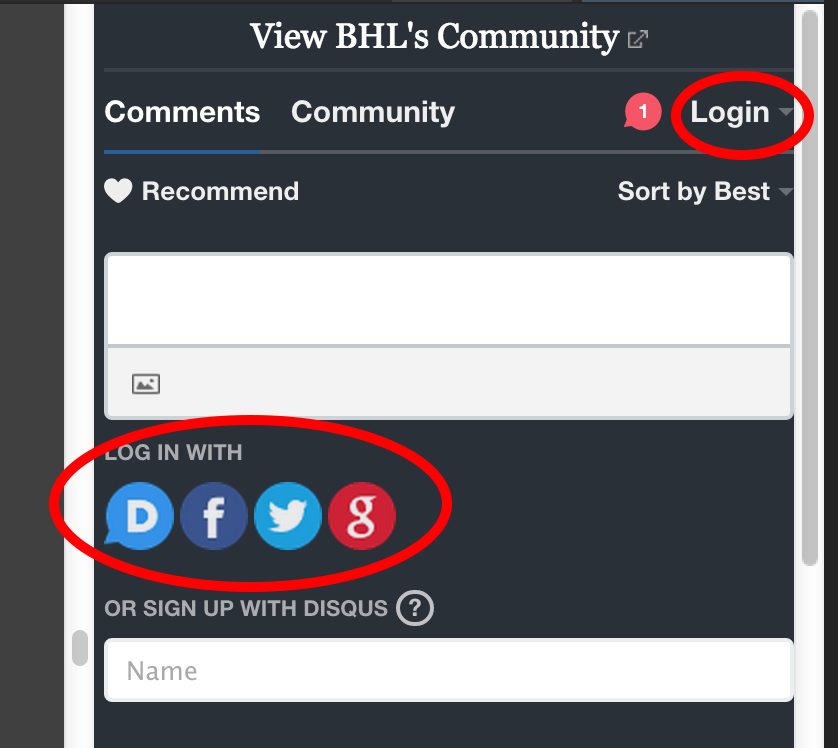
You must have a Disqus account to comment on a page in BHL. You can login to your Disqus account through the “Login” link in the “Add Comments” tab or by choosing one of the sign-in methods displayed beneath the comment text box.
View Full Size Image
Ways to login to your Disqus account to post a comment.

If you do not have a Disqus account, you can create one from within BHL, or you can sign-up on the Disqus website.
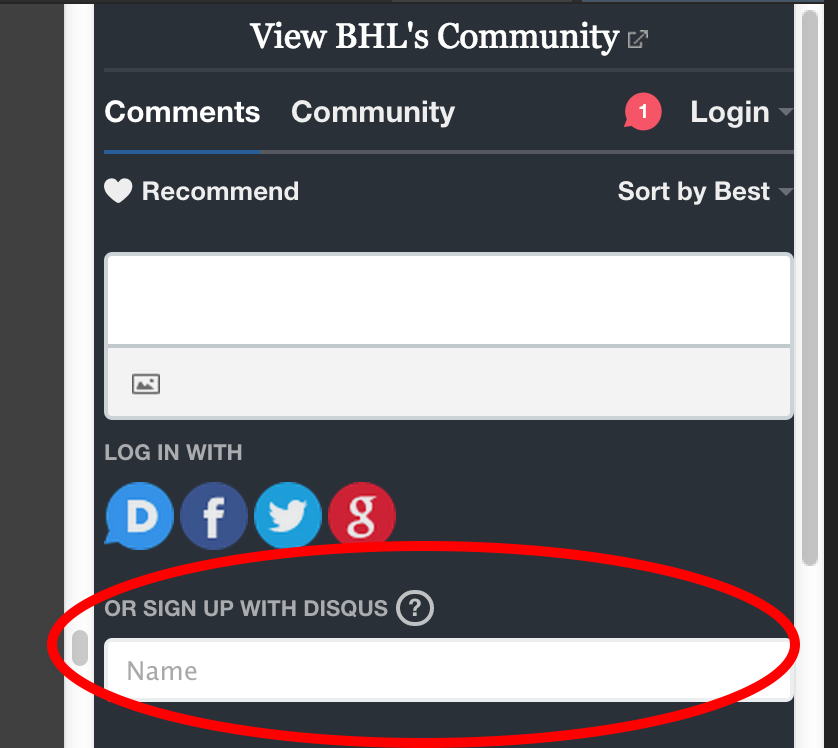
View Full Size Image
Click on the “Name” box to sign-up for a Disqus account from within BHL.

Once you are logged into Disqus, you can type your comment into the comment text box and then click the “Post As [Username]” button to submit your comment. You will then see your comment posted to the page.
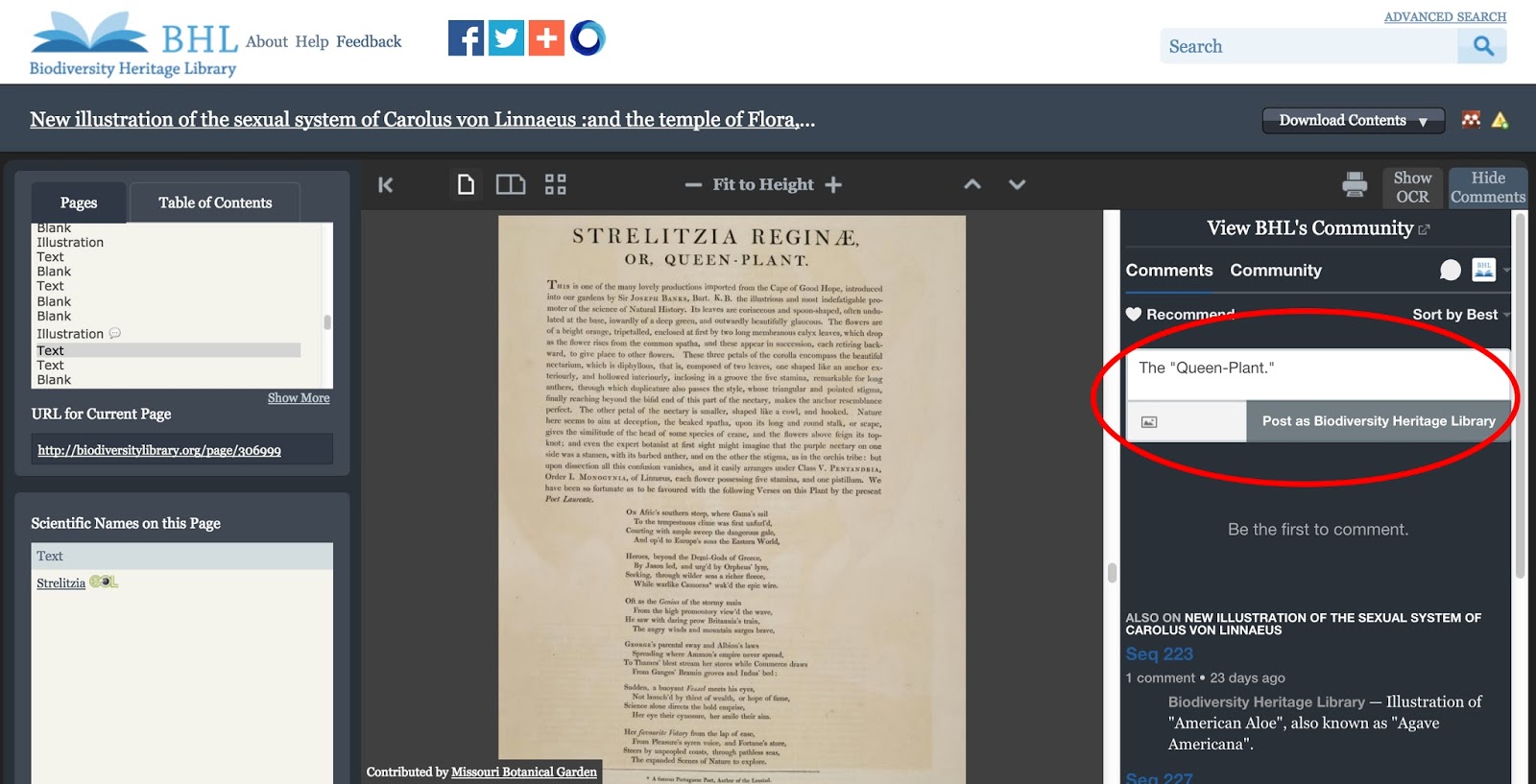
View Full Size Image
Add your comment to the text box and click “Post as [Username]” to submit your comment.

If there are pre-existing comments on the page, expanding the “Add Comments” tab will display the previous comments added to that page as well as provide you with the text box to add your own comment. Posting a comment will add your comment to the list of previously-posted comments.
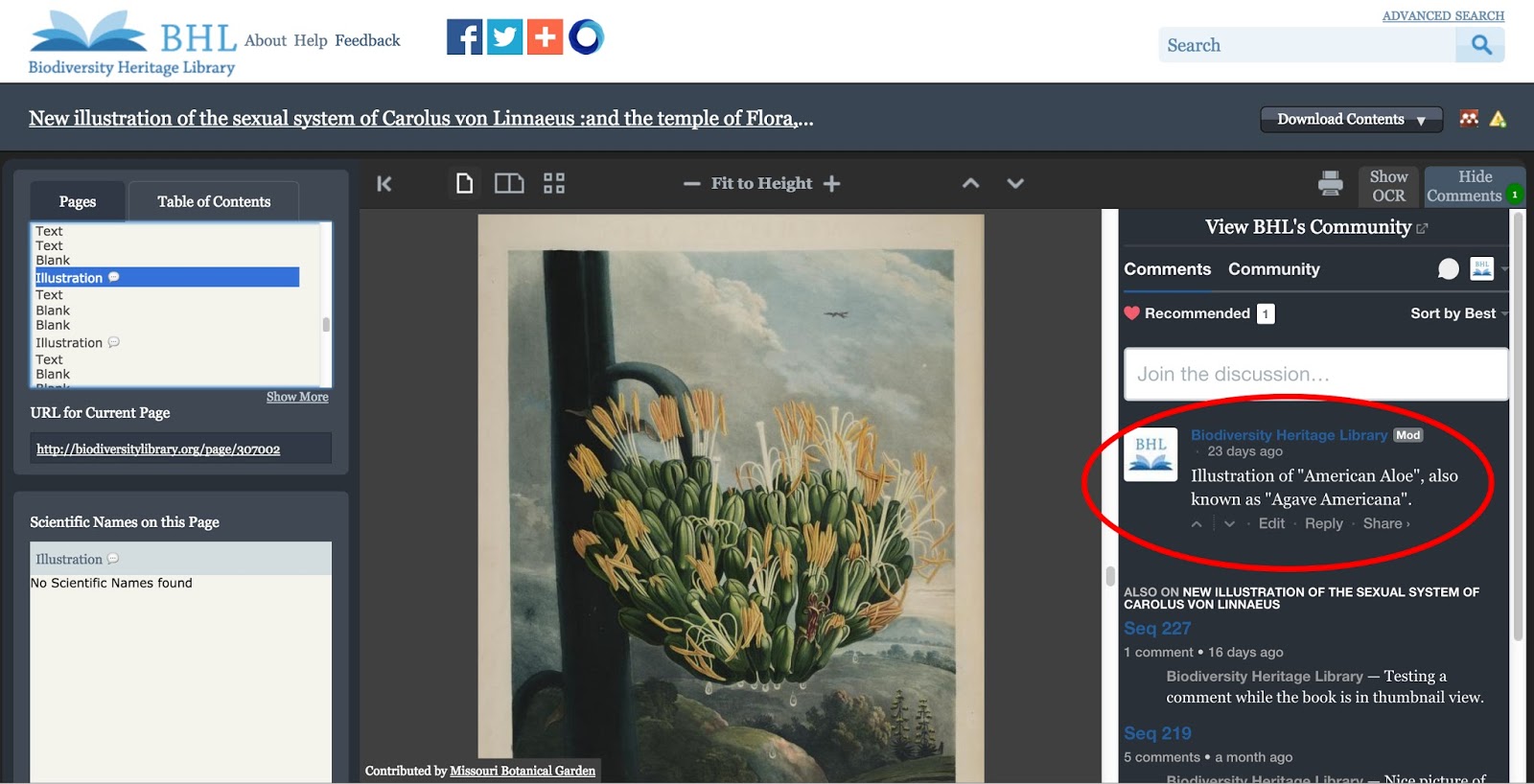
View Full Size Image
A page with existing comments.

Beneath each comment, you can click on “Edit” to edit your own comments, “Reply” to reply to an existing comment, or “Share” to share the work on Twitter or Facebook.
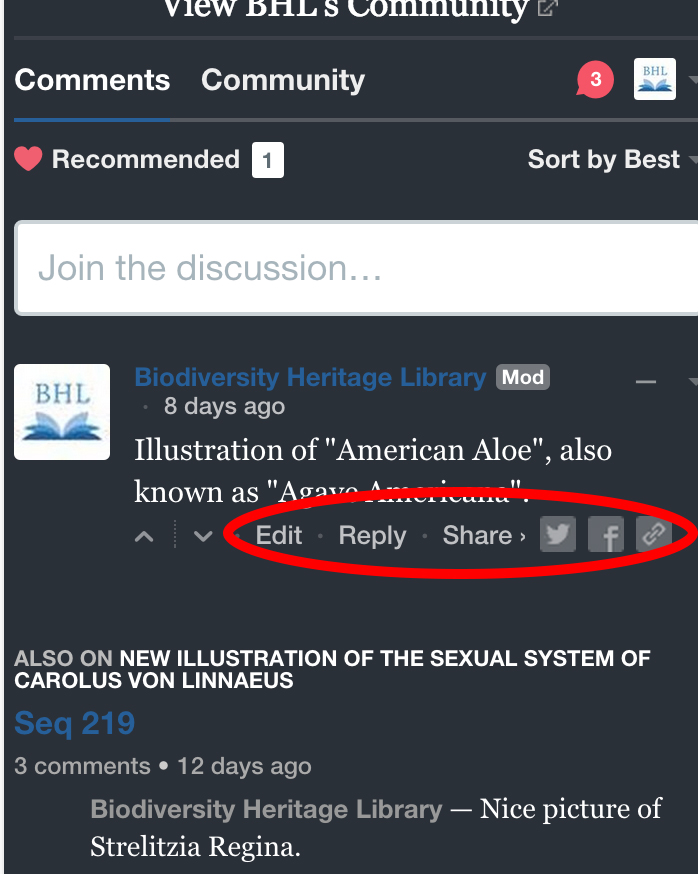
View Full Size Image
Edit, Reply to, or Share comments from BHL.

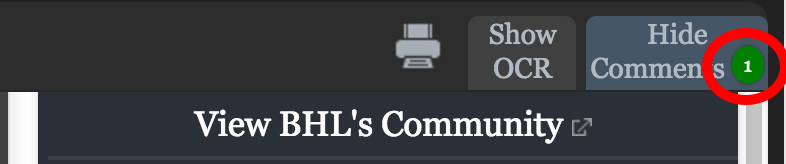
As comments are added to pages, a count bubble will display on top of the “Add Comments” tab. This bubble will show the number of comments that have been added to the page you are viewing. The count will increase when you add a new comment to a page. This count bubble will not display if there are no comments on the page.
View Full Size Image
Count of existing comments on the page.

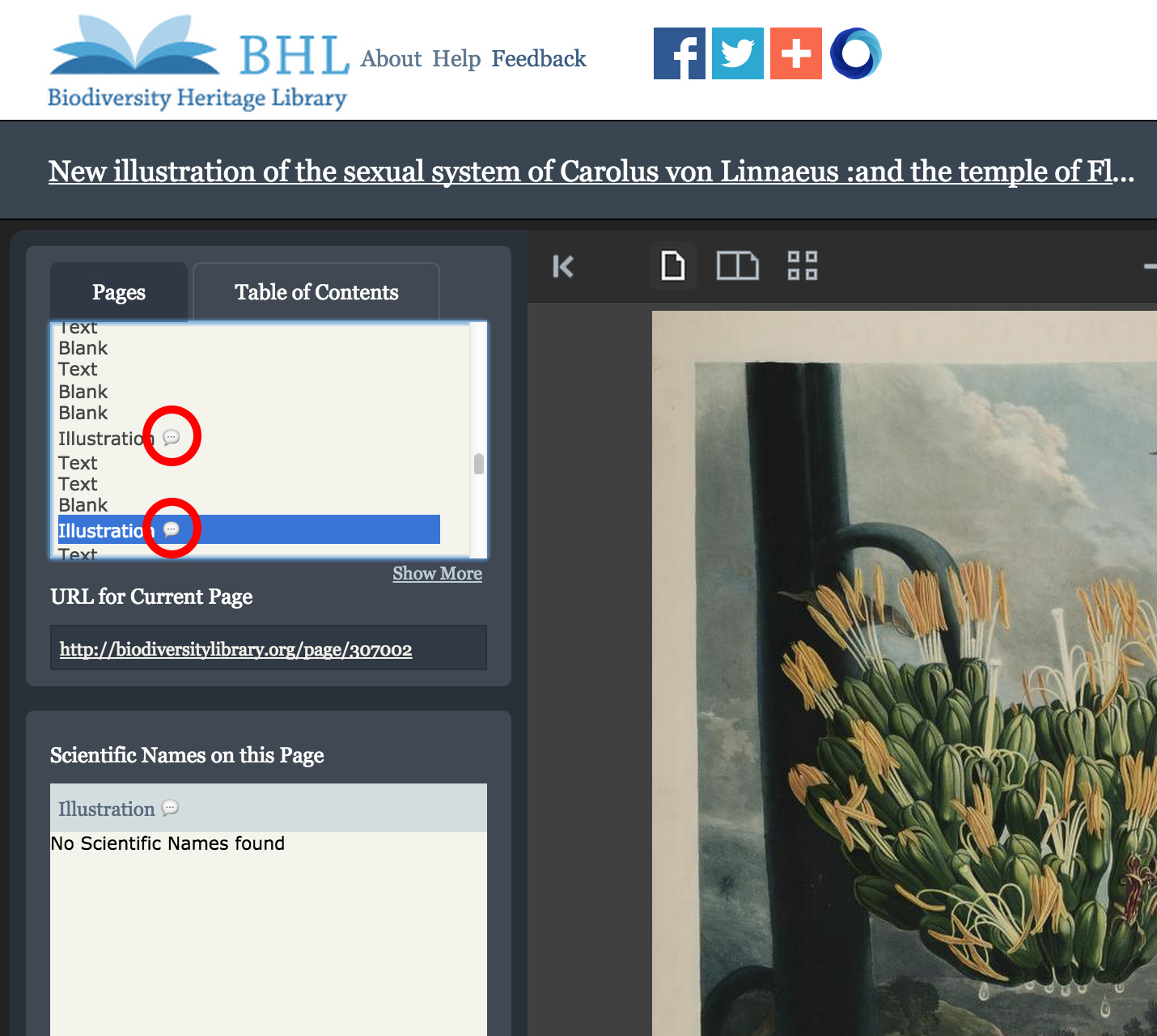
Talk bubble icons will also appear in the “Pages” box next to those pages that have comments on them. Scrolling through the “Pages” window is a quick way to see which pages in the book have comments. When a comment is added to a page for the first time, a new talk bubble icon will display next to that page in the “Pages” window.
View Full Size Image
Talk bubble icons displayed next to those pages that have a comment on them.

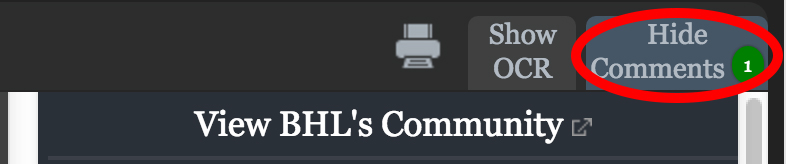
Once you expand the “Add Comments” tab, it will remain open as you scroll through the book, updating as you scroll to display the comments on the current page you are viewing. To close the window, simply click on the tab again, which will read as “Hide Comments” once the window is expanded. This will close the comment window until you expand it again by clicking on the “Add Comments” tab.
View Full Size Image
Click “Hide Comments” to close the comments window.

View and Follow Comments Added to Books in BHL

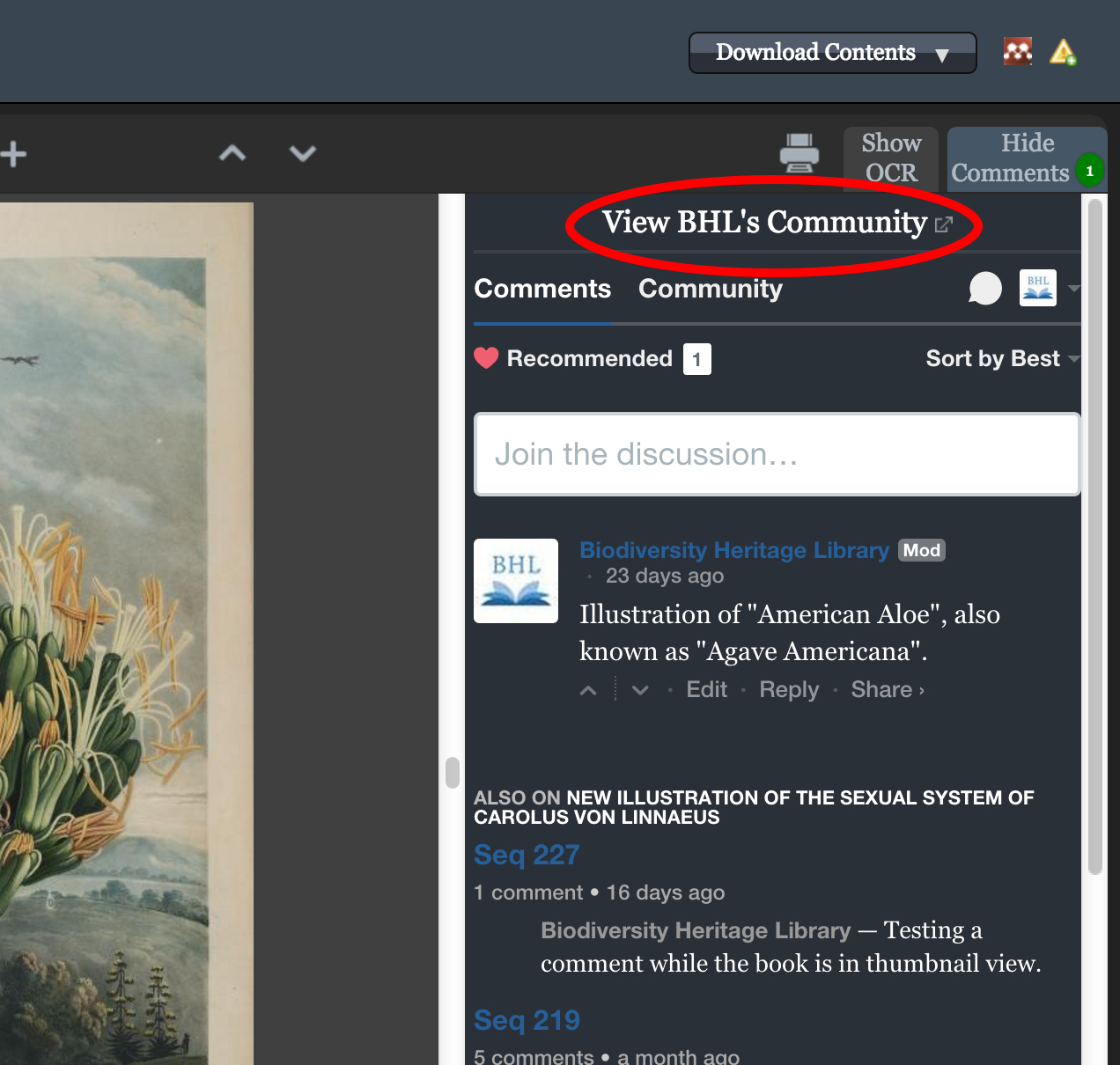
You can click on the “View BHL’s Community” link in the comment window to see a list of all of the comments added to any book in BHL. The list is available on the BHL profile page in Disqus.
View Full Size Image
Click on “View BHL’s Community” to see all of the comments added to any book in BHL.

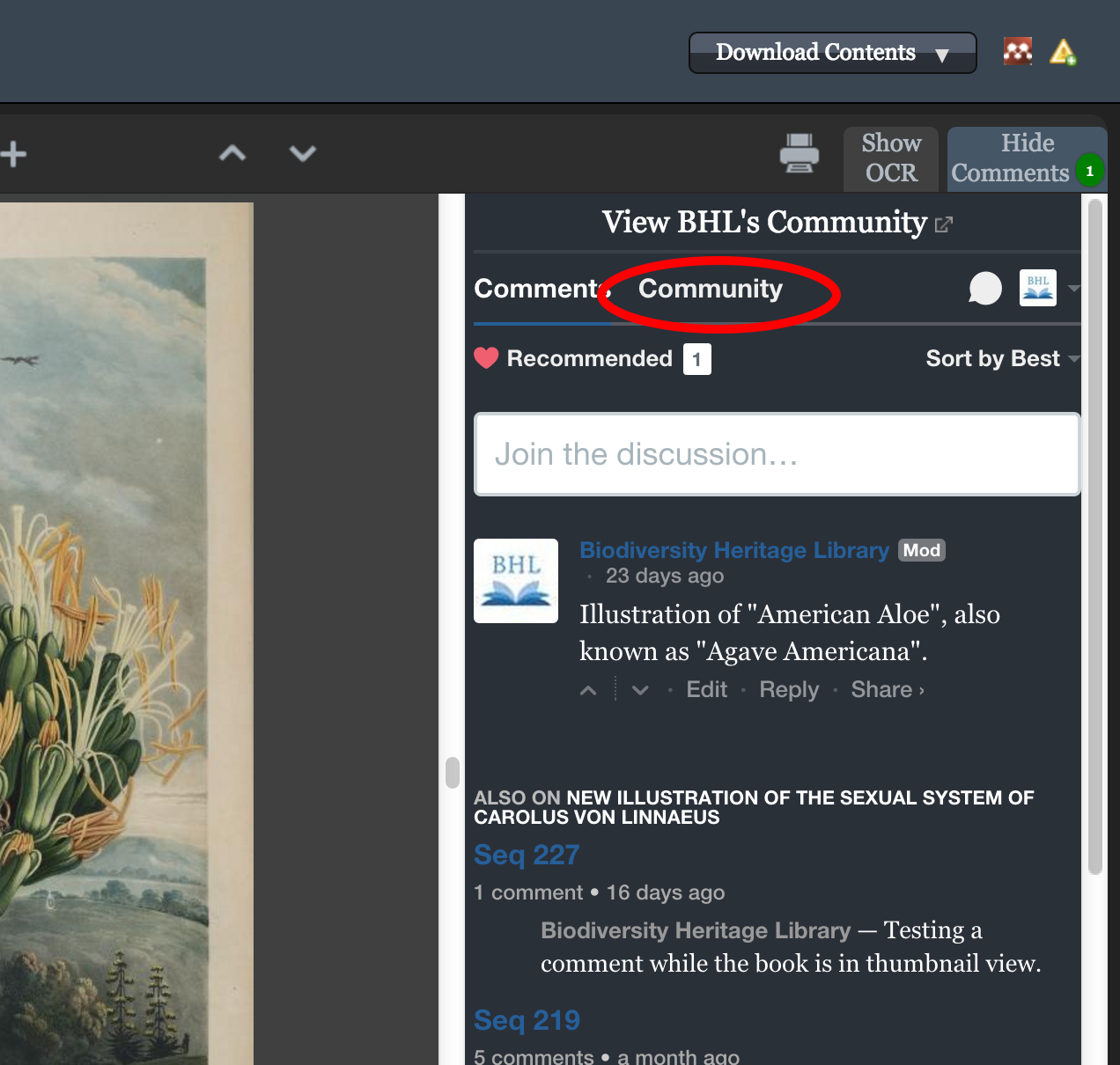
To see all of the comments added to just the book you are currently viewing, click the “Community” link in the comments window.
View Full Size Image
Click on “Community” to see a list of all of the comments added to just the book you viewing.

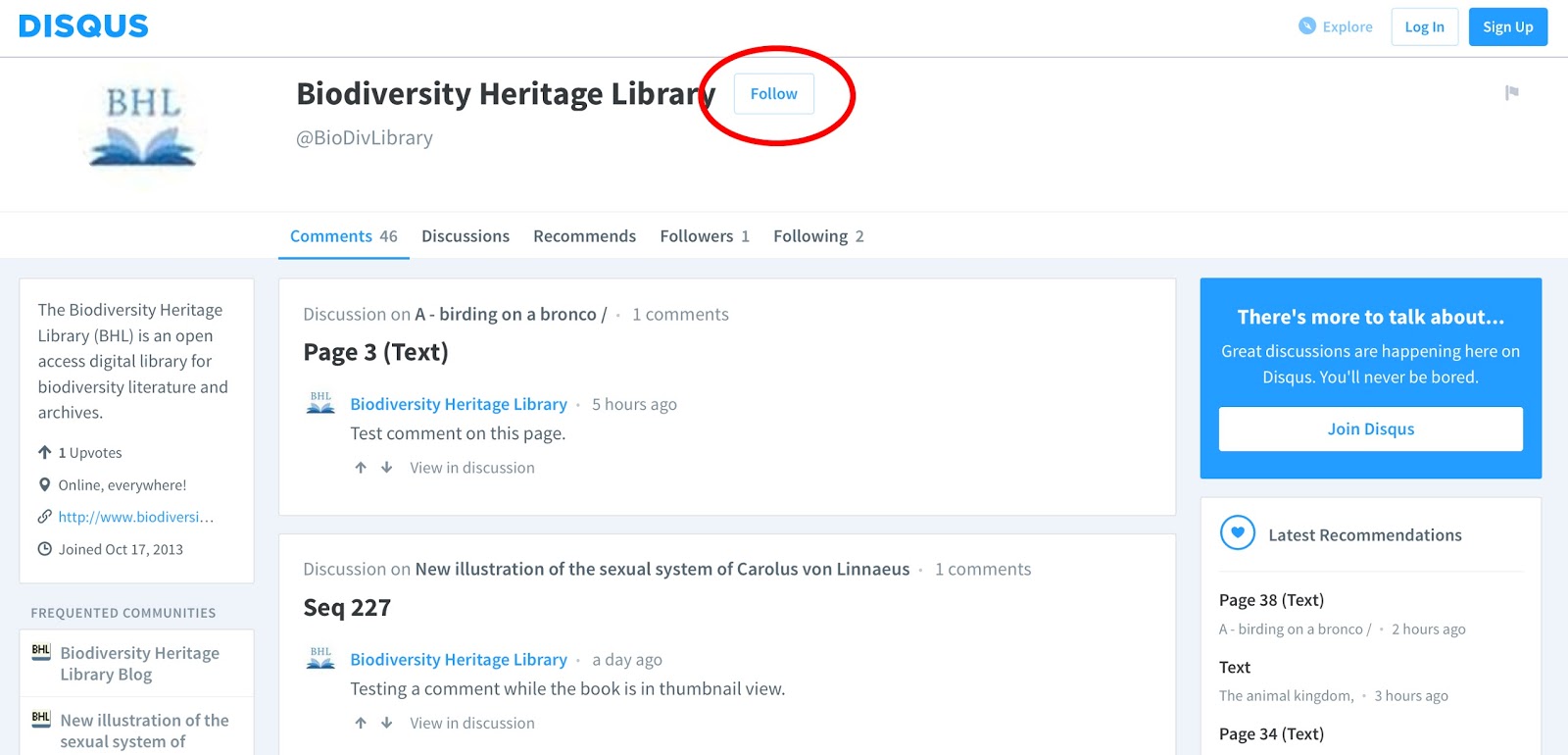
You can follow BHL on Disqus to receive notification of any new comments added to any book in BHL. Simply click on “Follow” on the BHL Disqus profile page. You will then receive notifications of all new comments added to BHL books via the “Recommended” feed on your Disqus homepage.
View Full Size Image
Click the “Follow” button on the BHL Disqus profile page to receive notification of any new comments added to any books in BHL.
View Full Size Image
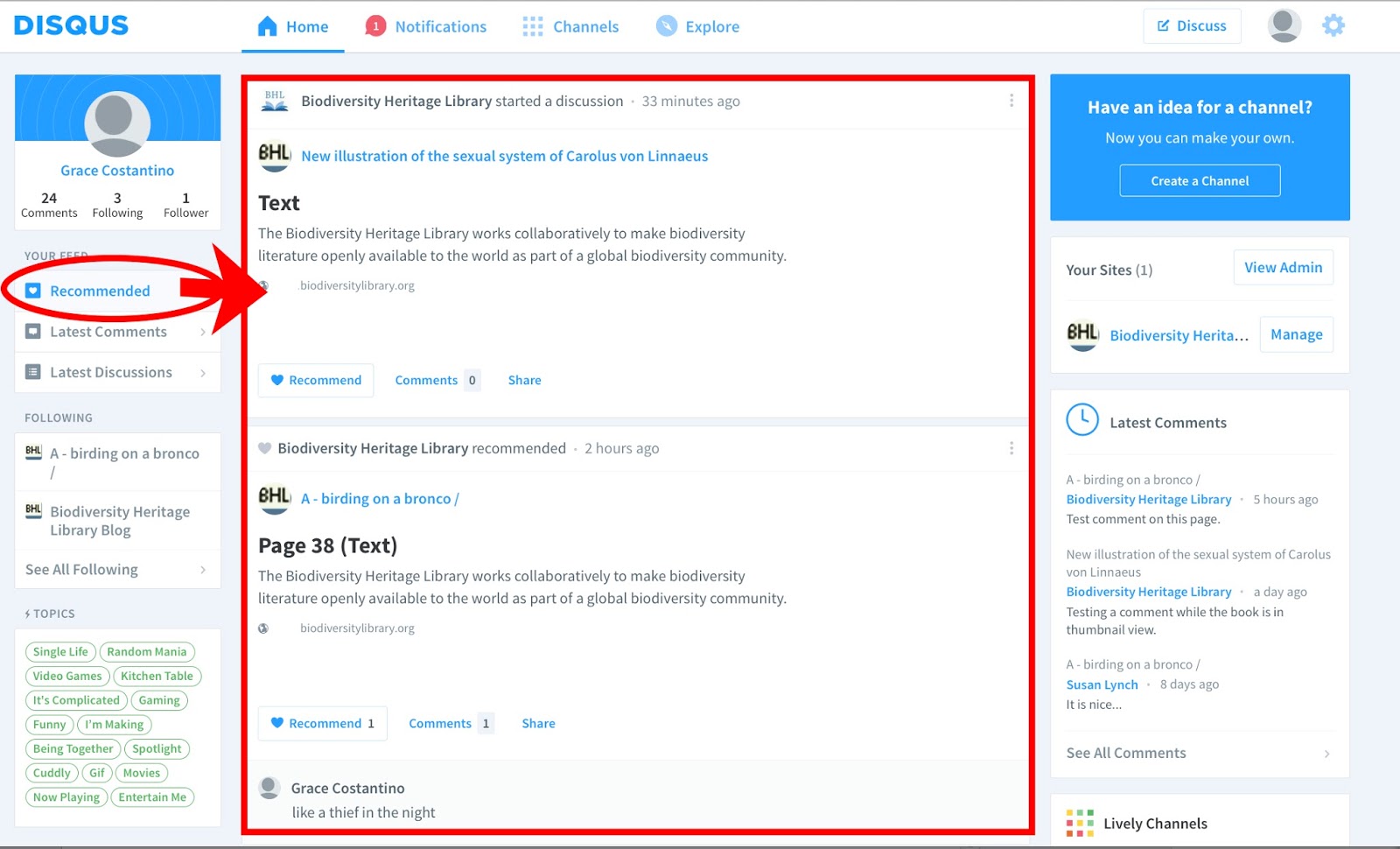
Once you follow BHL on Disqus, you will receive notification of any new comments added to any book in BHL via the “Recommended” feed on your Disqus homepage.

If you want to receive notification of new comments added to a particular book in BHL, simply “Follow” that book’s forum on Disqus. To do this, click on the “Community” link in the comment window for the book you want to receive notifications about. This will take you to that book’s forum on Disqus. Click on the “Follow” button in the forum’s header. You will then receive notification of new comments added to that book in the “Latest Discussions” feed on your Disqus homepage.

View Full Size Image
Click on the “Community” link for the book you want to receive notifications about.
View Full Size Image
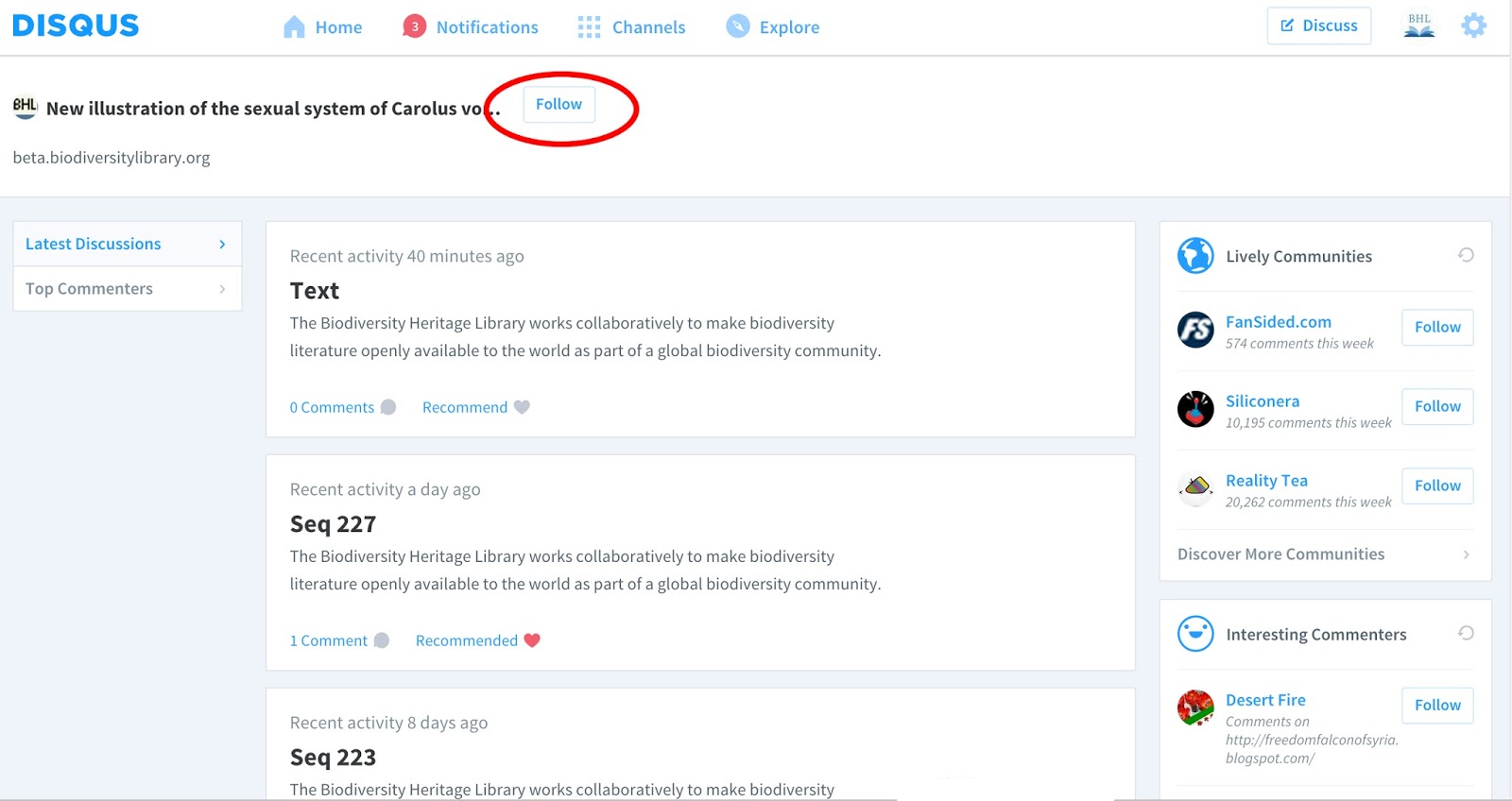
Clicking “Community” will take you to the book’s Forum in Disqus. Click on “Follow” to follow the book and receive notification of new comments added to that book.
View Full Size Image
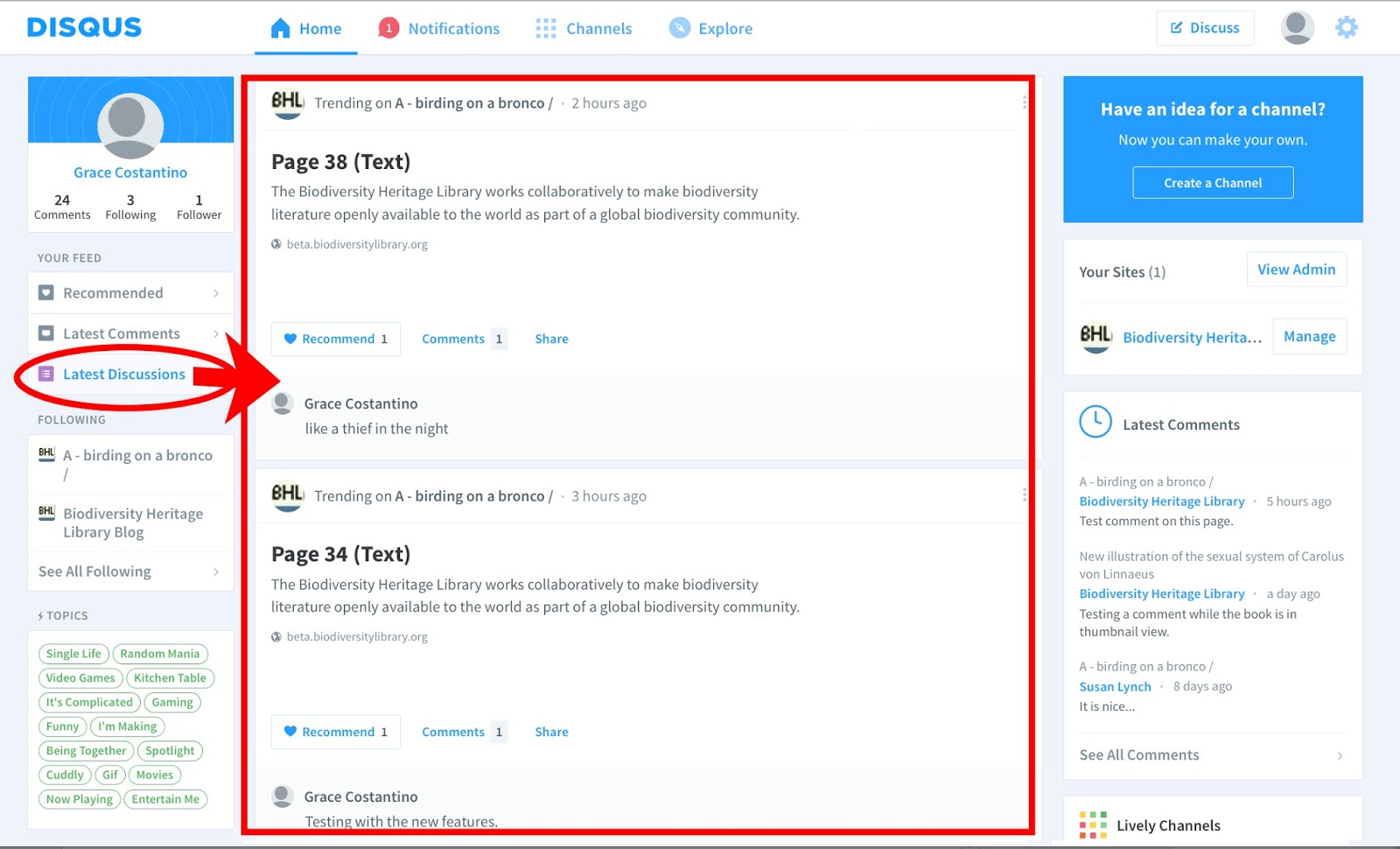
Once you follow a book’s forum, you will receive notification of new comments added to that book in the “Latest Discussions” tab on your Disqus homepage.

Tell us what you Think!

We want to know what you think about our new commenting feature. Send us any feedback you have about the tool via our feedback form or by leaving a comment to this blog post. We’ll use your feedback to help us improve the service.

*Please note: BHL reserves the right to monitor comments added to our library and remove any that do not comply with the terms of use as stated in the “Interactive Features and User-Generated Content” section on this page: http://biodivlib.wikispaces.com/Terms+of+Service.

View Full Size Image

This feature has been added as part of BHL’s Mining Biodiversity project. Mining Biodiversity is funded by a grant from the Institute of Museum and Library Services (Grant number LG-00-14-0032-14).

December 2, 2015by michelle.underhill
Blog Reel, User Stories

BHL and Our Users: Dr. Toby Musgrave

View Full Size Image
This week we feature another of our faithful BHL users, Dr. Toby Musgrave, whose work in horticulture has benefited greatly by his discovery of BHL. We asked him a few questions about how BHL has impacted his work, and we present them to you here in a traditional question and answer style.

Q: What is your title, institutional affiliation, and area of interest?

A: Independent Scholar, unsalaried Research Associate at Royal Botanic Garden, Edinburgh, UK; and unsalaried Group Member of Interdisciplinary Evolutionary Studies (IES) within the Institute of Philosophy and the History of Ideas at Aarhus University, Denmark.

Q: How long have you been in your field of study?

A: My PhD was in garden history and I have been a freelance/independent scholar since 1994.

Q: When did you first discover BHL?

A: 2009

Q: What is your opinion of BHL and how has it impacted your research?

A: A hugely useful resource that has made my research less time consuming and less expensive/

Q: How often do you use BHL?

A: At least monthly

Q: How do you usually use BHL (read the titles online/download whole PDFs/Select Pages to Download/etc.)

A: Download whole PDFs

Q: What are your favorite features/services on BHL?

A: The range of publications available and the ability to request titles to be scanned.

Q: If you could change one thing about BHL, what would it be, or what developmental aspect would you like the BHL team to focus on next?

A:

  • To have scanned and available every title listed by Blanch Henrey in her British Botanical and Horticultural Literature before 1800 (Oxford University Press, 1975)
  • Continue digitizing horticultural periodicals from the 19th century

Q: If you had to choose one title/item in BHL that has most impacted your research, or one item that you prefer above any other in BHL, what would it be and why?

A: Last year I threw down the gauntlet to [BHL staff] and asked if there was any possibility of BHL arranging to have made available the entire run (1841-1955) of the UK periodical The Gardeners’ Chronicle. I asked because there is nowhere in my country of residence (Denmark) that holds it, requiring that I make time consuming and expensive research trips to London or Cambridge in the UK should I wish to examine the periodical. I was amazed and delighted that BHL has achieved what I asked. This contribution to the BHL catalogue has been a real boon to my research, with the bonus of being able to keyword search the PDFs of annual volumes that often run to in excess of 800 pages of tiny print. Thank you!

And thank you, Dr. Musgrave, for your faithful use of BHL and for taking the time to communicate with us to tell us how we could improve BHL for you! We will get to work on Blanch Henrey’s list of botanical and horticultural works.

For more information about Dr. Musgrave, visit his website at www.TobyMusgrave.com.

And if you have suggestions on how to improve BHL, or if you would like to be featured in our BHL users series on this blog, let us know via our feedback form, send a tweet to @BioDivLibrary, or post on our Facebook wall. We look forward to hearing from our users and continuing to develop BHL in the directions most beneficial to them.

March 15, 2011by michelle.underhill
Blog Reel, User Stories

BHL and Our Users: Dr. Charlotte Sleigh

View Full Size ImageContinuing with our new series on our users and their interaction with BHL, this week we feature Dr. Charlotte Sleigh, Senior Lecturer in History of Science, University of Kent (UK), which we present in a typical question and answer interview style. So without further ado, meet Dr. Sleigh, and read what she has to say about how BHL has impacted her work, and what she would like to see from BHL in the future.

Q: What is your particular area of interest/study?

A: Historian of science with a special interest in natural history.

Q: How long have you been in your field of study?

A: 12 years

Q: When did you first discover BHL?

A: About a year ago.

Q: What is your opinion of BHL and how has it impacted your research?

A: BHL makes many old, rare or hard-to-access science and natural history texts available at the click of a mouse. In the past, if I was not sure whether or not a book was relevant to my research, I would have to make a trip to London or other major archive, and seek it out, perhaps spending a whole day only to find it was not relevant. Now I can check quickly and easily online, flicking through texts. Nine times out of ten I can get what I want from relevant texts by reading online; sometimes I supplement this by looking at another copy or edition in the flesh. Even in this latter case, however, reading online first (and re-checking afterwards) is an integral part of the research. My research has been enhanced in that I am quickly able to cross-reference the work of many scientists and naturalists against one another.

Q: How often do you use BHL?

A: It depends on whether I am in a research-intensive phase; if so, maybe average 2-4 texts per week.

Q: How do you usually use BHL (downloading whole PDFs/reading online/selecting pages to download/etc.)?

A: Read online. I also go to the text-only version at archive.org to search the text for key words, then go back to read the relevant pages at BHL online.

Q: What are your favorite features/services on BHL?

A: As above, the ability to search for key words, though this is a bit of a clunky, multi-stage process.

Q: If you could change one thing about BHL, what would it be, or what developmental aspect would you like the BHL team to focus on next?

A:

  • Easier access to text-only version.
  • My browser (Explorer) sometimes struggles with magnification and gets stuck on a super-enlarged corner of the page.
  • Search facility can be a bit hit and miss.
  • Otherwise – I would just like to see more titles continuing to be added!

Thank you, Dr. Sleigh, for taking the time to tell us about your experience with BHL. At BHL, we particularly appreciate honest feedback about how we can best focus our resources for further development. The best way to determine this is, of course, to ask those who use our services. So, if you have suggestions on how to improve BHL, or if you would like to be featured in our BHL User series on this blog, let us know via our feedback form, send a tweet to @BioDivLibrary, or post on our Facebook wall. We look forward to hearing from our user community, and also to future opportunities to feature our users.

February 28, 2011by ulib-libraryjobs

Help Support BHL

BHL's existence depends on the financial support of its patrons. Help us keep this free resource alive!

search

About BHL

The Biodiversity Heritage Library (BHL) is the world’s largest open access digital library for biodiversity literature and archives. BHL operates as a worldwide consortium of natural history, botanical, research, and national libraries working together to digitize the natural history literature held in their collections and make it freely available for open access as part of a global “biodiversity community.”

Join Our Mailing List

Sign up to receive the latest news, content highlights, and promotions.

Subscribe Now

Subscribe to Blog via Email

Enter your email address to subscribe to this blog and receive notifications of new posts by email.

Join 319 other subscribers

Subscribe to Blog Via RSS

Subscribe to the blog RSS feed to stay up-to-date on all the latest BHL posts.

Access RSS Feed

Inspiring Discovery through Free Access to Biodiversity Knowledge.

The Biodiversity Heritage Library makes it easier than ever for you to access the information you need to study and explore life on Earth…for free, anytime, anywhere.


64+ Million Pages of
Biodiversity Literature Online.

EXPLORE

Tools and Services
to Transform Research.

EXPLORE

300,000+
Illustrations on Flickr.

EXPLORE

ABOUT | HARMFUL CONTENT | PRIVACY | SITE MAP | TERMS OF USE