Biodiversity Heritage Library - Program news and collection highlights from BHL
  • Home
  • News
  • Featured Books
    • All Featured Books
    • Book of the Month Series
    • BHL at 20
  • User Stories
  • Campaigns
    • Fossil Stories
    • Garden Stories
    • Monsters Are Real
    • Page Frights
    • Her Natural History
    • Earth Optimism 2020
  • Tech Blog
  • Visit BHL
Home
News
Featured Books
    All Featured Books
    Book of the Month Series
    BHL at 20
User Stories
Campaigns
    Fossil Stories
    Garden Stories
    Monsters Are Real
    Page Frights
    Her Natural History
    Earth Optimism 2020
Tech Blog
Visit BHL
  • Home
  • News
  • Featured Books
    • All Featured Books
    • Book of the Month Series
    • BHL at 20
  • User Stories
  • Campaigns
    • Fossil Stories
    • Garden Stories
    • Monsters Are Real
    • Page Frights
    • Her Natural History
    • Earth Optimism 2020
  • Tech Blog
  • Visit BHL
Biodiversity Heritage Library - Program news and collection highlights from BHL
BHL News, Blog Reel, Tech Updates

Updates to Bibliography Pages in BHL

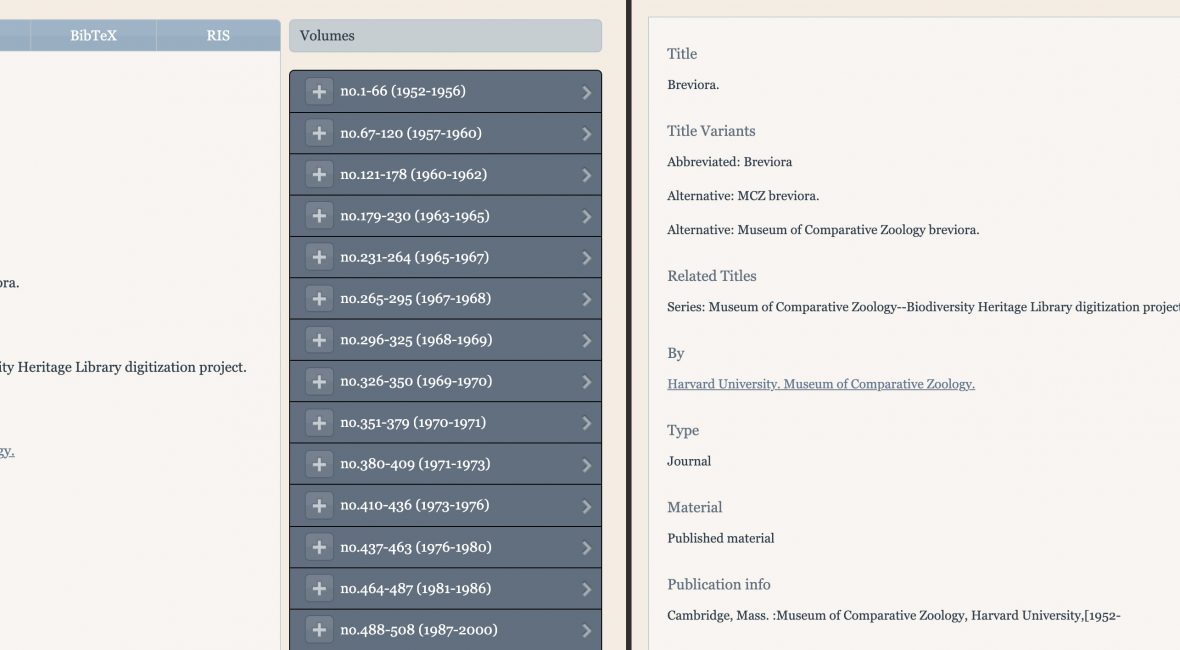
Screenshot of bibliography pages in BHL with and without tabs.

We have updated the bibliography pages in BHL to streamline the presentation of information about and metadata export options for content in the Library.

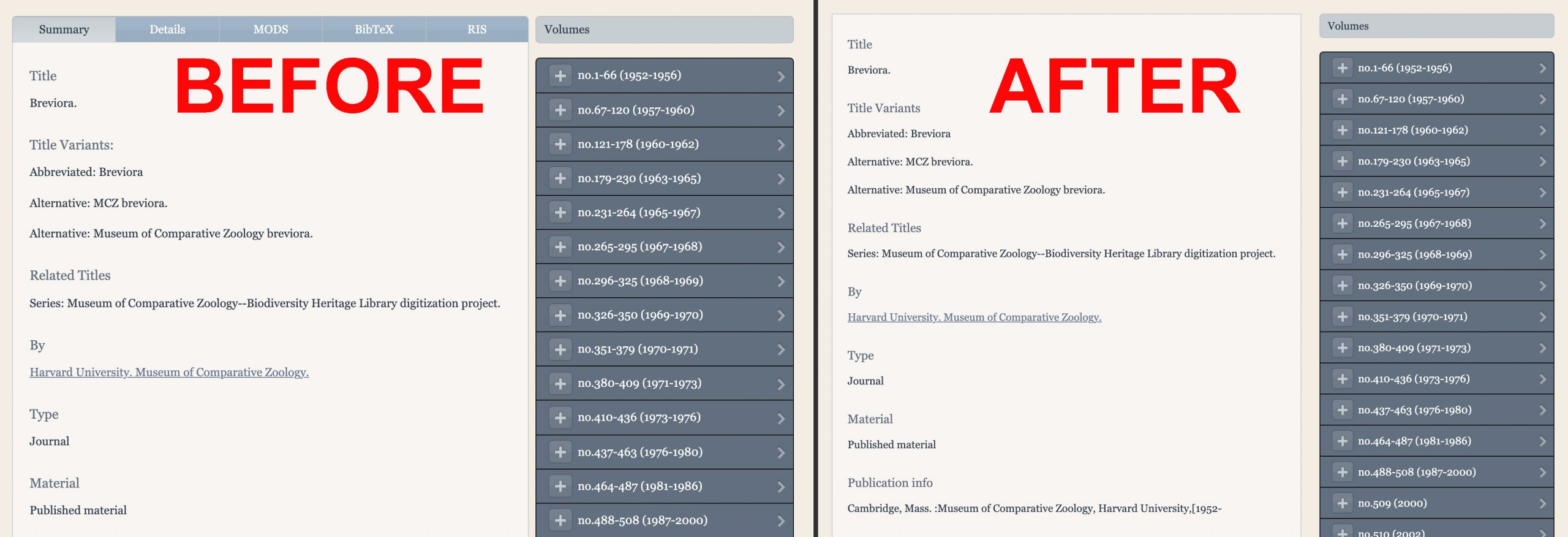
Previously, bibliographic details and export options were available through different tabs on title and part pages. These tabs have now been removed, and all bibliographic information is consolidated into a single display.

Screenshot showing BHL bibliography pages before and after.

The various tabs on title and part bibliography pages have now been consolidated into a single display.

BHL’s metadata export options have also been relocated. BHL offers metadata exports in MODS, BibTex, and RIS formats. MODS is an XML-based bibliographic description schema used in a variety of library applications. BibTex and RIS are bibliographic citation files that are compatible with a variety of citation management tools. The MODS file is a title-level download. The BibTex and RIS files are item-level downloads.

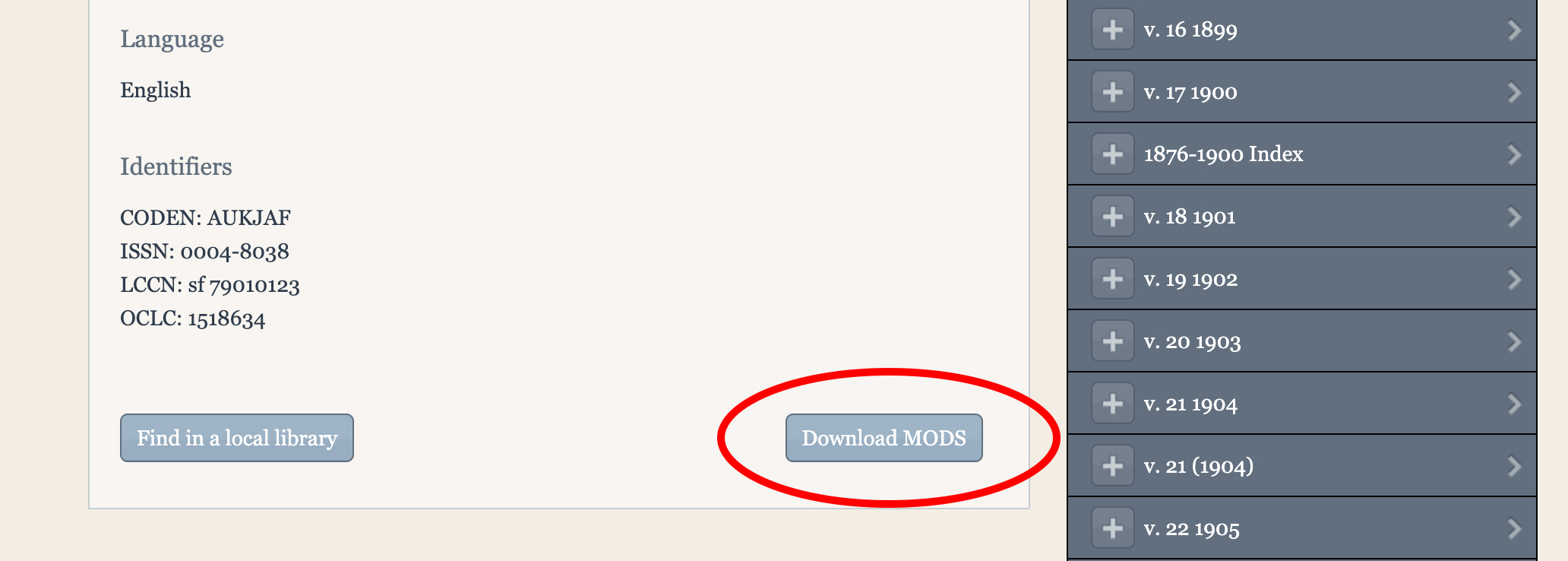
The MODS download is available at the bottom of the title and part bibliography pages.

Screenshot of a title page in BHL with the "Download MODS" button circled.

MODS download on the title and page bibliography pages.

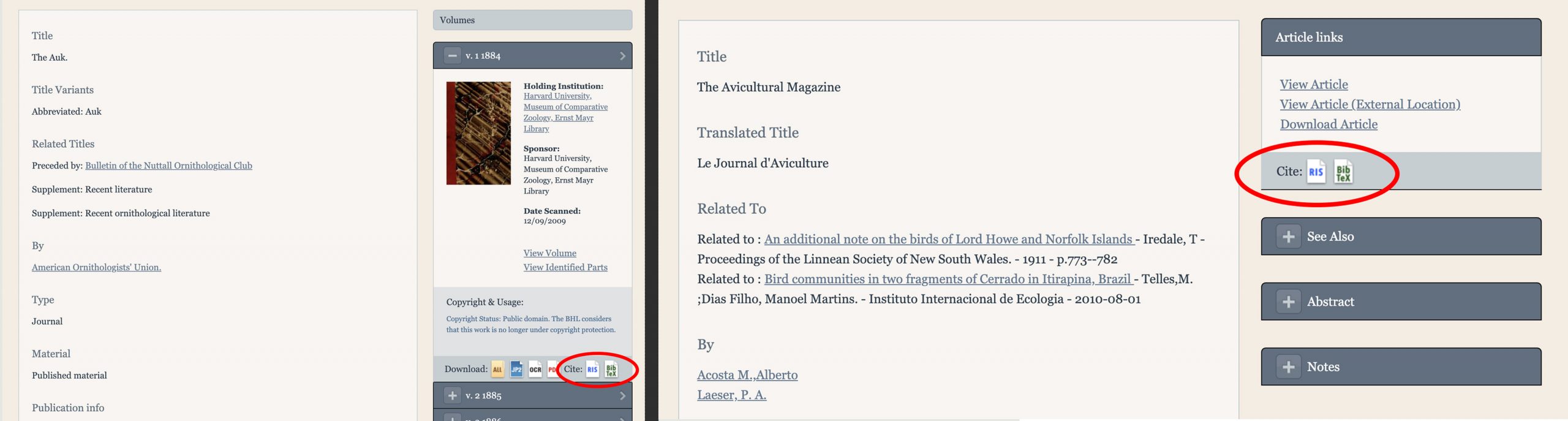
The BibTex and RIS downloads are available in two places:

1) Under the volume or part details on bibliography pages.

Screenshot of the citation download options in the BHL website.

BibTex and RIS downloads on title (left) and part (right) bibliography pages.

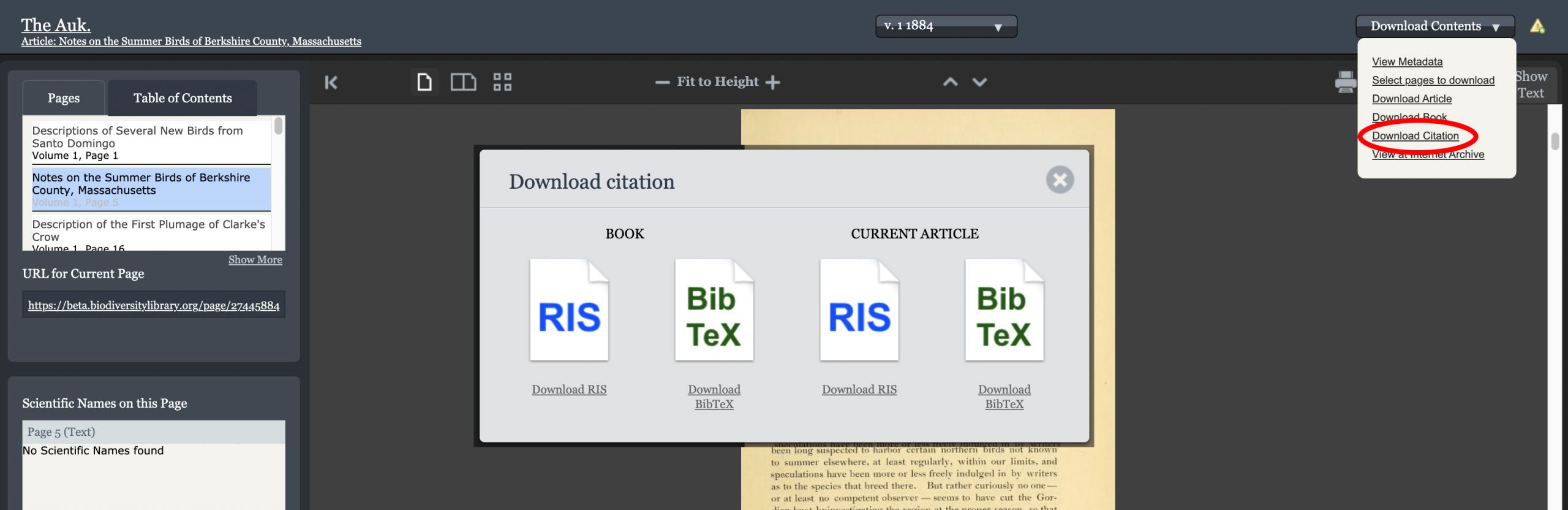
2) Under the “Download Contents” menu in the book viewer, via the “Download Citation” option.

Screenshot of the BHL book viewer with the citation download options displayed.

Download citation options in the BHL book viewer.

As part of this update, we have removed the direct Mendeley import from BHL, as the generic RIS and BibTex formats are compatible with a variety of citation management softwares including Mendeley.

Details about our metadata export services are also available in the FAQ on the BHL About site.

February 11, 2021by michelle.underhill
BHL News, Blog Reel, Tech Updates

BHL Improves the Speed and Accuracy of its Taxonomic Name Finding Services with gnfinder

New and improved BHL name finding services

BHL has deployed a new taxonomic name finding tool to improve the speed and accuracy of identifying names throughout its 58+ million pages.

BHL is now using Global Names Architecture’s (GNA) gnfinder tool to locate taxonomic names in the BHL corpus. Prior to this deployment, BHL’s name finding services were based on an index of scientific names created by GNA developers six years ago by parsing every page in BHL one by one. This took 45 days to accomplish, and the cost of repeating this process made updating or improving the index infeasible.

The gnfinder tool uses fast, scalable programming languages to significantly reduce computational time. Using Open Source applications in Go and Scala, the tool detects candidate scientific names and compares them to millions of scientific name-strings aggregated by GNA for verification. The new process decreases the time needed for name detection and name verification from 35 days to 5 hours and from 7 days to 12 hours, respectively. As a result, the entire BHL corpus can now be indexed in less than a day, compared to the 45 days needed for the previous index. Additionally, by significantly reducing computational time, implementing iterative improvements to the index is now achievable.

The accuracy of the names identified has also been improved with this deployment. By eliminating questionable results and false positives from the previous index, gnfinder produces a more accurate index of names in BHL. More than 34 million unique names — representing more than 239 million total instances of taxonomic name strings — were identified across the BHL corpus as of 21 July 2020. Of these, approximately 11.7 million are “Verified Names”, meaning they are unique names that have been resolved against a name authority (NameBank, Catalogue of Life, etc).

The gnfinder tool was developed by Dmitry Mozzherin and Alexander Myltsev as part of GNA project work at the University of Illinois at Urbana-Champaign. Mozzherin shared more about the process of developing this tool at the Biodiversity Next conference in Leiden, The Netherlands in 2019. Learn more in the presentation slides.

You can learn more about how the BHL implementation of the gnfinder tool works in our FAQ.

We would like to thank our colleagues at Global Names Architecture — especially Dmitry Mozzherin, Alexander Myltsev, and David Patterson — for their work to develop these tools. Thanks also to Joel Richard (BHL Technical Coordinator and Head of Web Services and IT at Smithsonian Libraries) and Mike Lichtenberg (BHL Lead Developer) for their work to deploy gnfinder on the BHL website.

If you have questions about gnfinder or would like to provide feedback or suggestions, please contact Global Names Architecture via the Global Names BHL project on GitHub.

Global Names development on BHL indexing is supported by National Science Foundation grants #1356347 and #1645959 as well as the Species File Group at the University of Illinois.

July 21, 2020by michelle.underhill
BHL News, Blog Reel, Tech Updates

Additions to Text Exports Coming Soon

The BHL website was recently updated for new fields to download content. The TSV Data Exports are being updated on 1 September 2019 to mirror this change.

History

Recently, we added new URLs to the site to facilitate getting the text, Images or PDFs of the items at BHL. When viewing an item (for example, Darwin’s Origin of Species), the Download Contents > Download Book option presents four choices for downloading the contents of an item. Three of these have new, normalized URLs to download the content of an item.

  • PDF: https://www.biodiversitylibrary.org/itempdf/124544
  • All: (unchanged)
  • JPEG 2000: https://www.biodiversitylibrary.org/itemimages/124544
  • Text: https://www.biodiversitylibrary.org/itemtext/124544

We added these links because we discovered that there were some inconsistencies in connecting our content to the Internet Archive. Additionally with the new ability of BHL Partners to upload transcribed text, we needed a method of downloading the updated text rather than the original OCR.

What has changed?

In summary, these three new URLs have been added to the tab-delimited Item (volumes) TSV download files. The presence of these fields will impact any downstream processes that rely on the order of the fields. Please review your code if you rely on the field order instead of the field names of the TSV file.

In the past, the fields were:

ItemID, TitleID, ThumbnailPageID, BarCode, MARCItemID, CallNumber, VolumeInfo, ItemURL, LocalID, Year, InstitutionName, ZQuery, CreationDate

On 1 September 2019, the fields will change to the following:

ItemID, TitleID, ThumbnailPageID, BarCode, MARCItemID, CallNumber, VolumeInfo, ItemURL, ItemTextURL, ItemPDFURL, ItemImagesURL, LocalID, Year, InstitutionName, ZQuery, CreationDate

These fields mirror those of the new links mentioned above and will save you from needing to create the URLs to download content.

Please update your code or processes if necessary!

August 27, 2019by Sheila Rabun
BHL News, Blog Reel, Tech Updates

BHL Journal Articles Are Now Discoverable via Unpaywall

Earlier this week, Rod Page and I received an email from Richard Orr, the Lead Developer at Unpaywall, telling us that he had created a work-around that would finally enable the Unpaywall extension to discover content in BHL. And I (Nicole) literally spent the rest of the day jumping for joy. 

Let us explain: 

Firstly, what’s a DOI?

DOIs (Digital Object Identifiers) are used throughout the scholarly research community to uniquely identify academic articles. They help readers locate the definitive version of a published article, and they make linking together the academic literature much easier – look at any recent paper and you’ll see that most of the references cited have DOIs.

DOIs do two things: 1) they uniquely identify an article, and 2) they point to the online location of the definitive version of that article (typically hosted by the article’s publisher). 

Many articles are not free to read: a significant proportion of both recently-published and historic articles are locked behind paywalls. However, with the rise of open access, it’s increasingly the case that there may be a free version of an article available somewhere online. BHL, for example, has scanned and made available tens of thousands of articles that also exist on commercial publishers’ websites. DOIs always direct users to the definitive version of an article. But if the definitive version is behind a paywall (as they so often are), how do we tell users that BHL has a free version available? Enter Unpaywall.

What’s Unpaywall?

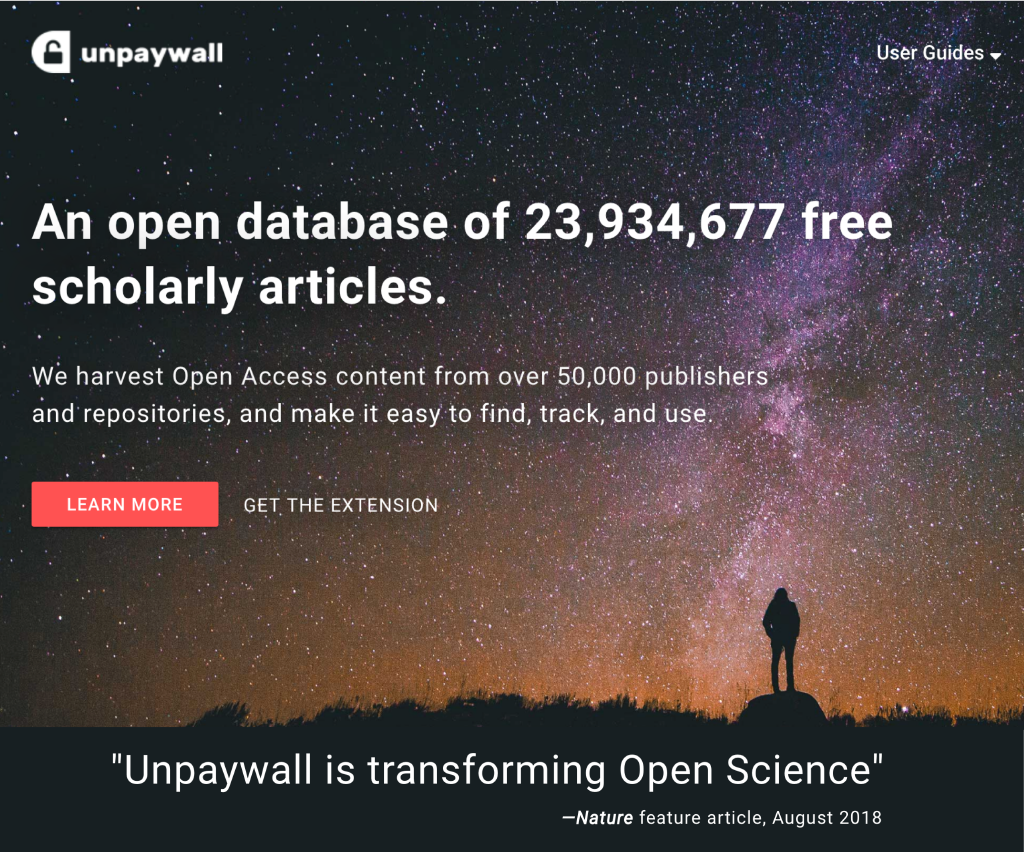
Unpaywall finds (legally) open access versions of paywalled literature. Since its launch in 2016, Unpaywall has become an indispensable tool for scientists  (see “How Unpaywall is transforming open science”). Unpaywall’s free browser extension (downloadable via their website) displays a discrete padlock symbol on the side of your browser whenever you are on a paywalled paper. If Unpaywall is able to locate a freely-accessible copy of the article elsewhere, the padlock symbol appears green and clicking on it will take you directly to the open access version. To discover whether an article is free, Unpaywall scans a database of millions of articles compiled from over 50,000 sources. Until this week, BHL wasn’t one of them. 
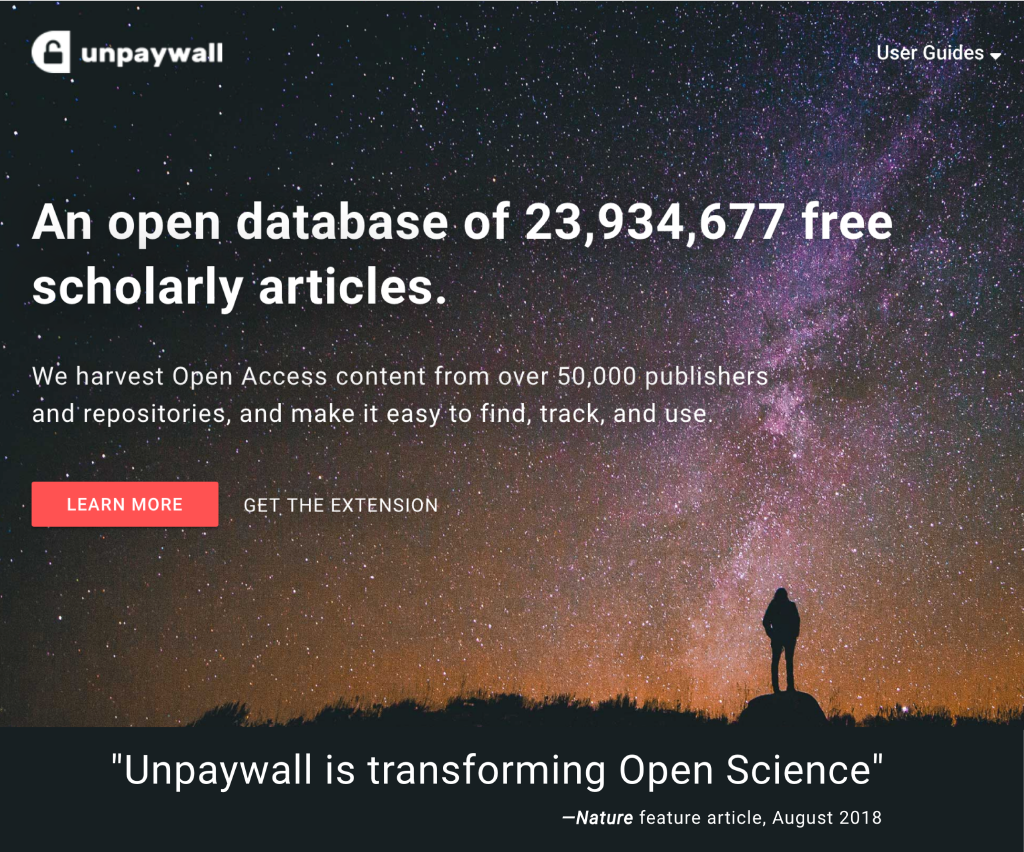
Screenshot of Unpaywall homepage

Why couldn’t Unpaywall link to BHL?

BHL contains hundreds of thousands of journal articles. More than a quarter of a million of these articles have been indexed (the vast majority by Rod Page via Biostor), which means that they now have article-level landing pages containing their article-level metadata. Tens of thousands of these article landing pages now have DOIs. This should have made them discoverable, but Unpaywall still couldn’t find them. 

In June, we contacted Unpaywall to find out why. It turns out that the reason BHL content has never been picked up by Unpaywall is because of the way BHL uploads and presents its journal content. Most providers of online journals present each article neatly packaged as an individual PDF. BHL, however, is first and foremost a virtual library. We upload complete volumes of journals made up of individual page images. Our article landing pages don’t link to PDFs; they link to the page in the volume upon which the article starts. Unpaywall looks for a PDF link to confirm that the document is actually available. Thus, the 57 million pages of open access content on BHL was excluded from Unpaywall’s database.  

After we explained to Unpaywall how significant BHL’s content was, Richard Orr, Unpaywall’s Lead Developer, very kindly agreed to create a work-around, specifically for BHL, that would enable Unpaywall to link to BHL article landing pages. The result of this work-around is that (as of this week) 43,000 journal articles on the BHL website are now discoverable via Unpaywall. 

To demonstrate how useful this is, here are two examples:

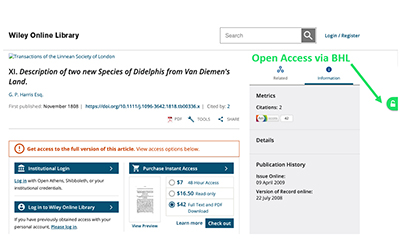
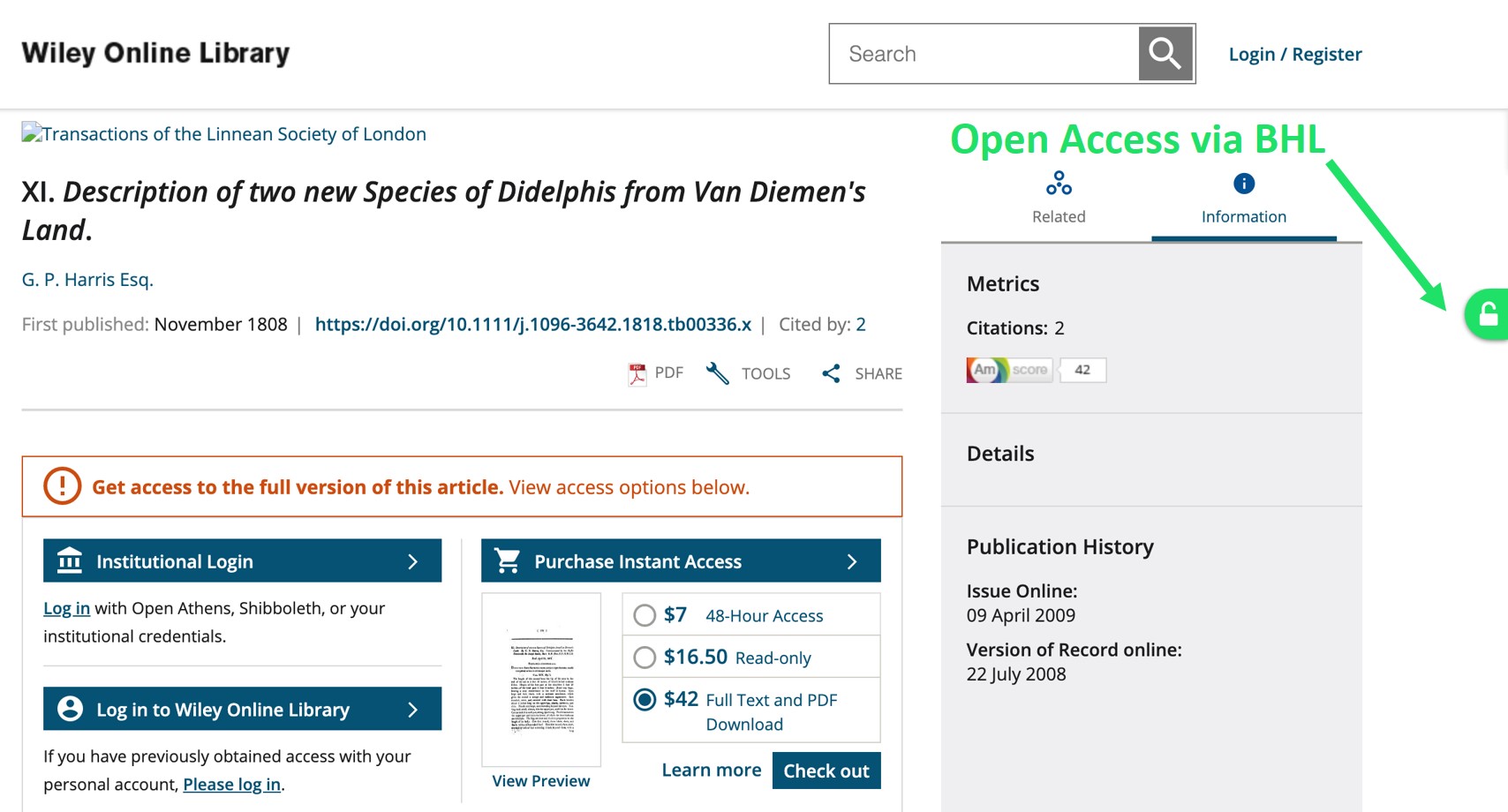
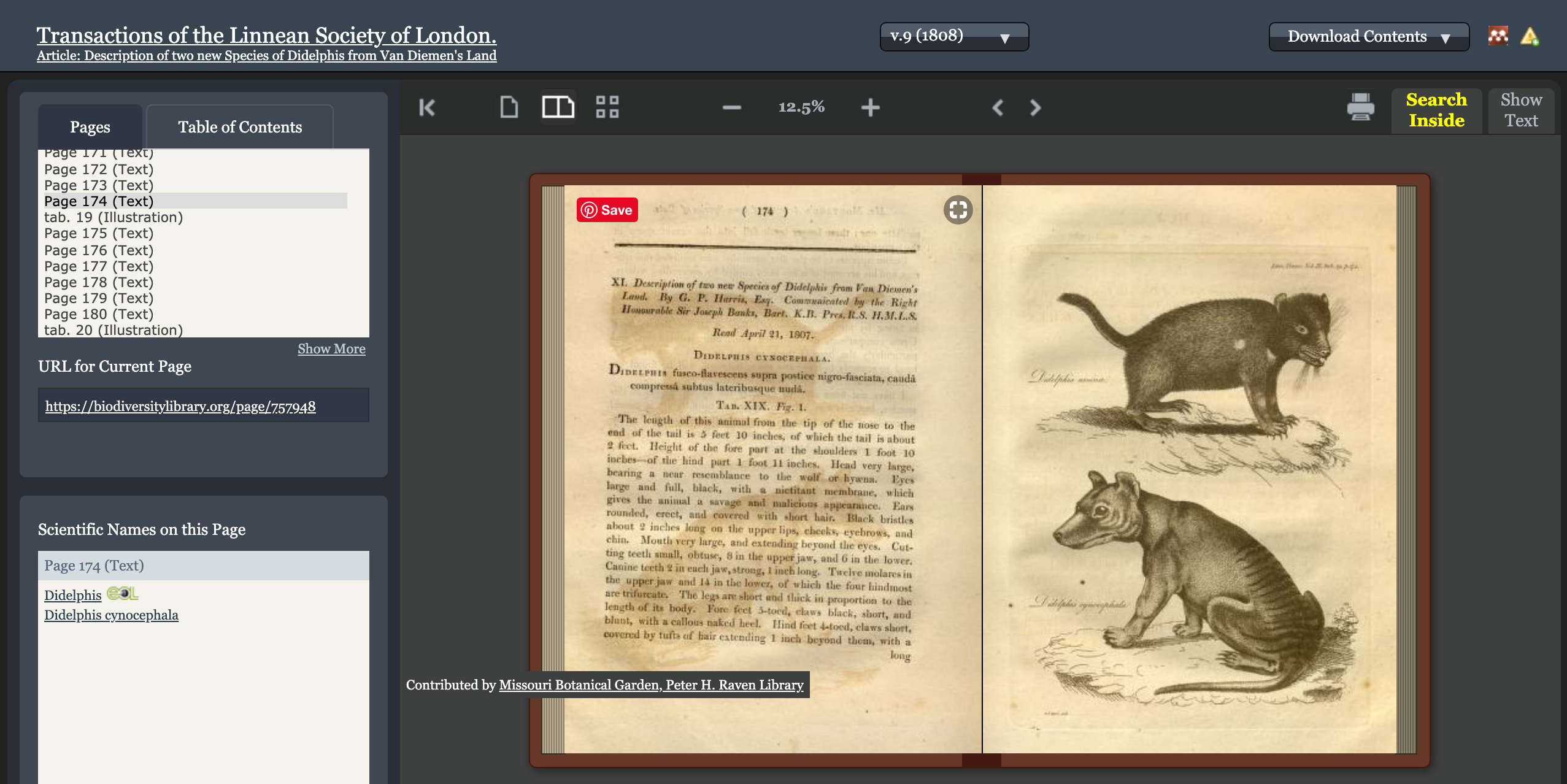
The first description of the iconic (sadly now-extinct) Thylacine (or Tasmanian Tiger) was published in the Transactions of the Linnean Society of London in 1808. This article is well and truly out of copyright and yet the definitive version of this article is behind a paywall on the Wiley Online website: https://doi.org/10.1111/j.1096-3642.1818.tb00336.x. Downloading the PDF of this out-of-copyright article from the Wiley website will cost you $42 USD.
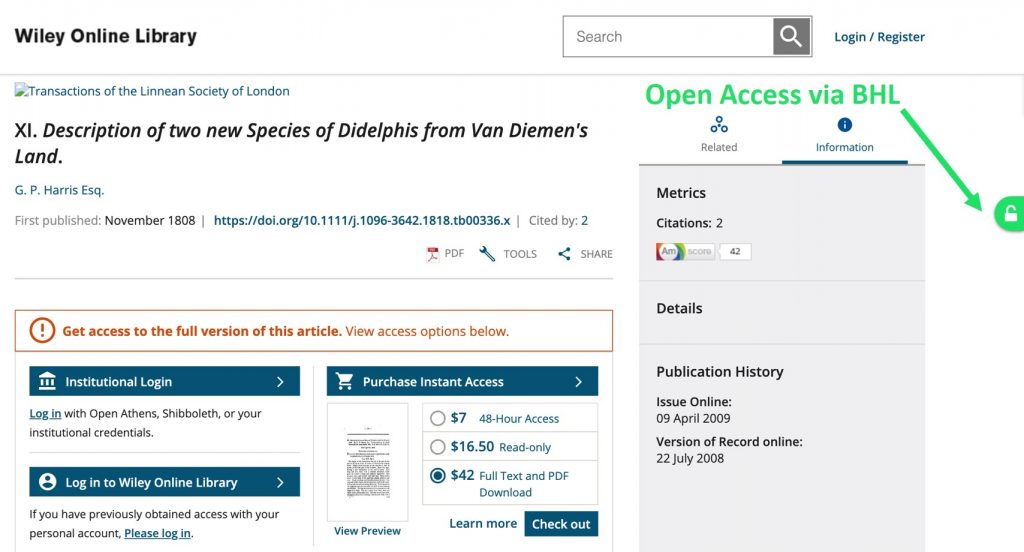
Screenshot of an article landing page on Wiley Online

The definitive DOI version of this article is behind a paywall on the Wiley Online website, but it is freely available on the BHL website. With the Unpaywall extension, you can now easily navigate to the free version on BHL.

Now that BHL’s content is discoverable via Unpaywall, anyone directed to the Wiley version via the article’s DOI can discover the free version on BHL (via the Unpaywall extension).

Screenshot of an article in BHL

Article freely available via the Biodiversity Heritage Library.

It’s important to note that making BHL discoverable via Unpaywall doesn’t just enhance access to legacy literature such as the Thylacine paper; it also applies to much more recent research. For example, “The generic relationships of the new endemic Australian ant spider genus Notasteron (Araneae, Zodariidae)” was published in The Journal of Arachnology in 2005. This article has the DOI (https://doi.org/10.1636/04-56.1) and is behind a paywall on BioOne. With Unpaywall’s extension in your browser you can now discover the free version hosted by BHL.

How to make even more BHL content discoverable via Unpaywall

43,000 may seem like a large number, but it’s actually only a tiny fraction of the articles freely available on BHL. For the Unpaywall extension to be able to locate all the journal content on BHL, we need to unlock the rest of the journal articles on BHL by 1) adding more article-level metadata, and 2) ensuring that, for every article on BHL that has an existing DOI, we include that DOI in the article-level metadata. That’s our next task…

We would like to thank Unpaywall for providing access to an ever-increasing number of open access scholarly articles (23,943,966 at 14/8/19) and to particularly thank their Lead Developer, Richard Orr, for making it possible for BHL (a square peg) to fit into their open database (a round hole).  

August 16, 2019by Joel Richard
BHL News, Blog Reel, Tech Updates

BHL Adds Functionality Allowing Partners to Upload Crowdsourced Transcriptions of Digitized Archival Materials

Screenshot of a digital library book viewer with readable OCR.

The Biodiversity Heritage Library (BHL) has added functionality to allow BHL Partners to upload transcriptions in place of the automatically-generated OCR (Optical Character Recognition) for archival materials digitized in BHL. This functionality supports transcriptions generated as part of Partner crowdsourcing projects on Smithsonian Transcription Center, DigiVol, and From the Page.

Optical Character Recognition (OCR), also called text recognition, translates text characters in scanned documents into code that can be used for data processing and enables searching of document text. Handwritten archival materials like correspondence and field notes are notoriously problematic for OCR software. Full-text searching of these materials is significantly hampered by poor OCR output.

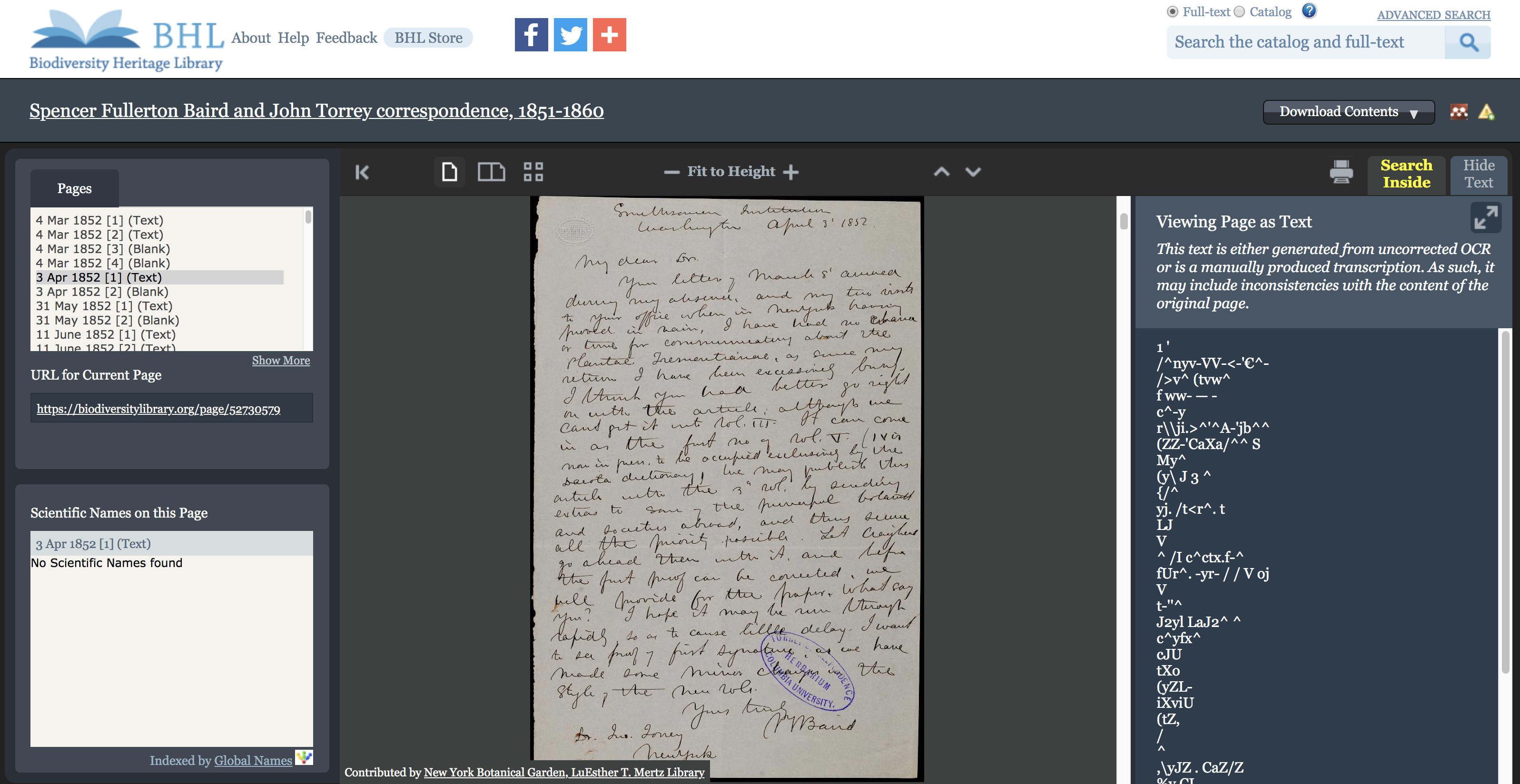
Screenshot of a digital library book viewer with gibberish for OCR.

Example of the poor automatically-generated OCR output for handwritten correspondence. Spencer Fullerton Baird and John Torrey correspondence, 1851-1860. Contributed in BHL from the LuEsther T. Mertz Library of The New York Botanical Garden.

Crowdsourcing the transcription of archival materials has become a popular way to generate machine-readable text that enables searching and discoverability. Several BHL Partners are using crowdsourcing platforms (e.g. Smithsonian Transcription Center, DigiVol, and From the Page) to transcribe field notes, correspondence, and other archival materials that they have digitized in BHL.

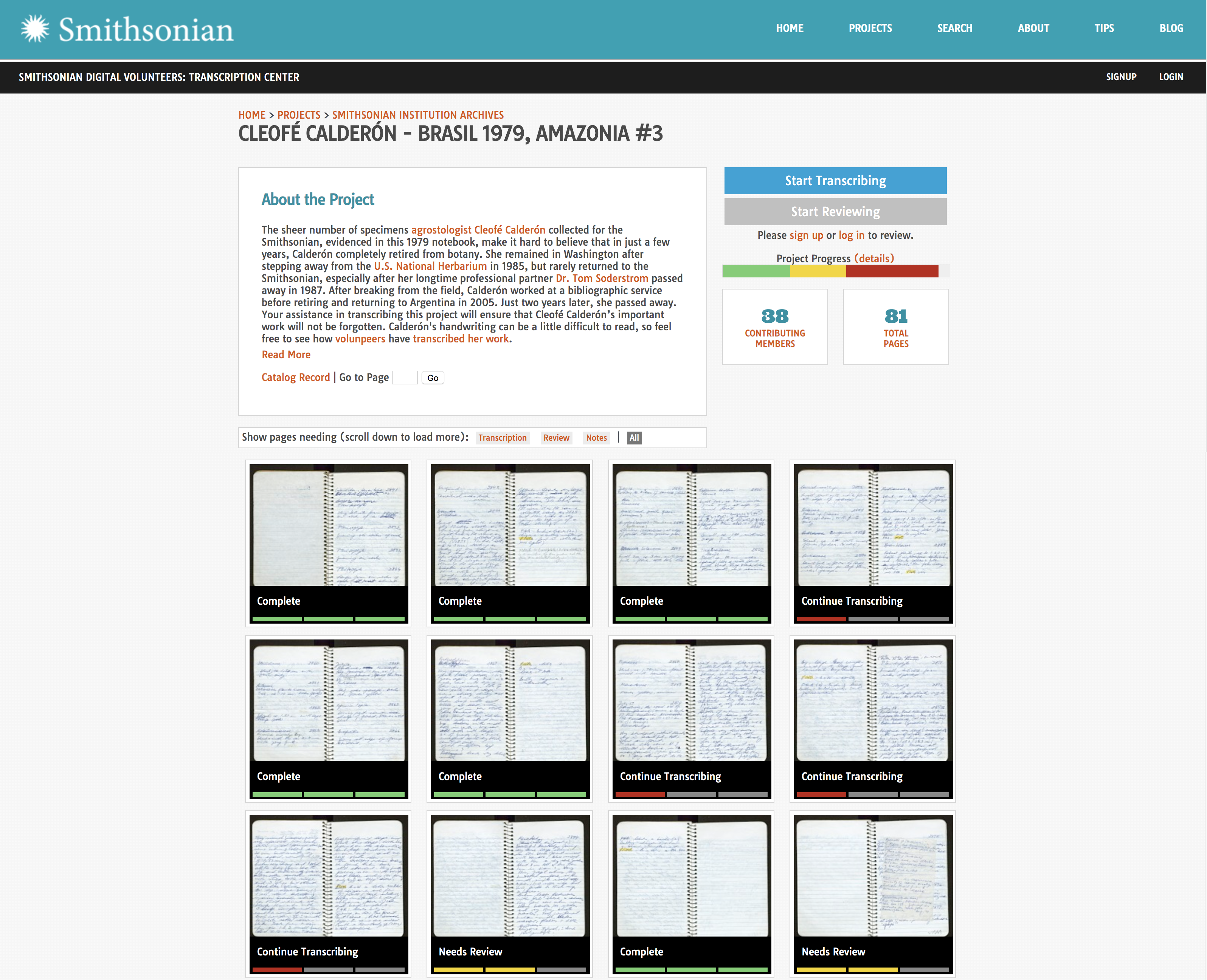
Screenshot of a project in the Smithsonian Transcription Center.

Example of a field notebook being transcribed in the Smithsonian Transcription Center. This notebook, Brasil 1979, Amazonia #3, from Cleofé Calderón is also available in BHL from the Smithsonian Institution Archives.

With this new functionality, these transcriptions can now be uploaded in place of the automatically-generated OCR for these items, allowing them to be full-text searchable and enabling our taxonomic name recognition software to index scientific names within their pages. Since the transcribed text can be viewed alongside the digitized page image, users can also more easily read materials with difficult-to-decipher handwriting. Thus, this new functionality makes it easier for researchers and the public to explore these valuable primary source materials and access specific information from their pages.

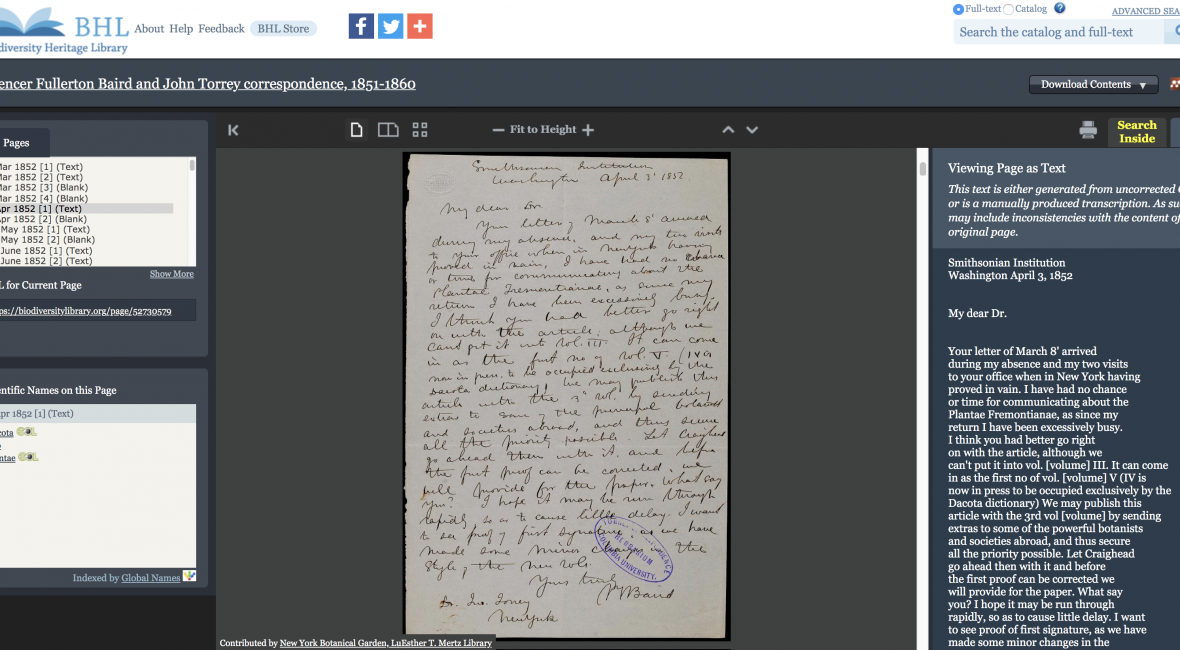
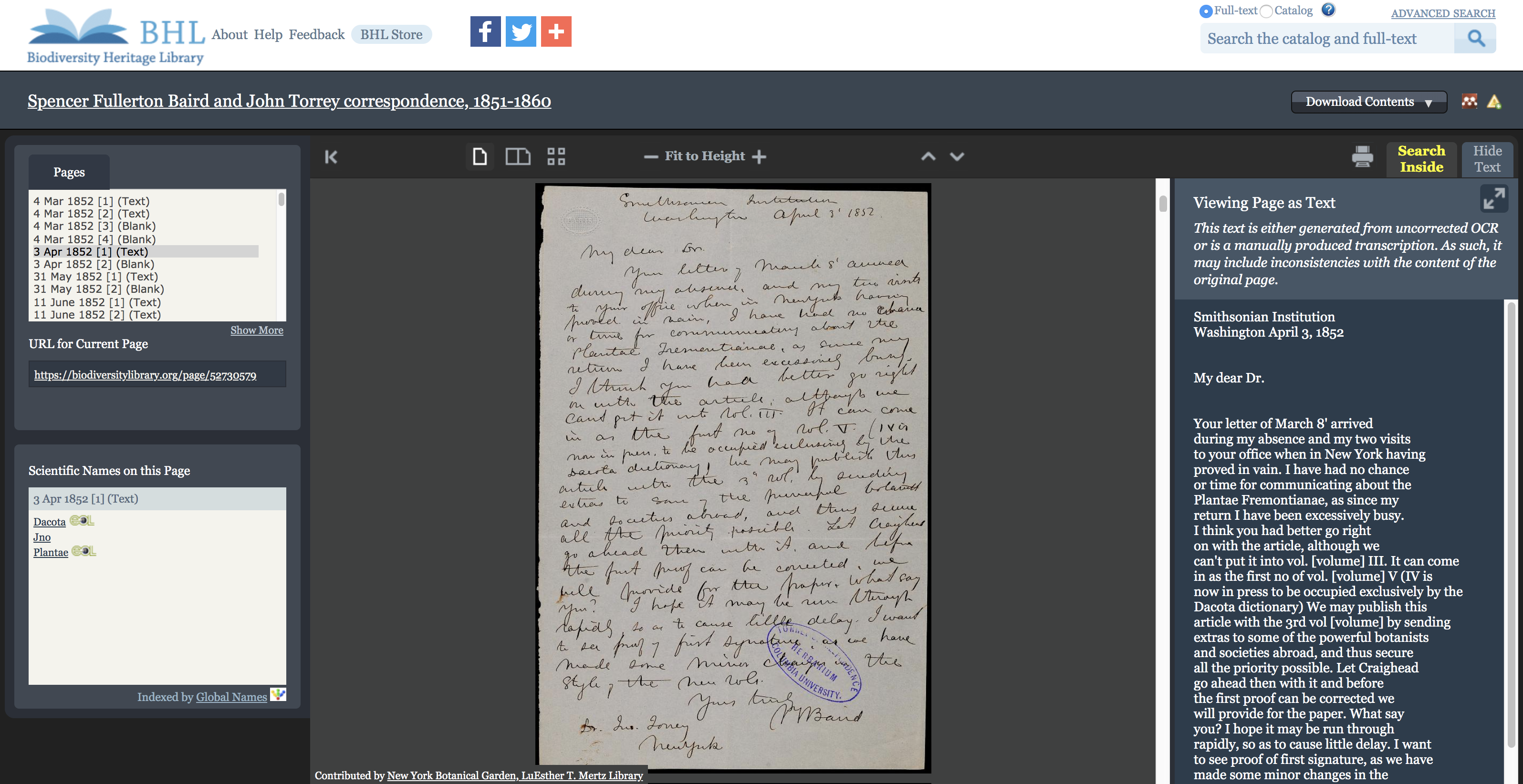
Screenshot of a digital library book viewer with readable OCR.

Above example with the OCR replaced with a crowdsourced transcription generated as part of The John Torrey Papers project from The New York Botanical Garden on From the Page. Spencer Fullerton Baird and John Torrey correspondence, 1851-1860. Contributed in BHL from the LuEsther T. Mertz Library of The New York Botanical Garden.

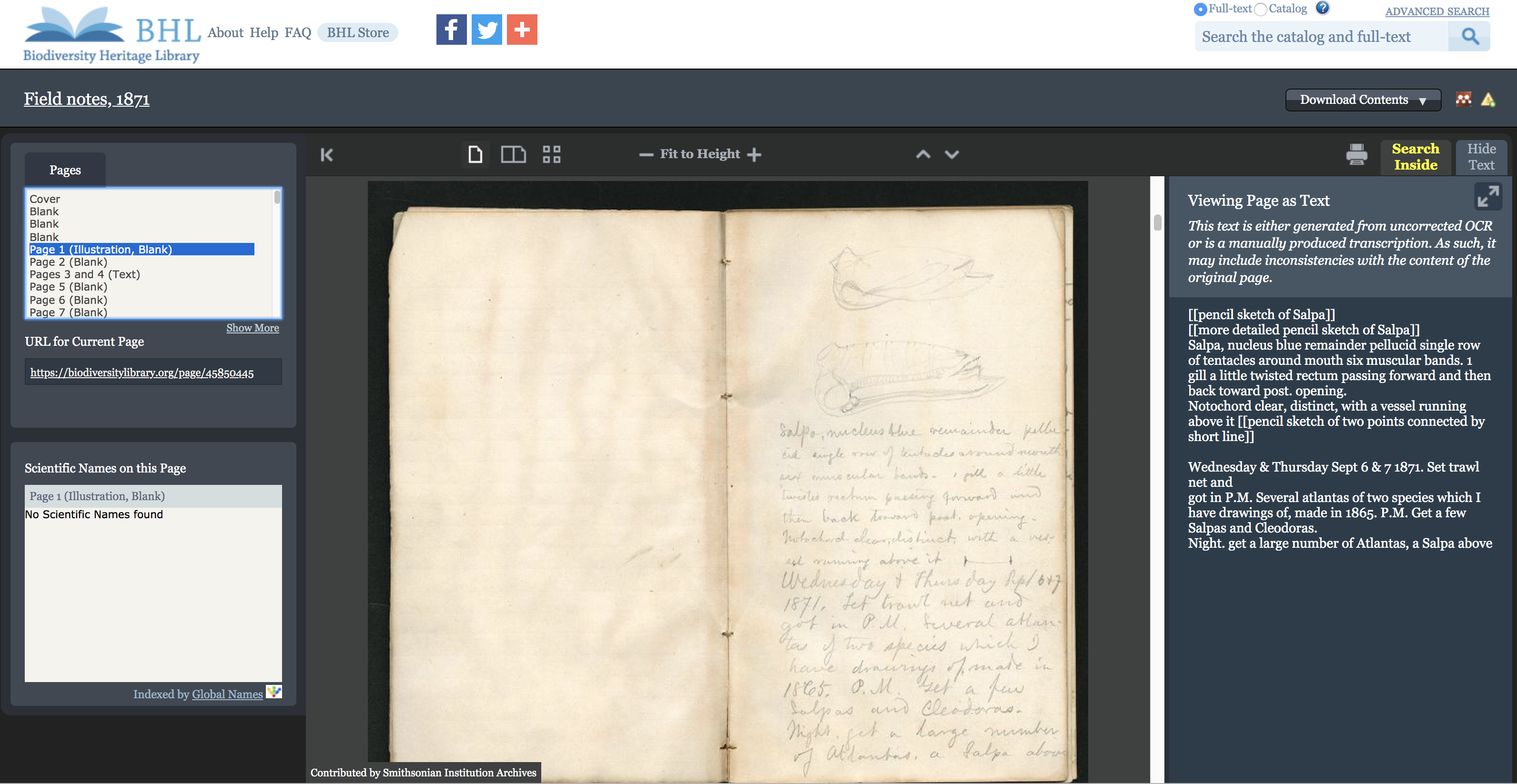
Screenshot of the BHL book viewer with a digitized field book and the transcribed text shown alongside the page in place of the OCR.

Since the transcribed text can be viewed alongside the digitized page image in the BHL book viewer, users can also more easily read archival materials. William Healey Dall’s Field Notes, 1871. Transcription generated on the Smithsonian Transcription Center. Contributed in BHL from the Smithsonian Institution Archives.

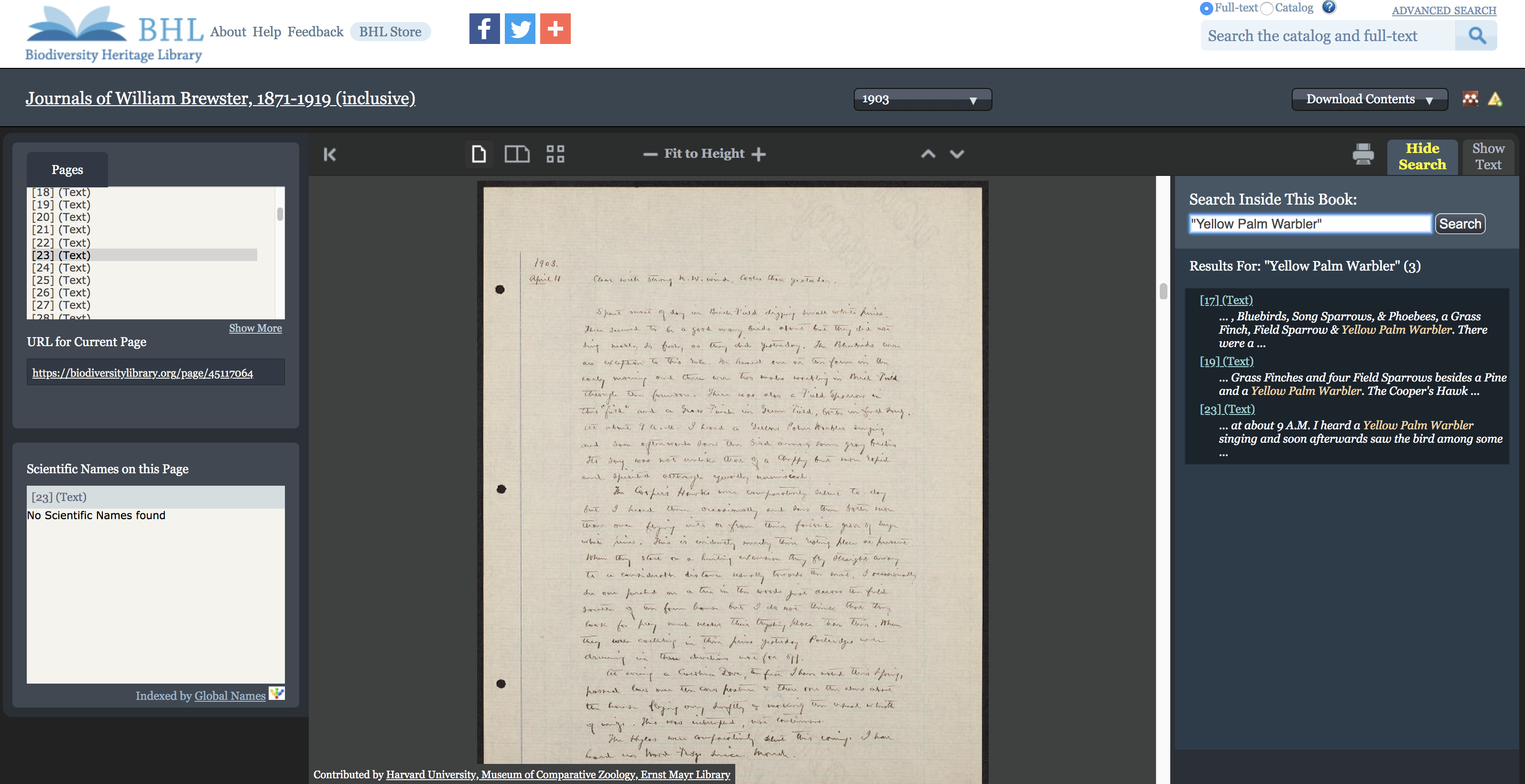
Screenshot of a book viewer with digitized archival materials and full-text search for "Yellow Palm Warbler".

Crowdsourced transcriptions allow digitized archival materials in BHL to be full-text searchable, as shown in this example searching for “Yellow Palm Warbler” within William Brewster’s 1903 journal. Transcription generated as part of the Ernst Mayr Library of Harvard University project on DigiVol. Contributed in BHL from the Ernst Mayr Library of the Museum of Comparative Zoology at Harvard University.

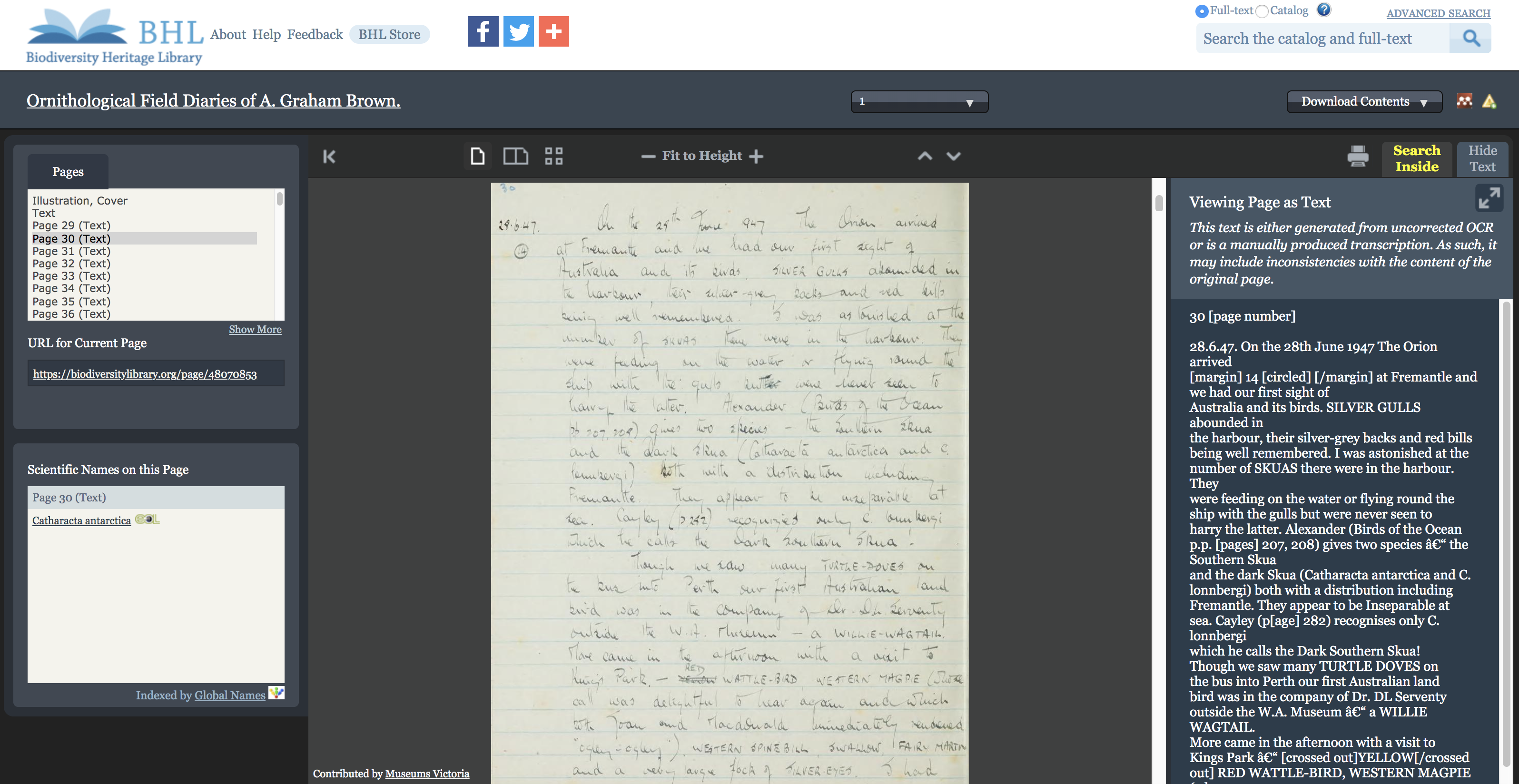
Screenshot of a book viewer with scientific name indexed on the page of an archival notebook.

Crowdsourced transcriptions allow BHL’s taxonomic name recognition software to index scientific names within the pages of digitized archival materials, as seen in this example in which Catharacta antarctica is indexed on a page within the first volume of the Ornithological Field Diaries of A. Graham Brown. Transcription generated as part of a project from BHL Australia and Museums Victoria on DigiVol. Contributed in BHL from Museums Victoria.

Participating Partners have begun uploading transcriptions to BHL. To date, transcriptions have been uploaded from Partner crowdsourcing projects with BHL Australia, Ernst Mayr Library of Harvard University, The New York Botanical Garden, and Smithsonian Institution Archives. This is an ongoing process, and more transcriptions will be uploaded to the Library over time.

Interested in transcribing archival materials? Several BHL Partners have active transcription projects on various crowdsourcing platforms. Follow the links below to explore the opportunities and get involved:

  • Ernst Mayr Library of Harvard University on DigiVol
  • The John Torrey Papers from The New York Botanical Garden on From the Page
  • Smithsonian Institution Archives on the Smithsonian Transcription Center
July 17, 2019by michelle.underhill
BHL News, Blog Reel, Tech Updates

BHL Participates in the Global Names Workshop

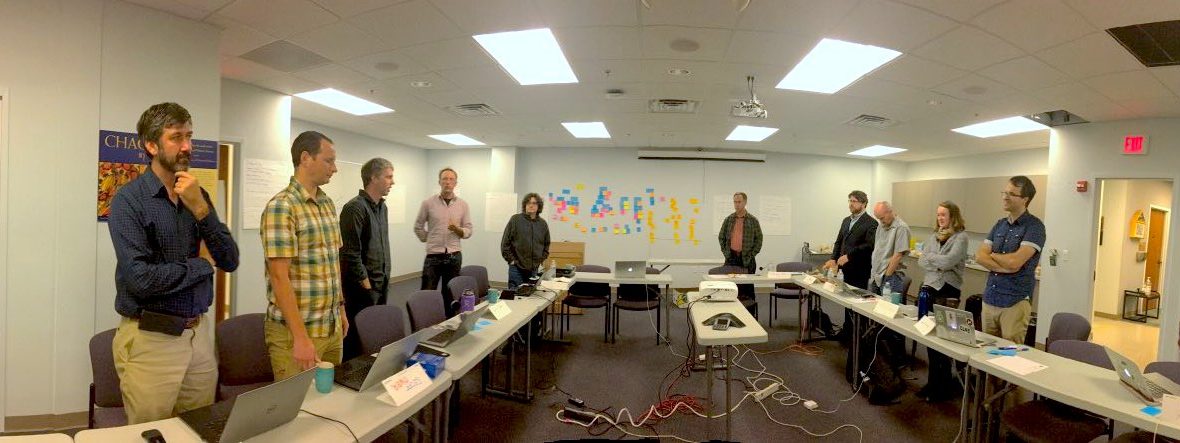
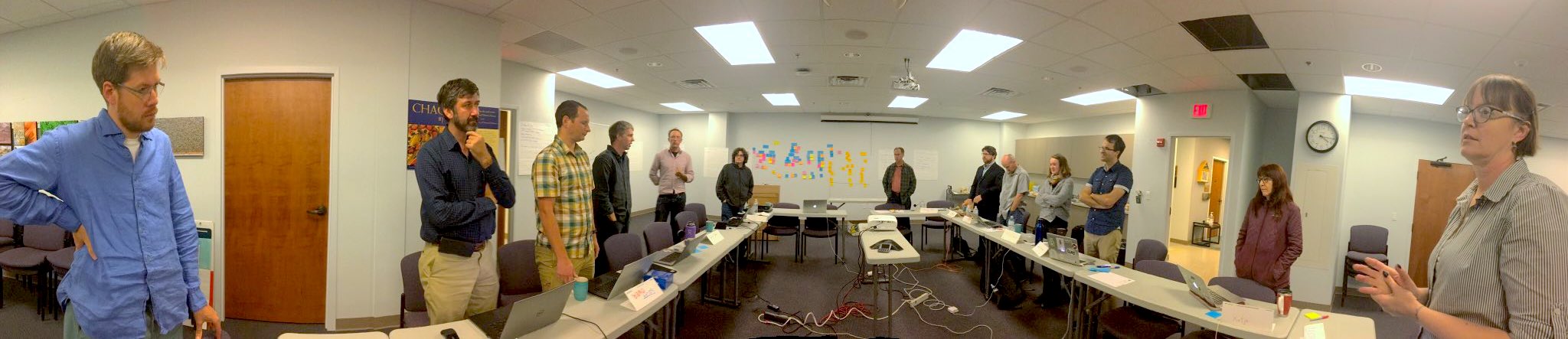
gnames-workshop.jpg

Participants at the The Global Names Project workshop discuss progress in a morning “stand up” briefing. Photo by Deborah Paul (iDigBio).

The Global Names Project held a workshop on 17-19 June 2019 on the Campus of the University of Illinois at Urbana-Champaign. The workshop was titled Scientific names indexing and data mobilization of Biodiversity Heritage Library using tools from Global Names project and was hosted by the Species File Group at the  Illinois Natural History Survey. Eighteen people attended representing a variety of organizations interested in BHL content: Global Names Architecture, iDigBio, TaxonWorks, UIUC Species File Group, the Illinois Library, Encyclopedia of Life, the DINA Project, the Catalogue of Life, GBIF, Species File Group Argentina, the HathiTrust Research Center, and Global Biotic Interactions.

The workshop was organized as an unconference/hackathon in which the meeting is planned by all participants at the workshop. We initially all proposed topics we individually were interested in exploring; these were our “selfish goals”. In an exercise at the workshop, those goals were broken into similar or related topics. The most popular topics (see those sticky notes on the wall — in the background of the photo) became the focus of “pitches”, i.e. challenges that we could address at the workshop. We self-organized into working groups under the banner of pitch and got to work.

Note that at a hackathon, the goal is that you are always either “doing or learning.” For example, some of us learned how to mine BHL content using the Developer and Data Tools. And if you’d like to try it, you too can install and use the gnfinder and gnparser tools. The gnparser tool breaks scientific name-strings into the semantic elements of the string. While gnfinder searches text output (like OCR) for names.

Overall, the activities of the workshop centered around further improving the information that we can extract from the OCR (optical character recognition) content that is generated from the page images in BHL, including improving that OCR content itself.

One group focused on attempting to find Species Identification Keys in BHL. Using a versioned, citable, and verifiable snapshot of the BHL OCR text corpus1, the group discovered that a variety of ways in which a species identification key is labeled in the text combined with the natural inaccuracies of OCR make the task of identifying a heading for a key challenging2.

Another group worked on connecting the APIs of TaxonWorks, Global Names, and BHL. Their goal was to integrate information and resources from all three in a single interface that highlighted the BHL pages that species were originally described on. This group managed to wrap all three APIs in a single place (a “Task” in TaxonWorks), but problems with matching citation data across platforms prevented them from truly “closing the loop”.

Finally, the largest group focused on extracting different entities from the OCR content of the BHL, for example geographic names, people names, and organizations. This group experimented with a variety of natural language techniques and tools including the Edinburgh Geoparser, IBM Watson, Microsoft Azure Cognitive Services, and LingPipe and identified some additional challenges to extracting such entities from BHL. Not surprisingly, there is some overlap between place names and taxon names. For example, “St. Lucia” can be conflated with the genus “Lucia” (a type of butterfly), which certainly adds a hurdle for accurate entity identification.

The results of the workshop are being integrated into a Wiki that contains our initial goals and that invites other stakeholders to get involved. One direct outcome of the workshop is that the BHL will move to provide quarterly exports of the OCR, available to anyone, to mine and experiment with.  Previously, this content was not easily downloadable. The workshop discussions and hacking drove home the point that this corpus is a key element for future developments. Many other broader topics were also raised throughout the meeting. In particular, we explored the idea of opening a worldwide biodiversity informatics channel to better facilitate communication and share ideas among interested parties in real-time. This could be done using Slack.

Many thanks to the Global Names and the Illinois Natural History Survey for hosting, and especially Dima Mozzherin for all of his work on the Global Names Name Finding algorithm, which has opened the door to moving BHL’s content into the next decade.

References

[1] Poelen, Jorrit H. (2019). A biodiversity dataset graph: Biodiversity Heritage Library (BHL) (Version 0.0.1) [Data set]. Zenodo. http://doi.org/10.5281/zenodo.3251134

[2] Poelen, Jorrit H., Schulz, Katja, Trei, Kelli J., & Rees, Jonathan A. (2019, July 10). Finding Identification of Keys in the Biodiversity Heritage Library (Version 1.1). Zenodo. http://doi.org/10.5281/zenodo.3311815

July 15, 2019by Joel Richard
BHL News, Blog Reel, Tech Updates

BHL Adds New, Easier Article Download Feature

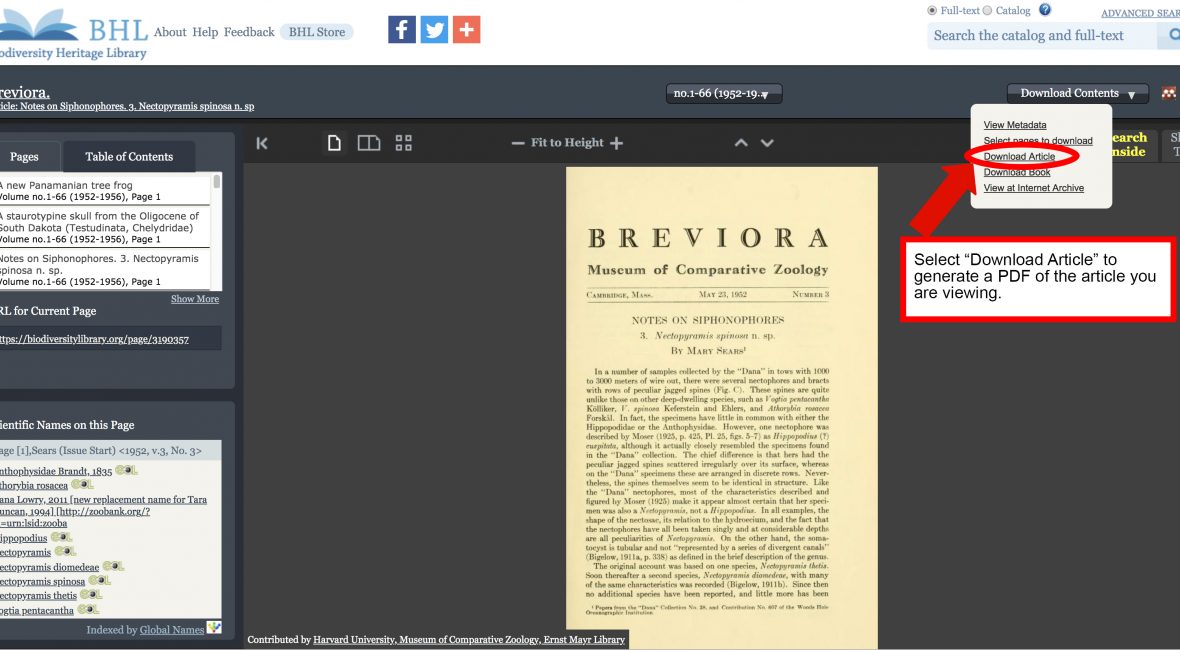
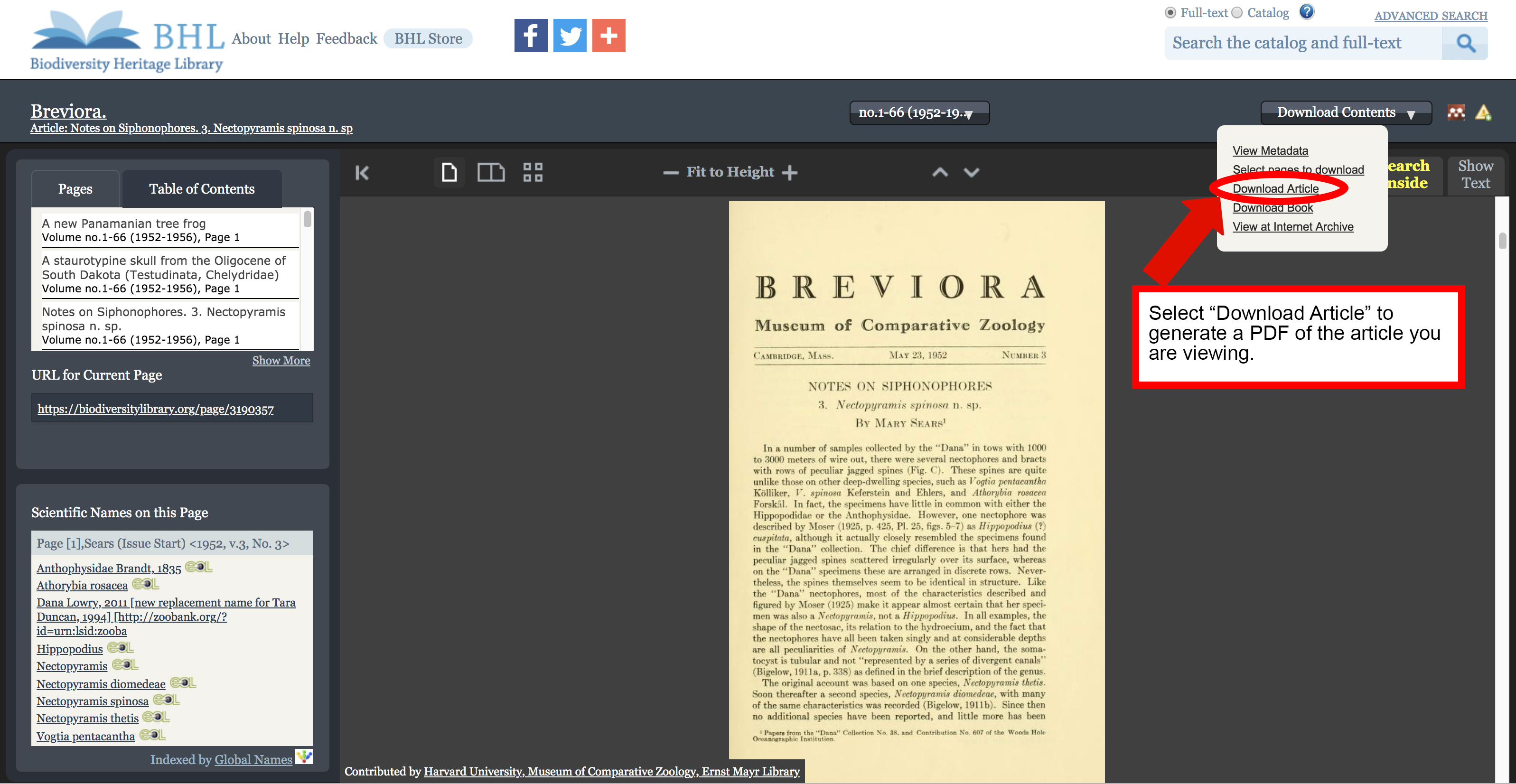
Screenshot of the book viewer in the Biodiversity Heritage Library with the "download article" option highlighted in the download contents menu.

We’ve added functionality to the BHL book viewer that makes it easier to generate a PDF for an article.

When you are viewing an article that has been defined in BHL, you can now quickly and easily generate a PDF of that article using our new “Download Article” option in the “Download Contents” dropdown menu.

Screenshot of the book viewer in the Biodiversity Heritage Library with the "download article" option highlighted in the download contents menu.

“Download Article” option in the “Download Contents” dropdown menu.

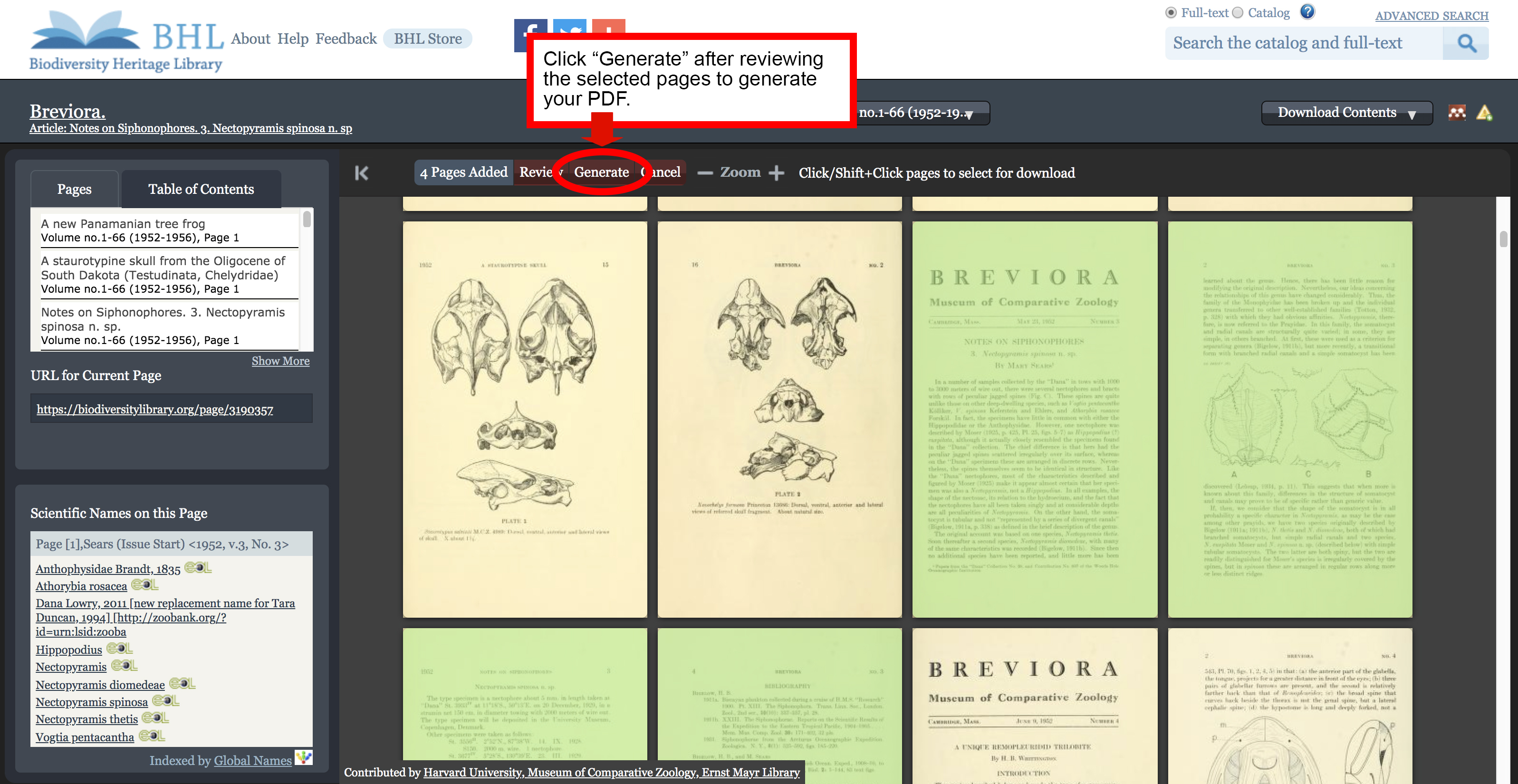
Selecting the “Download Article” option will launch BHL’s custom PDF generation functionality, with all pages in the article pre-selected. Be sure to review the selected pages to ensure all relevant pages are highlighted. Select additional pages or unselect unwanted pages by clicking on the page images. Once your selection is finalized, click “generate” to complete the process.

Screenshot of the book viewer in the Biodiversity Heritage Library with the "generate" button in the PDF selection process highlighted.

The pages of your article will be pre-selected. Review to ensure all desired pages are included.

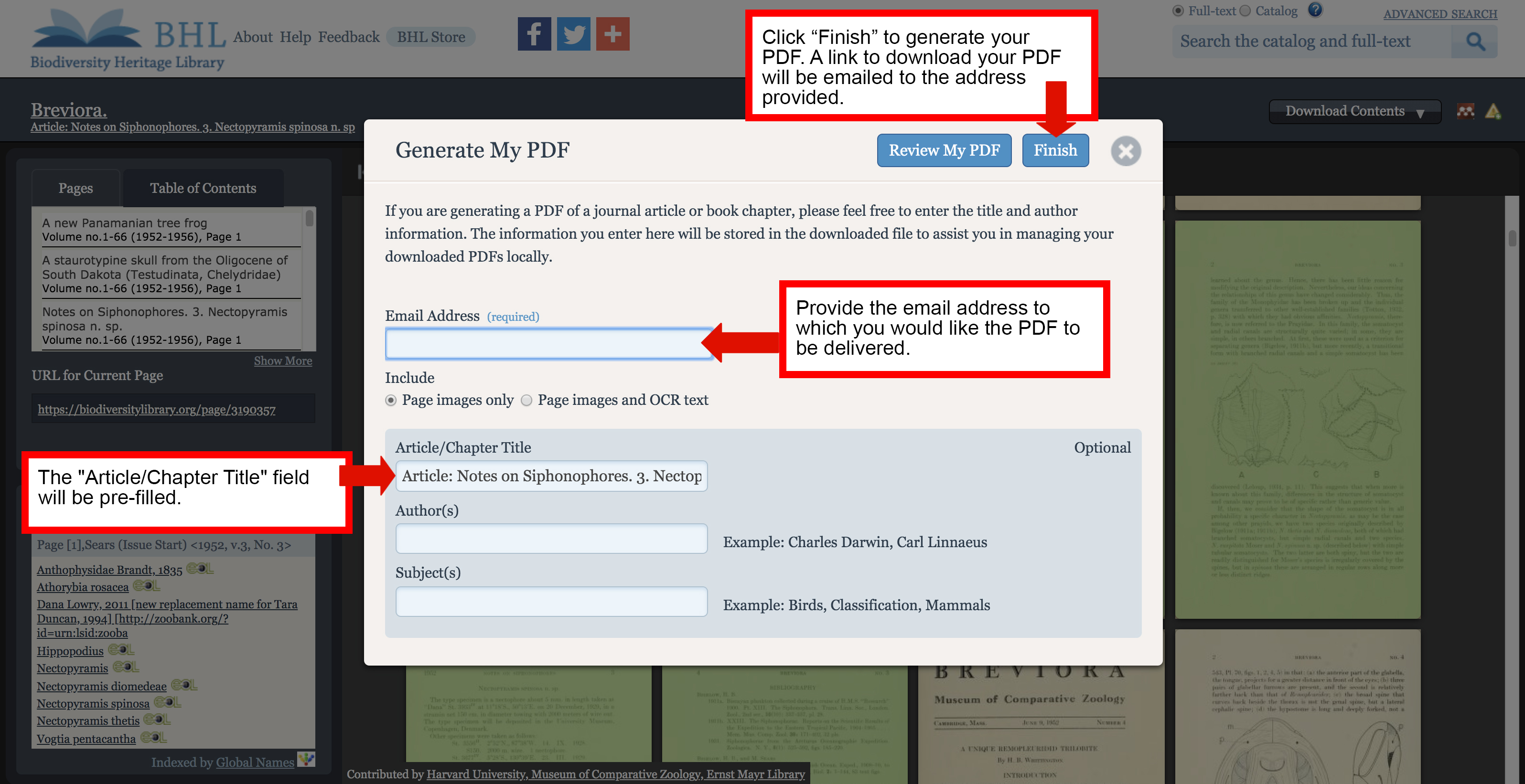
The “Generate My PDF” screen will appear, with the “Article/Chapter Title” field pre-filled. Provide the email address to which you would like the PDF to be delivered and click “Finish”. A link to download your PDF will be emailed to the address provided.

Screenshot of the "generate PDF" form in the Biodiversity Heritage Library book viewer.

A link to download your PDF will be emailed to the address provided in the “Generate My PDF” form.

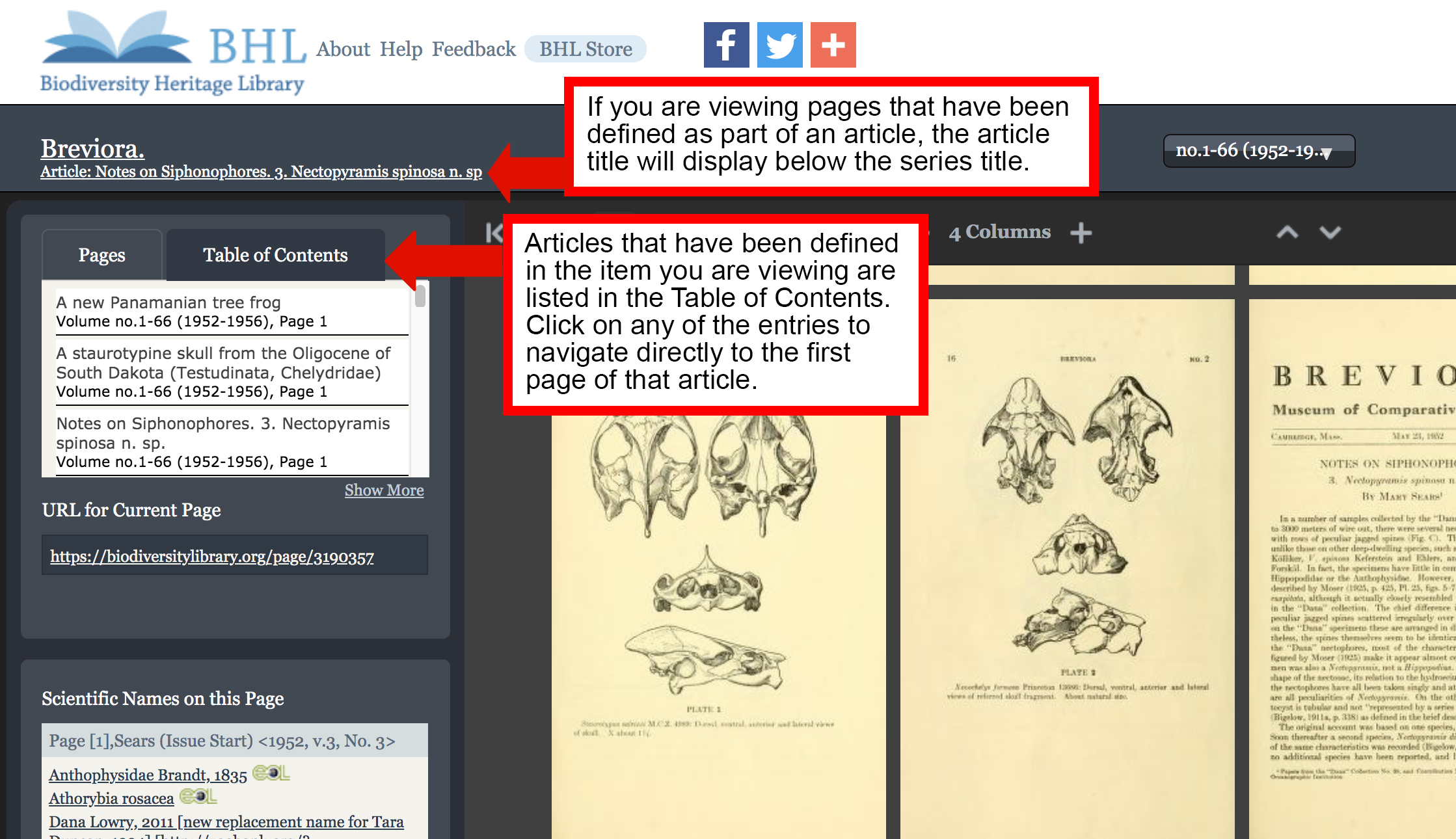
The “Download Article” option will only be available if you are viewing content that has been defined as part of an article. Articles that have been defined for the item you are viewing are listed in the Table of Contents in the book viewer. Click on any of the entries to navigate directly to the first page of that article. If you are viewing pages that have been defined as part of an article, the article title will display below the series title in the book viewer.

Screenshot of the book viewer in the Biodiversity Heritage Library with the table of contents and article title features highlighted.

Use the Table of Contents to navigate to articles defined in the book you are viewing. If you are viewing pages that have been defined as part of an article, the article title will display below the series title in the book viewer.

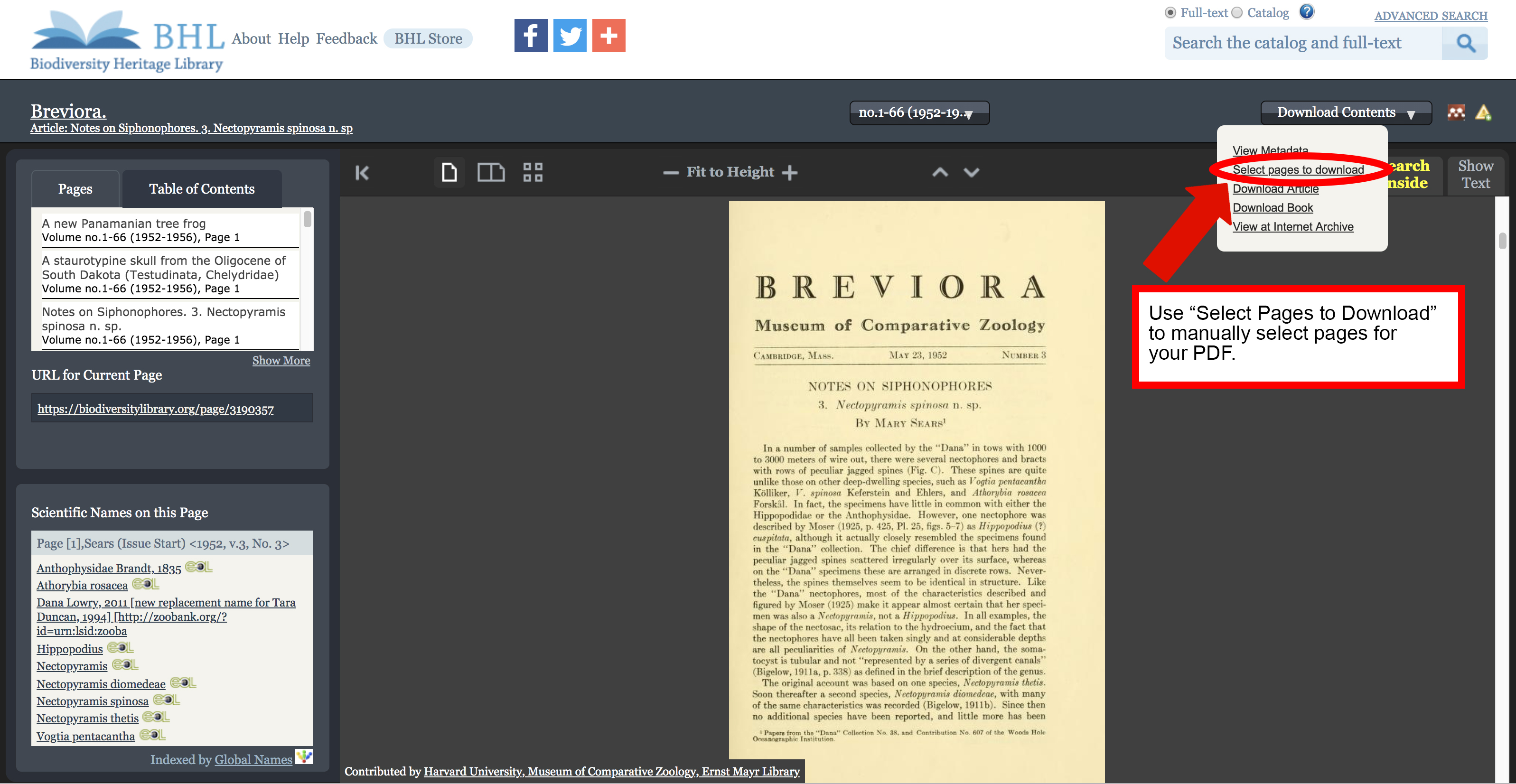
Please note that defining articles in BHL is an ongoing process, and not all articles in the Library have been indexed. If the article you need has not yet been indexed, you can still use our “Select Pages to Download” feature to manually select the article pages and generate a PDF. Learn more about the “Select Pages to Download” feature in our FAQ.

Screenshot of the book viewer in the Biodiversity Heritage Library with the "select pages to download" option highlighted in the "download contents" menu.

Use the “Select Pages to Download” feature if “Download Article” is not available.

June 20, 2019by michelle.underhill
Page 3 of 12« First...«2345»10...Last »

Help Support BHL

BHL's existence depends on the financial support of its patrons. Help us keep this free resource alive!

search

About BHL

The Biodiversity Heritage Library (BHL) is the world’s largest open access digital library for biodiversity literature and archives. BHL operates as a worldwide consortium of natural history, botanical, research, and national libraries working together to digitize the natural history literature held in their collections and make it freely available for open access as part of a global “biodiversity community.”

Join Our Mailing List

Sign up to receive the latest news, content highlights, and promotions.

Subscribe Now

Subscribe to Blog via Email

Enter your email address to subscribe to this blog and receive notifications of new posts by email.

Join 319 other subscribers

Subscribe to Blog Via RSS

Subscribe to the blog RSS feed to stay up-to-date on all the latest BHL posts.

Access RSS Feed

Inspiring Discovery through Free Access to Biodiversity Knowledge.

The Biodiversity Heritage Library makes it easier than ever for you to access the information you need to study and explore life on Earth…for free, anytime, anywhere.


64+ Million Pages of
Biodiversity Literature Online.

EXPLORE

Tools and Services
to Transform Research.

EXPLORE

300,000+
Illustrations on Flickr.

EXPLORE

ABOUT | HARMFUL CONTENT | PRIVACY | SITE MAP | TERMS OF USE